B523
B523 Page 20 840D/828D SINUMERIK Operate
Notes
3.7.3 Measuring a tool
1. Either press the “OFFSET“-key on the keyboard or
press “MENU SELECT“ on the operator panel, then
the HSK 2 “Parameter” and the HSK 1 “Tool list” to
switch to the tool list.
2. Select the active tool that you want to measure in
the tool list and press the VSK 1.1 "Tool measure".
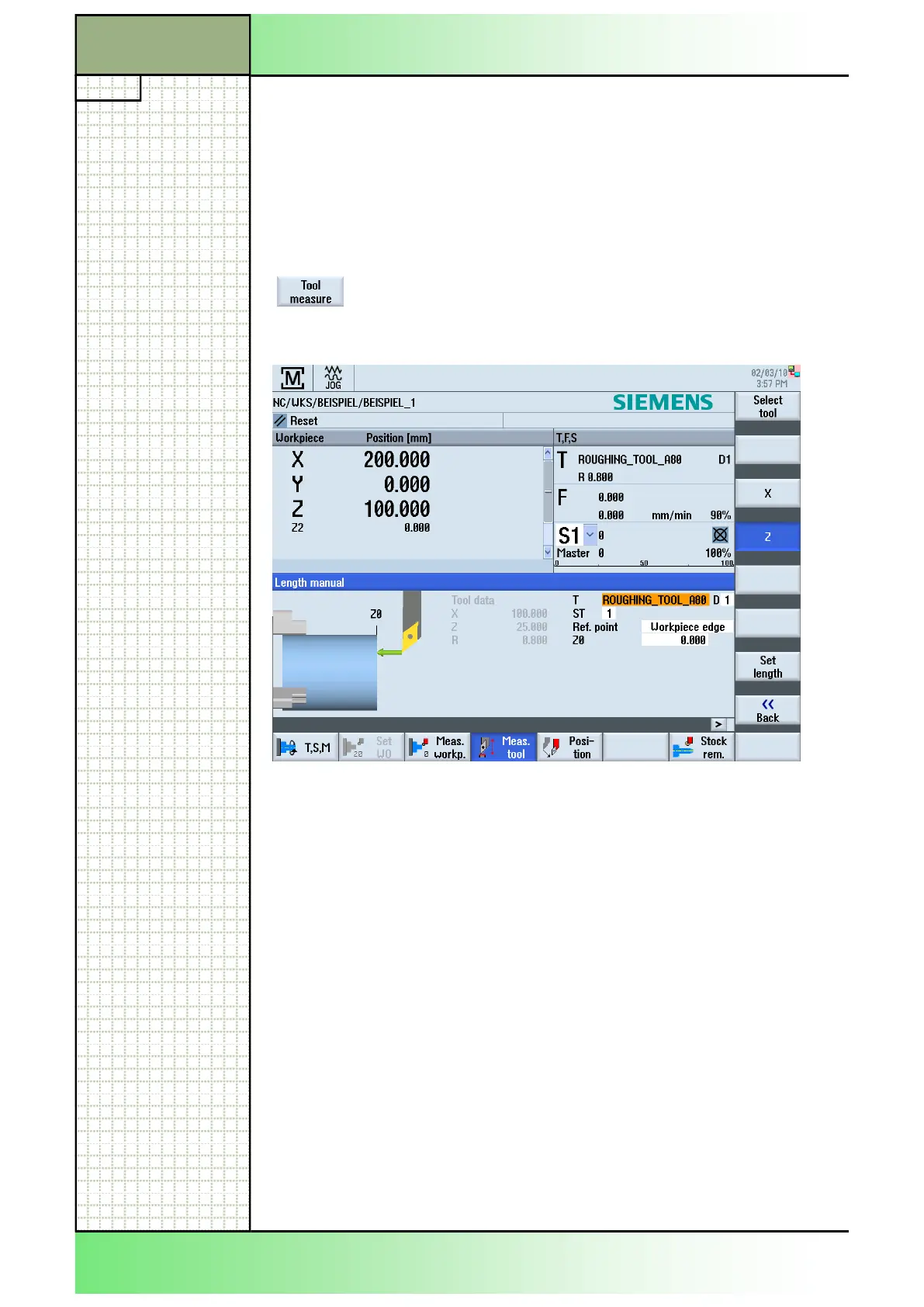
You jump to the "JOG" operating mode and the tool
to be measured is entered in the "T" field in the
"Length manual" screen.
3.7 Tool measure
You can measure the tool offset data for the individual tools directly from
the tool list.
Note:
Tool measurement is only applicable with an active tool.
3.7.1 Selecting the function “Tool measure”
With an active tool selected press the VSK 1.1 “Tool
measure” to switch to the “Length manual” window in
the operating mode “JOG”.
3.7.2 Vertical softkey bar
Display area Description
For the softkeys see module B520 “Operating mode JOG“, section 6.3.
Section 3
Tool list
















 To Next Page