840D/828D SINUMERIK Operate
Notes
3. Select the cutting edge number “D” and the replace-
ment tool number “ST”..
4. Approach the workpiece in Z direction, scratch it with
a rotating spindle and enter the set position Z0 of the
workpiece edge.
5. Press the VSK 7 "Set length".
The tool length is calculated automatically and
entered in the tool list.
3.8 Managing cutting edges
In the case of tools with more than one cutting edge, a separate set of off-
set data is assigned to each cutting edge. For every tool up to 9 edges can
be installed. No gaps in the assignment of edges are allowed. If a tool has
3 cutting edges then edge numbers 1 to 3 have to be assigned.
Tool cutting edges that are not required can be deleted.
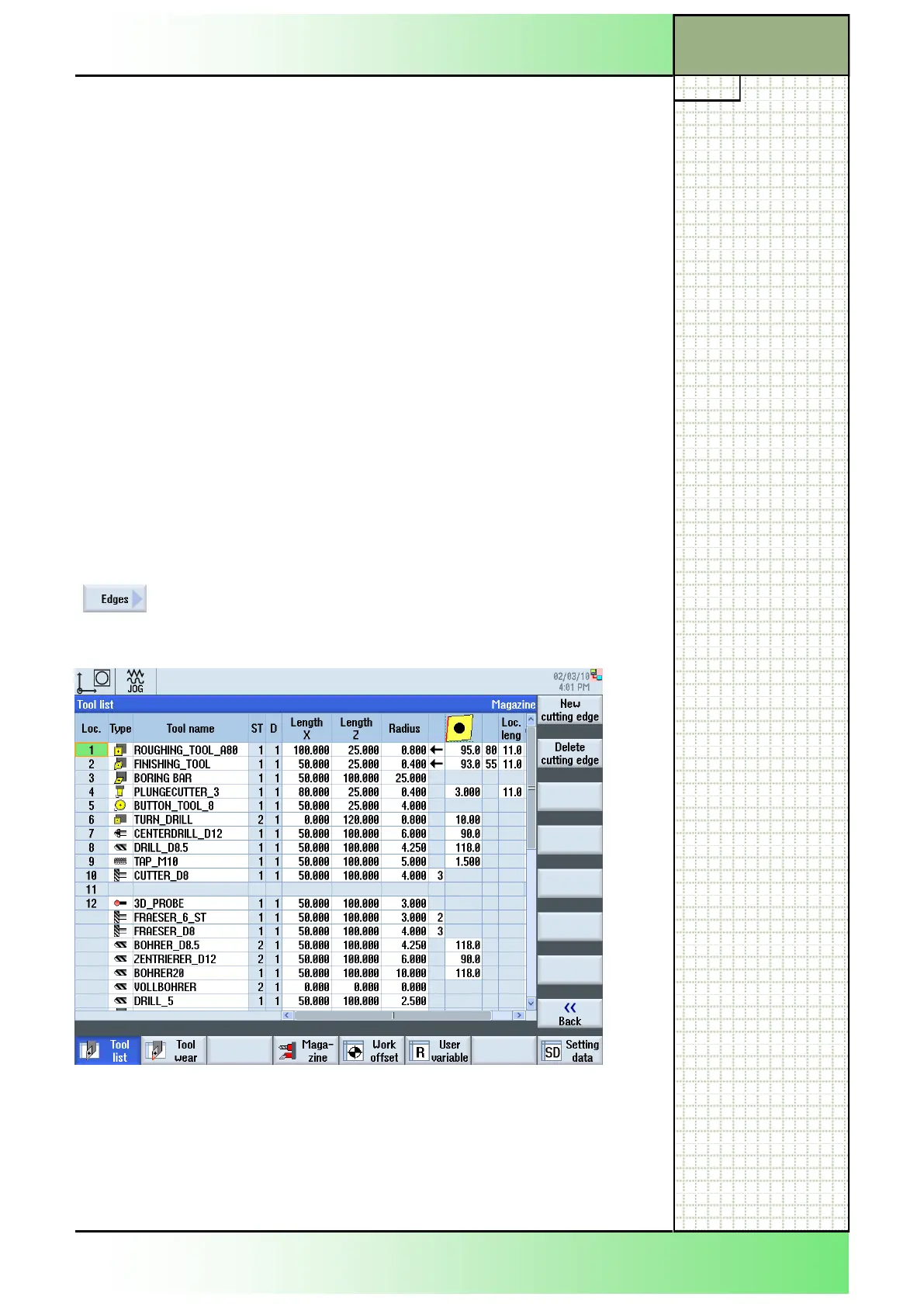
3.8.1 Selecting the function “Edges”
By pressing the VSK 1.3 “Edges“ the following verti-
cal softkey bar opens on the right hand side of the
“Tool list”- window.
Section 3
Tool list
















 To Next Page