840D/828D SINUMERIK Operate
Notes
Section 8
User variables
8.3.4 Deleting R variables
1 Press the “MENU SELECT“-key on the operator
panel, then the HSK 2 “Parameter” to open the oper-
ating area “Parameter”. Alternatively press the
“OFFSET”-key on the keyboard.
2. Press the VSK 8 “Extend”.
The vertical softkey bar 2 opens.
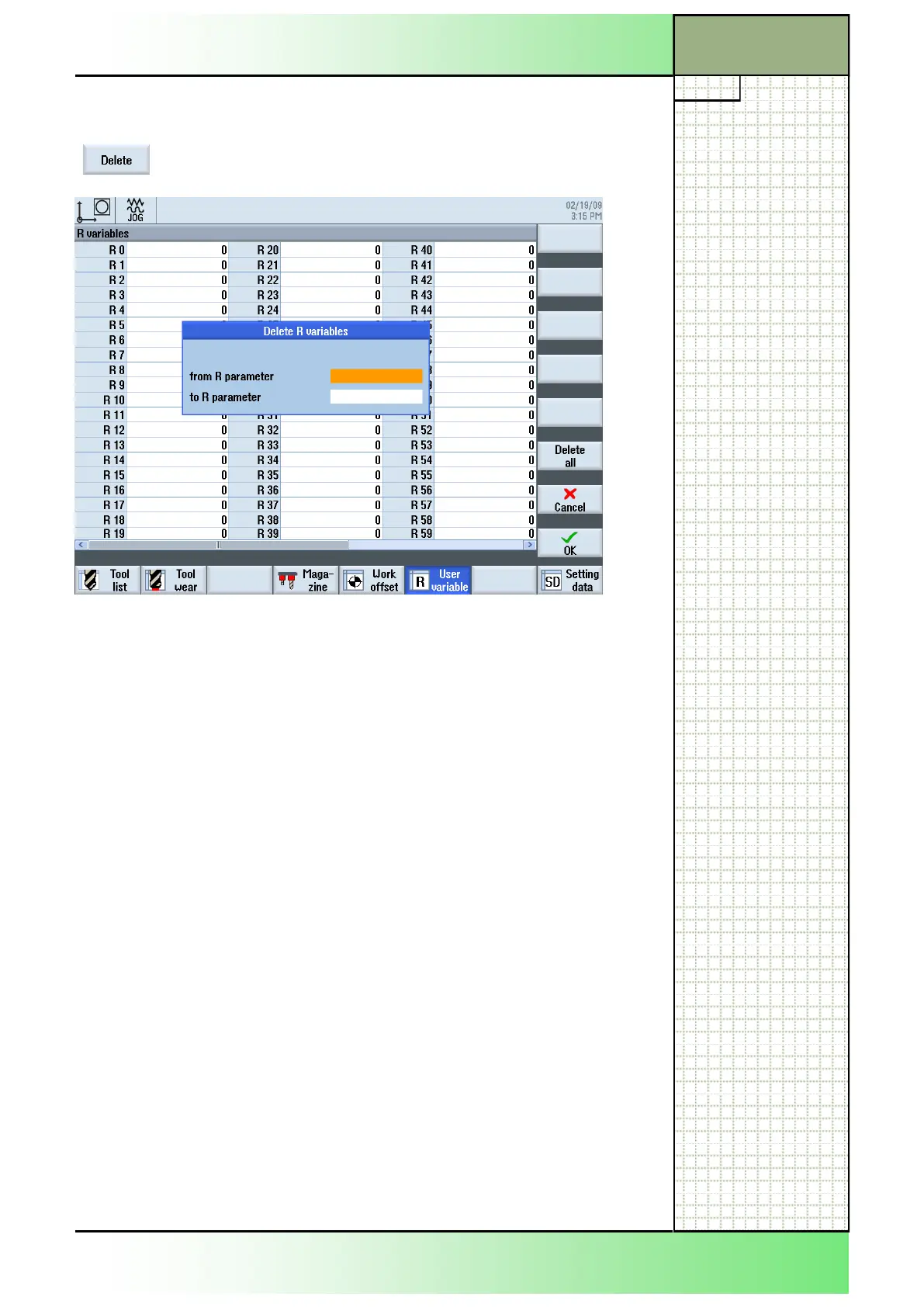
3. Press the VSK 2.7 “Delete“.
4. Enter the range ( from.... to... ) in which you want to
delete “R variables”.
Enter even numbers from the range 0 to 99.
Accept the selection by pressing the VSK 8 “OK”
or abort by pressing the VSK 7 “Cancel”.
The selected “R variables” will be deleted.
- OR -
5. Press the VSK 6 “Delete all” to reset all “R variables”
to 0 (zero).
Accept your choice by pressing the VSK 8 “OK”
or abort by pressing the VSK 7 “Cancel”.
All “R variables” will be reset to 0 (zero).
8.3.3 Selecting the function “Delete R variables”
After pressing the VSK 2.7 “Delete“ the following
“Delete R variables” window opens.
















 To Next Page