840D/828D SINUMERIK Operate
Notes
Section 2
Structure of the program editor
2.1 Opening a program
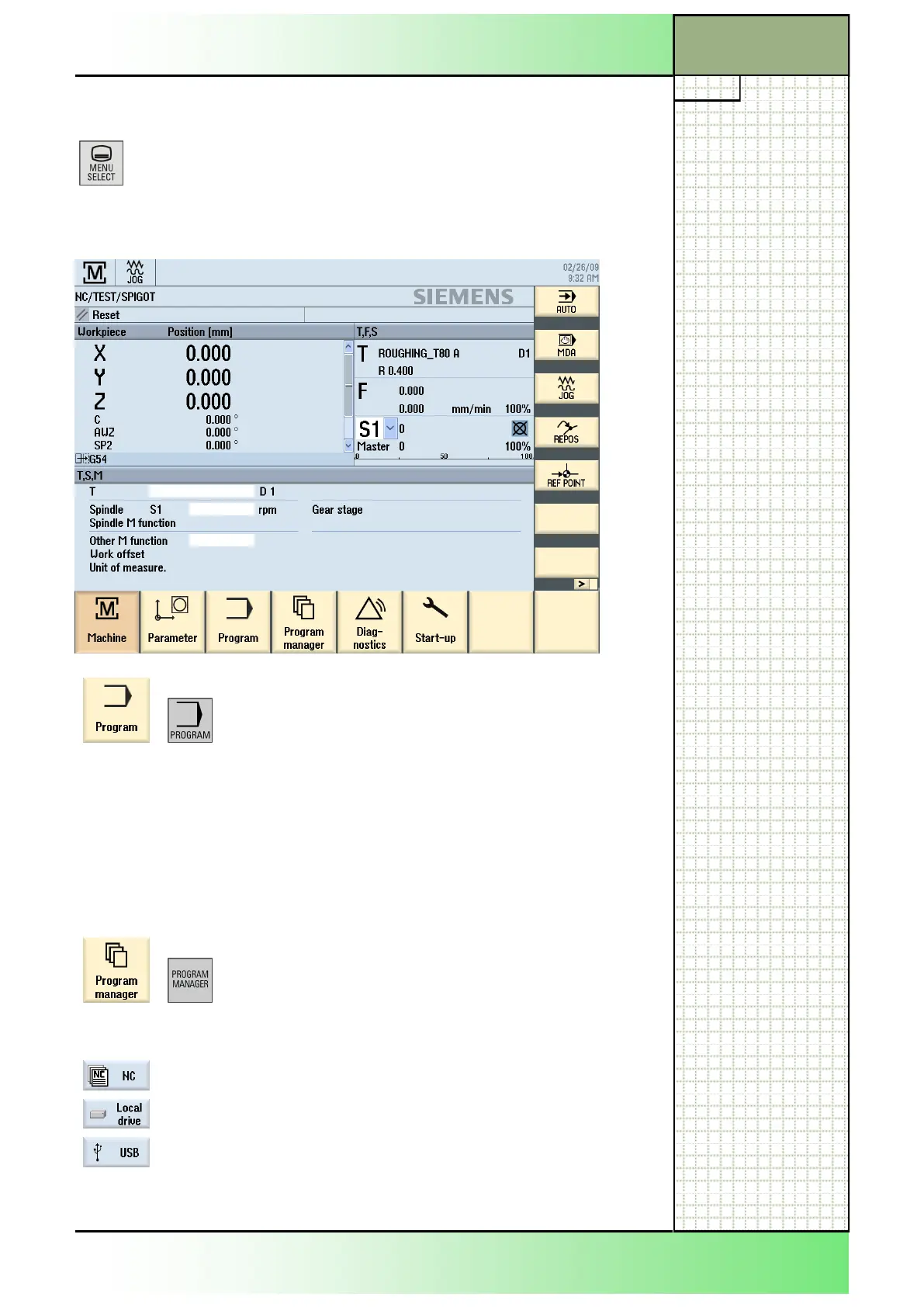
Press the “MENU SELECT“-key on the operator
panel.
The following screen of the Sinumerik Operate will be displayed.
Press the HSK 3 “Program“ or the corresponding
key on the keyboard.
If a program is already loaded into the program edi-
tor, because it was processed or edited before, then
it opens immediately.
If no program was loaded before, then the program
manager opens first, giving you the opportunity to
select a program.
- OR-
Press the HSK 4 „Program-Manager“ or the corre-
sponding key on the keyboard.
The program manager window opens with a view to
the directory structure of the NC-memory.
If the desired program is not on the NC-memory,
then you can switch over to a local drive by pressing
the HSK 2 “Local drive” or to an USB device (such
as an USB stick, or USB hard drive) by pressing the
HSK 3 “USB”.
See module B525 “Operating area Program manager“
















 To Next Page