B524
B524 Page 6 840D/828D SINUMERIK Operate
Notes
Section 2
Structure of the program editor
With the editor you can go through the program more clearly and make
necessary changes by editing them.
Note:
The maximum record length amounts to 512 characters.
The navigation in the editor window takes place with the blue cursor keys
on the keyboard.
NC blocks consist of the following components:
Commands (instructions) as per DIN 66025 (G-code programs)
Elements of the NC high-level language
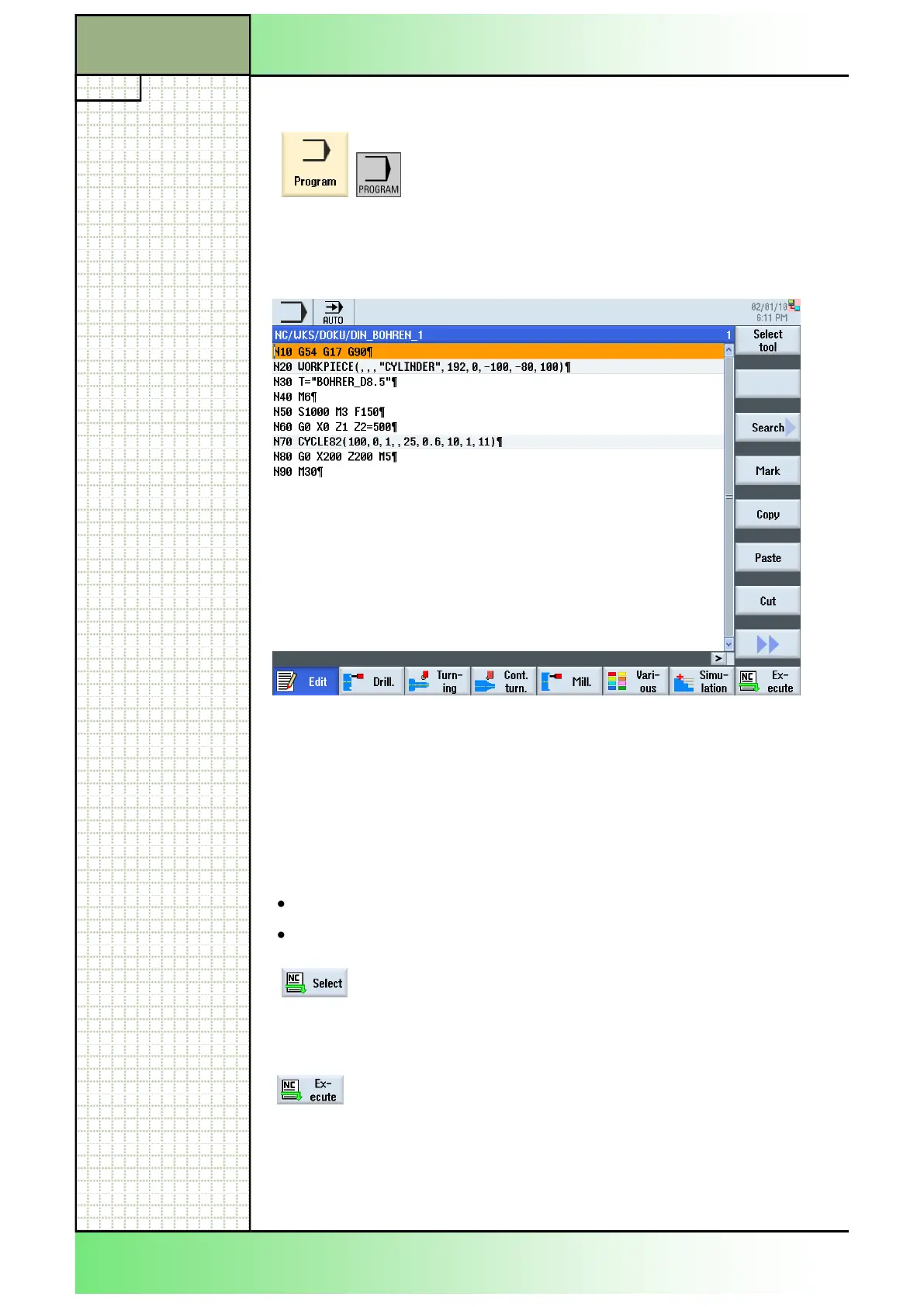
Shown below the opened program editor with a part program loaded:
The program editor is described precisely in the module B601 and B605
“Basics of programming”.
If the editing of the program is finished, you can
take over all changes in the program code with
pressing the HSK 8 “NC Select”. The program is
taken over and loaded to the machine. The screens
switches to the operating area “Machine”.
If the part program is already selected for machining
the HSK 8 “Execute” appears . The screens
switches to the operating area “Machine”.
2.4 The program editor
By pressing the yellow HSK 3 “Program“, or the cor-
responding key on the keyboard the program editor
window opens with the part program selected be-
fore, as long as the program was not closed explic-
itely with the VSK 2.7 “Exit” after editing.
















 To Next Page