B524
B524 Page 10 840D/828D SINUMERIK Operate
Notes
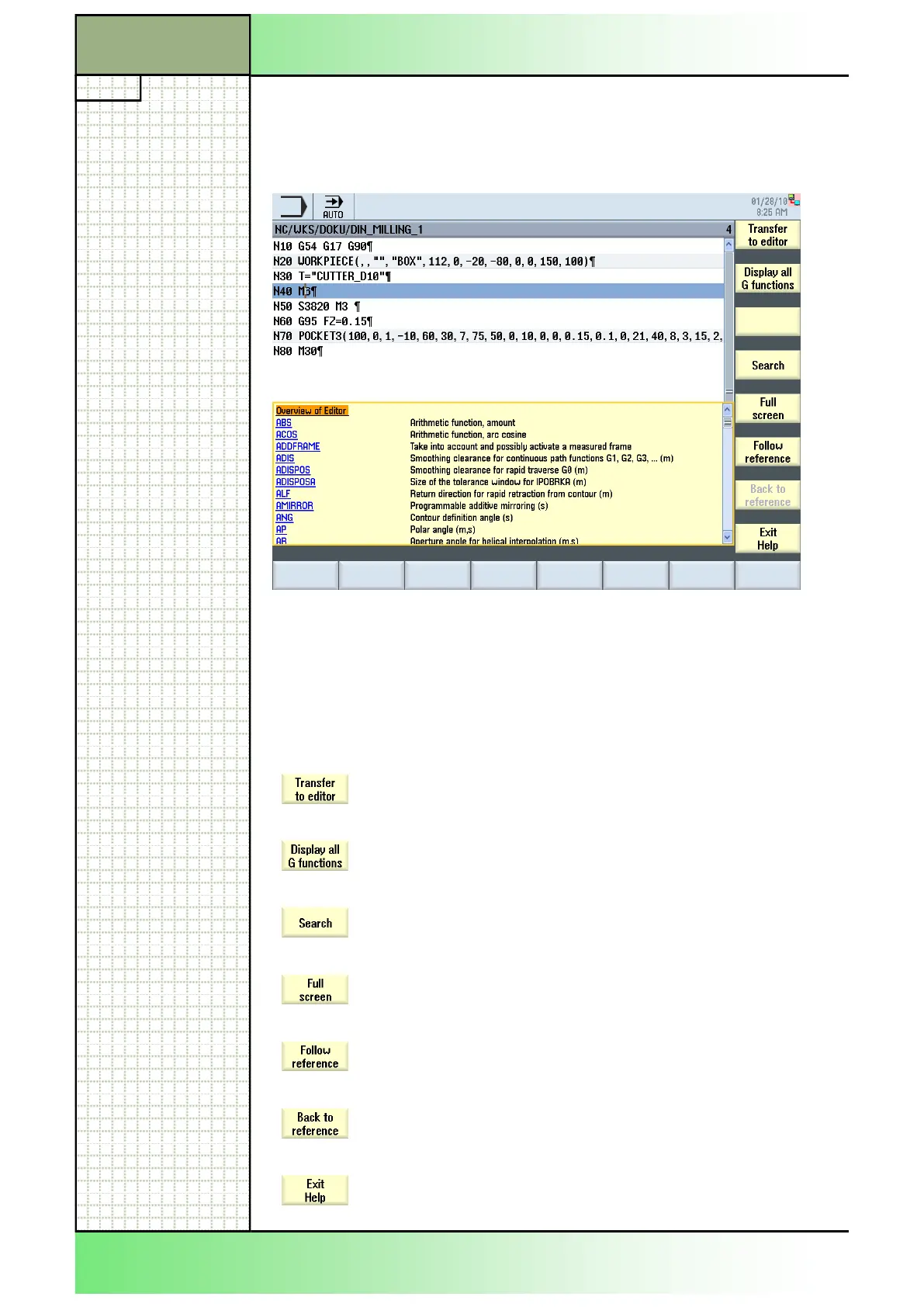
4.3 Vertical softkey bar of the help menu
Orange marked blocks will be taken over into the editor
window.
Shows all G-functions.
Opens a search mask for searching for help topics.
Enlarges the help window to full-screen.
Follows a reference to a help topic selected.
Returns to the table of content.
Closes the help window.
Section 4
If there is no specific help available the following screen is shown:
A message box with the note „No help available for „…“ appears. You can
close this box with VSK 8 „ok“ and afterwards you can call a specific help
directly below the line „Overview of Editor“.
Screen elements and their meaning
















 To Next Page