B525
B525 Page 8 840D/828D SINUMERIK Operate
Notes
Section 3
Storage medium “NC”
3.4 Starting a new NC-program
Press the VSK 1.2 “New“ to start a new G-code
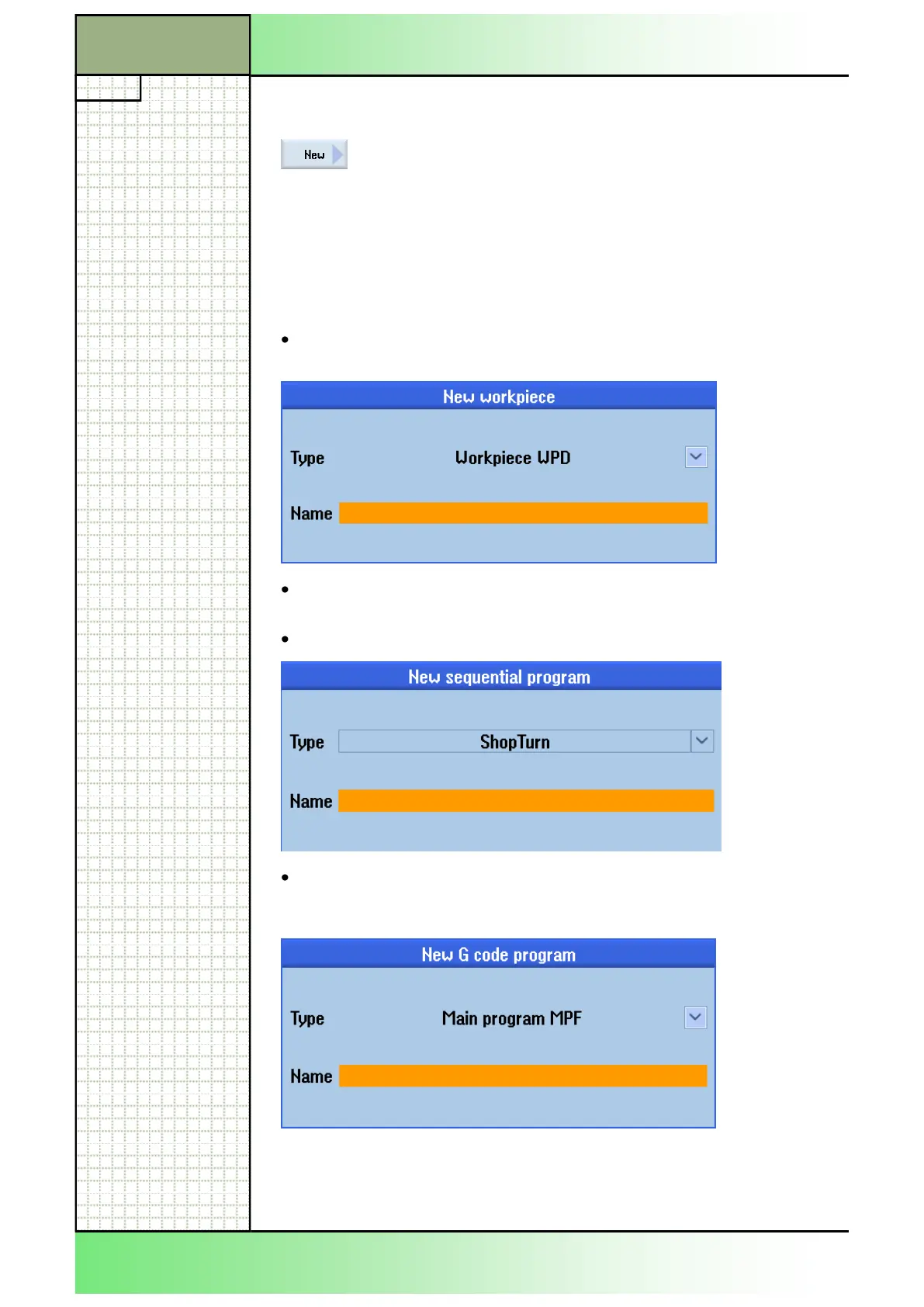
program or workpiece. Depending on the cursor
position the following input masks open.
If the cursor is placed on the folder for part programs or subprograms,
then a new G-code program of the type “*.MPF” (for part programs) or
“*.SPF” (for subprograms) is created by pressing the VSK 1.2 “New”.
In the name field of the input mask, a name for the program with a maxi-
mum of 28 characters (name+point+extension) has to be entered.
Input window in the case that the cursor is placed on or in the “Part
programs” folder.
Input window in the case that the cursor is placed on or in the
“workpiece folder (WPD).
Press the VSK 2.3 “ShopTurn” to create a new sequential program.
Press the VSK 2.4 “programGUIDE” to create a new G code program.
In this case you select between a main program (MPF) or a subpro-
gram (SPF).
















 To Next Page