840D/828D SINUMERIK Operate
Notes
Section 2
Start-up
2.1 Selecting the operating area “Start-up“
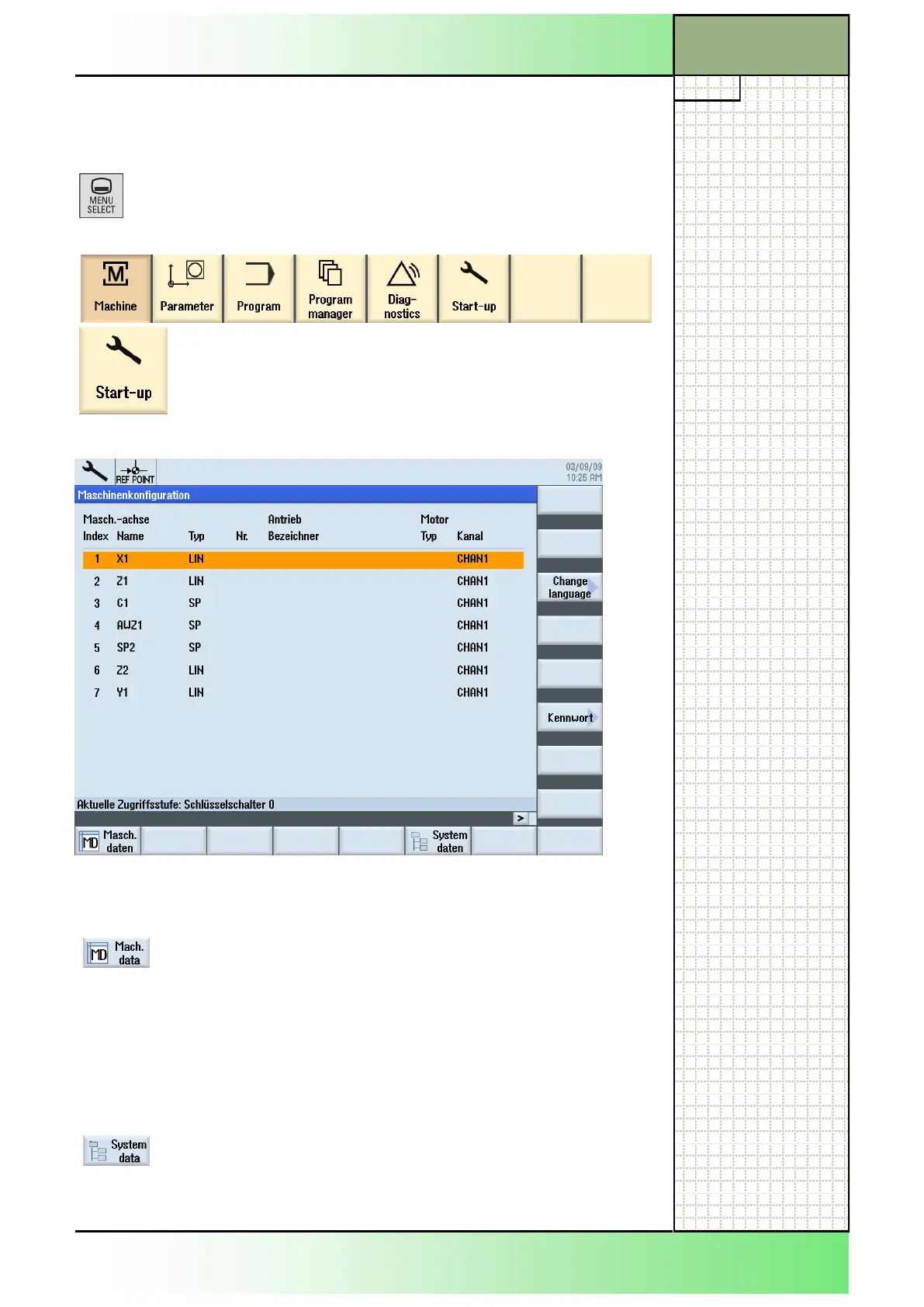
The operating area “Start-up” can be selected as follows:
Press the “MENU SELECT”-key on the operator
panel.
The following horizontal softkey bar of the Sinumerik Operate is displayed.
Press the HSK 6 „Start-up“.
The “Machine configuration“ window opens.
2.2 Horizontal softkey bar
Display area Description
By pressing the HSK 1 “Mach. data“ the “General
MD”-window opens.
The display of the machine data or drive mecha-
nism depend on the configuration of the control.
The access rights to the machine data are re-
stricted by the position of keyswitches or pass-
words.
This function is described in the commissioning
manual of the Sinumerik Operate.
By pressing the HSK 6 “System data” the “System
data”-window opens.
This function is described in the commissioning
manual of the Sinumerik Operate.
















 To Next Page