B605
B605 Page 16 840D/828D SINUMERIK Operate
Notes
4.5 Settings
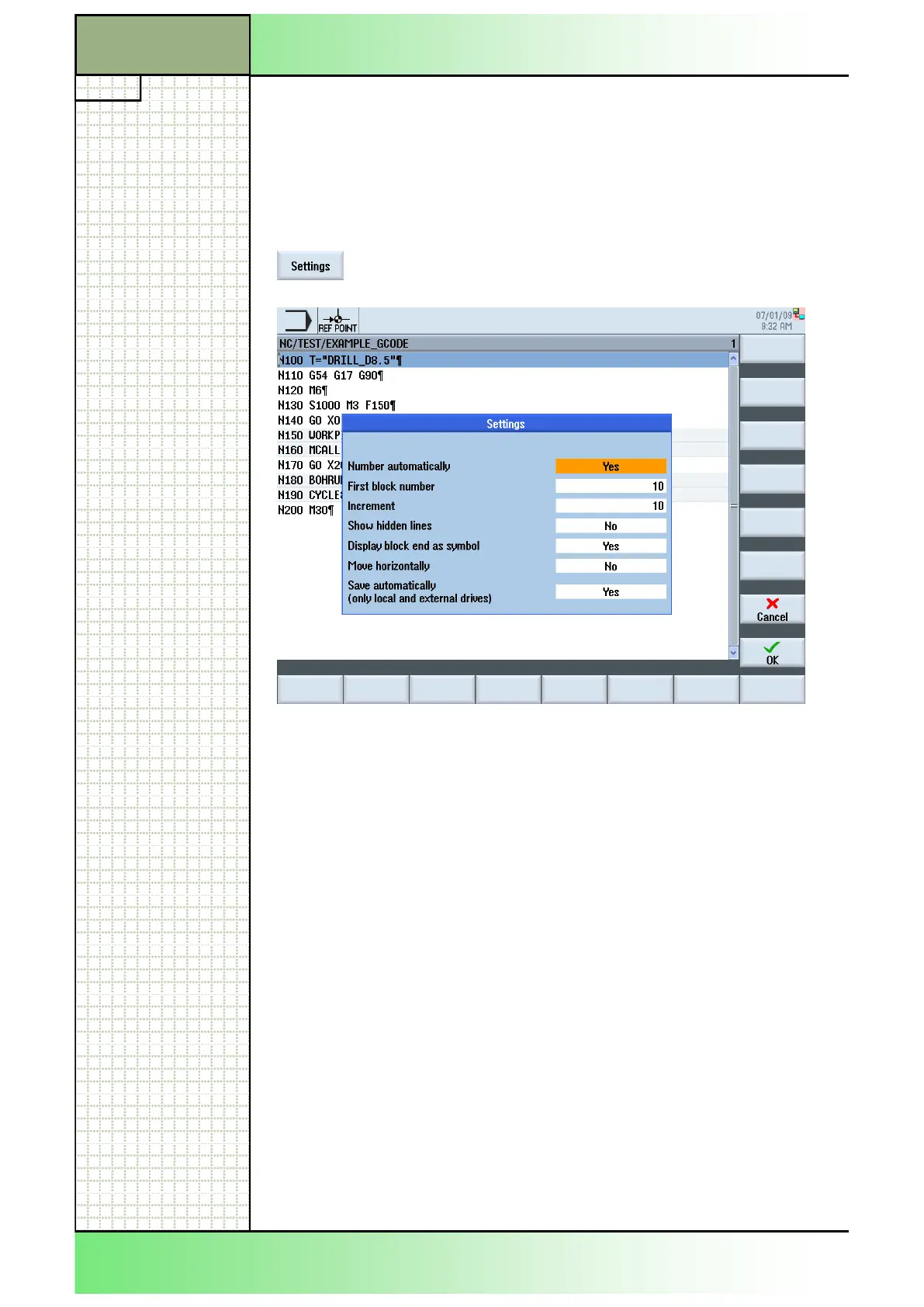
With the function “Settings” you can change the settings for the program
editor.
4.5.1 Selecting the function „Settings“
By pressing the VSK 2.6 “Settings” the settings win-
dow for the program editor opens.
4.5.2 Parameters for “Settings”
Parameter Meaning
Number automati-
cally (Yes/No)
Program blocks will be numbered automatically at
the time of input. If this parameter is deactivated the
following two parameters will not be displayed.
First block number Block number of first block.
Increment Increment between block numbers.
Show hidden lines
(Yes/No)
Show hidden line (with the ID ;*HD).
Display block end as
symbol (Yes/No)
A symbol is displayed at the end of each block.
Move horizontally
(Yes/No)
Blocks are displayed in one line with the scroll bar.
Save automatically
(only local and ex-
ternal drives)
(Yes/No)
Changes are saved automatically without a query.
Section 4
Edit
















 To Next Page