840D/828D SINUMERIK Operate
Notes
6.3 Further views
You can change the graphical view on the blank, to view the simulation
process in an optimal way.
6.3.1 Selecting the function “Further views
By pressing the VSK 1.5 “Further view” the function
“2 windows” is displayed in the vertical softkey bar.
6.3.1 Vertical softkey bar
Display area Description
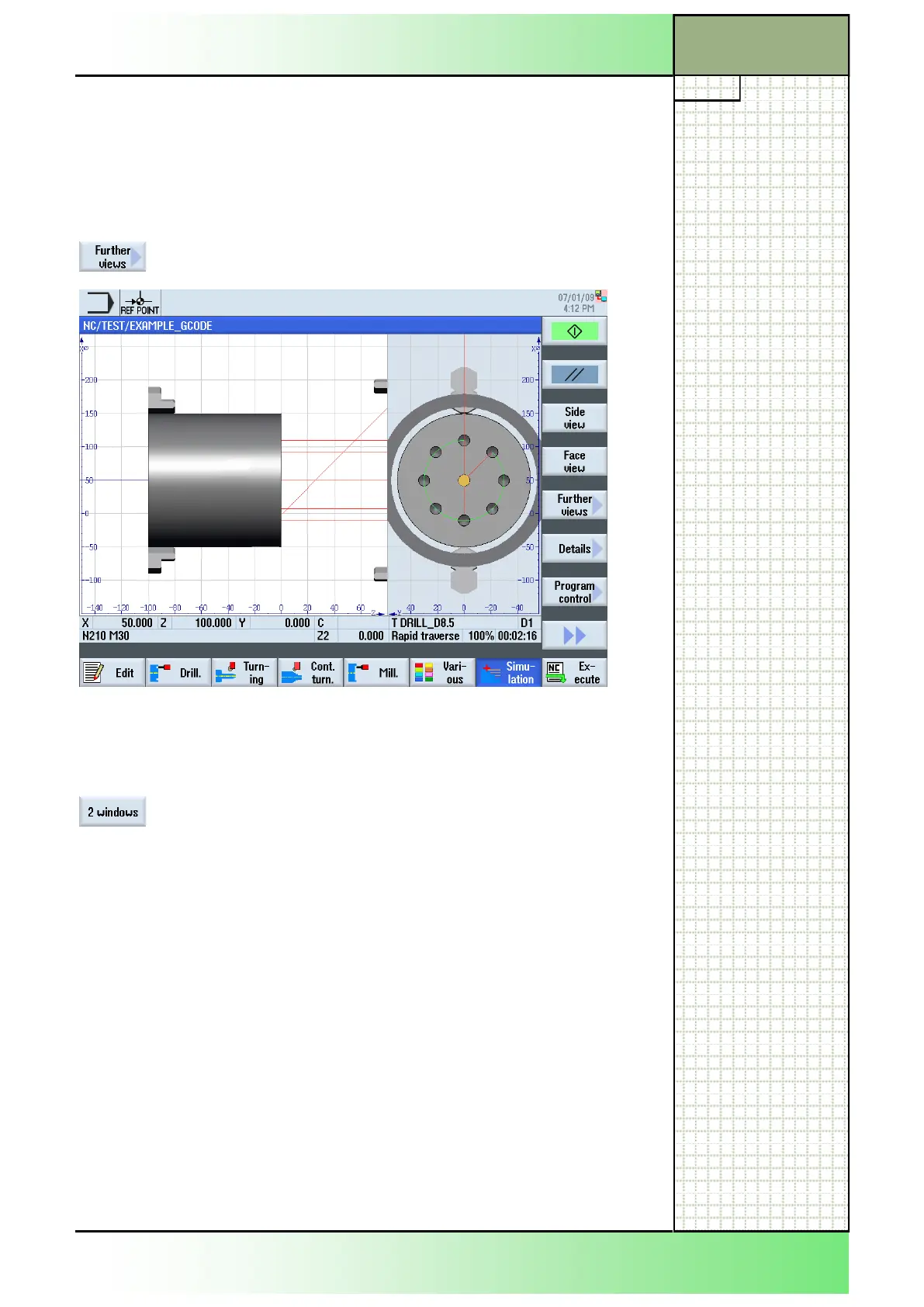
By pressing the VSK 2 “2 windows”, the screen is
splitted into two subwindows, one showing the blank
from the side and one showing the blank from the
face (see picture above).
Section 6
Simulation
















 To Next Page