B605
B605 Page 30 840D/828D SINUMERIK Operate
Notes
6.6.1 Selecting the function “Alarm”
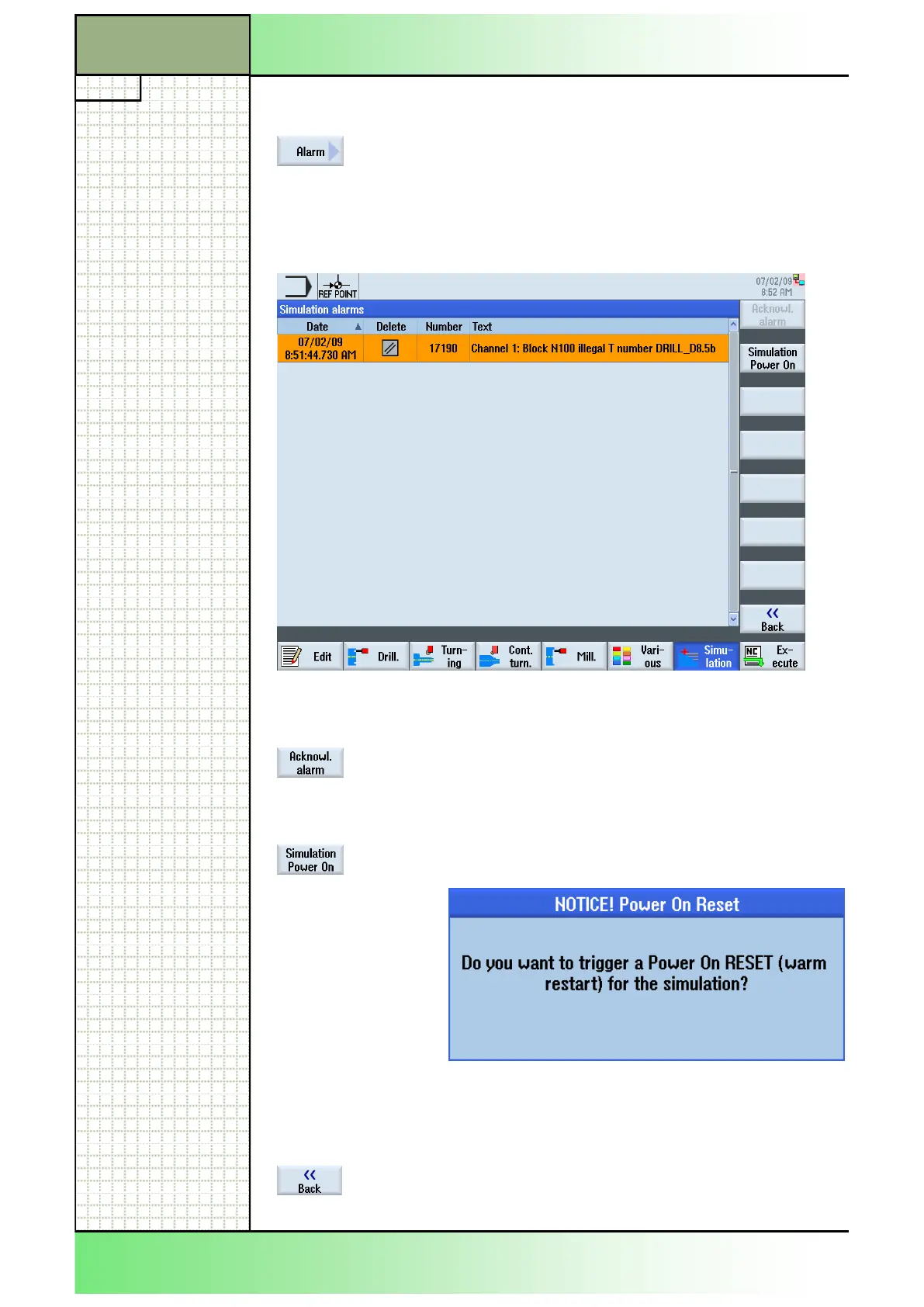
By pressing the VSK 7 “Alarm” the “Simulation
alarms” window opens, with a list of all current active
alarm messages that occured during the simulation.
For error messages and acknowledgement symbols
see module - B526 “Operating area Diagnostics”,
section 3.
6.6.2 Vertical softkey bar
Display area Description
By pressing the VSK 1 “Acknowl. Alarm” all with the
“Reset”- or “Cancel”-symbol marked alarm mes-
sages can be deleted. This softkey is inactive as
long as no appropriate error message is shown.
By pressing the VSK 2 “Simulation Power On” you
can trigger a warm restart for the active simulation.
Press the VSK 8 “OK” to confirm or the VSK 7
“Cancel” to abort the warm restart.
With a warm start the simulation will be ended and
started anew.
By pressing the VSK 8 “Back” you switch back to the
operating area “Program control”.
Section 6
Simulation
















 To Next Page