B611
B611 Page 10 840D/828D SINUMERIK Operate
Notes
10.
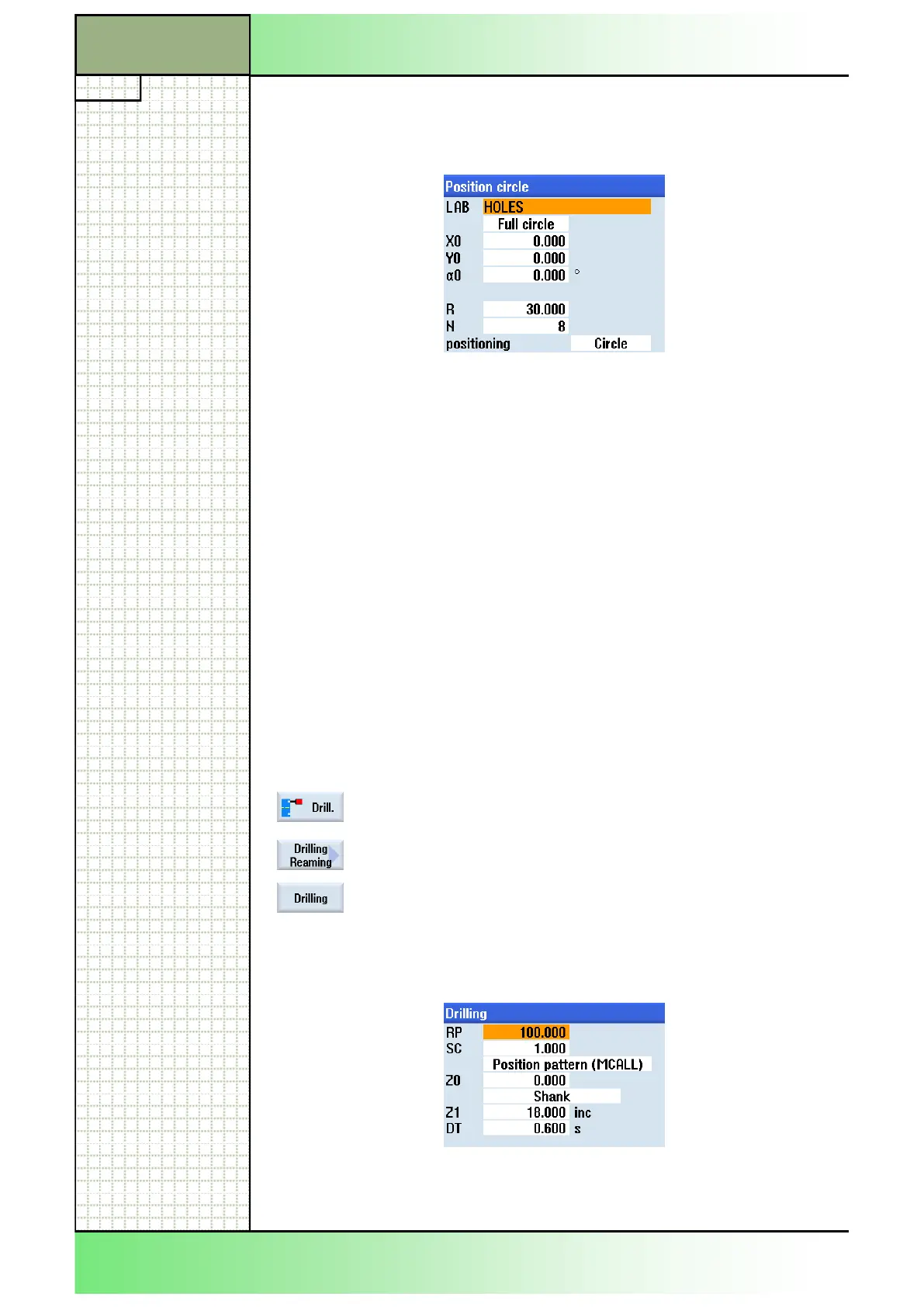
Insert “HOLES” into the “LAB” field to set a name for
the jump marks for the repeat positions.
Fill out the rest of the input mask like displayed be-
low.
Confirm your inputs by pressing the VSK 8 “Accept”.
The following line will be inserted into the program:
N110 HOLES: HOLES (0,0,30,0,30,8,1010, 0,,,1).
11. Program the following G code commands:
N120 MCALL
N130 M25
N140 G0 X200 Z150
12.
Insert the tool “DRILL_D8.5” into the program (see
step 5) or program the following line by hand:
N150 T="Drill_D8.5" D1
13. Program the following G code commands:
N160 M6
N170 M24
N180 S1500 M3 F150
N190 G0 X0 Z100
14.
Program the cycle for the drilling (CYCLE82).
For this, press HSK 1.2 “Drill.”, to open the technol-
ogy “Drilling”.
Press the VSK 2 “Drilling Reaming”.
Press the VSK 3 “Drilling”.
The input mask for the drilling cycle “CYCLE82”
opens.
15. Insert the values into the parameter mask like dis-
played below:
Accept your inputs by pressing the VSK 8 “Accept”.
The following line will be inserted into the program:
N200 MCALL CYCLE82(100,0,1,,18,0.6,10,1,11).
Section 3
Complex programming example
















 To Next Page