B618
B618 Page 10 840D/828D SINUMERIK Operate
Notes
8. Program the following G code commands and the
end of the program:
N200 G0 X200 Z100
N210 M25
N220 M30
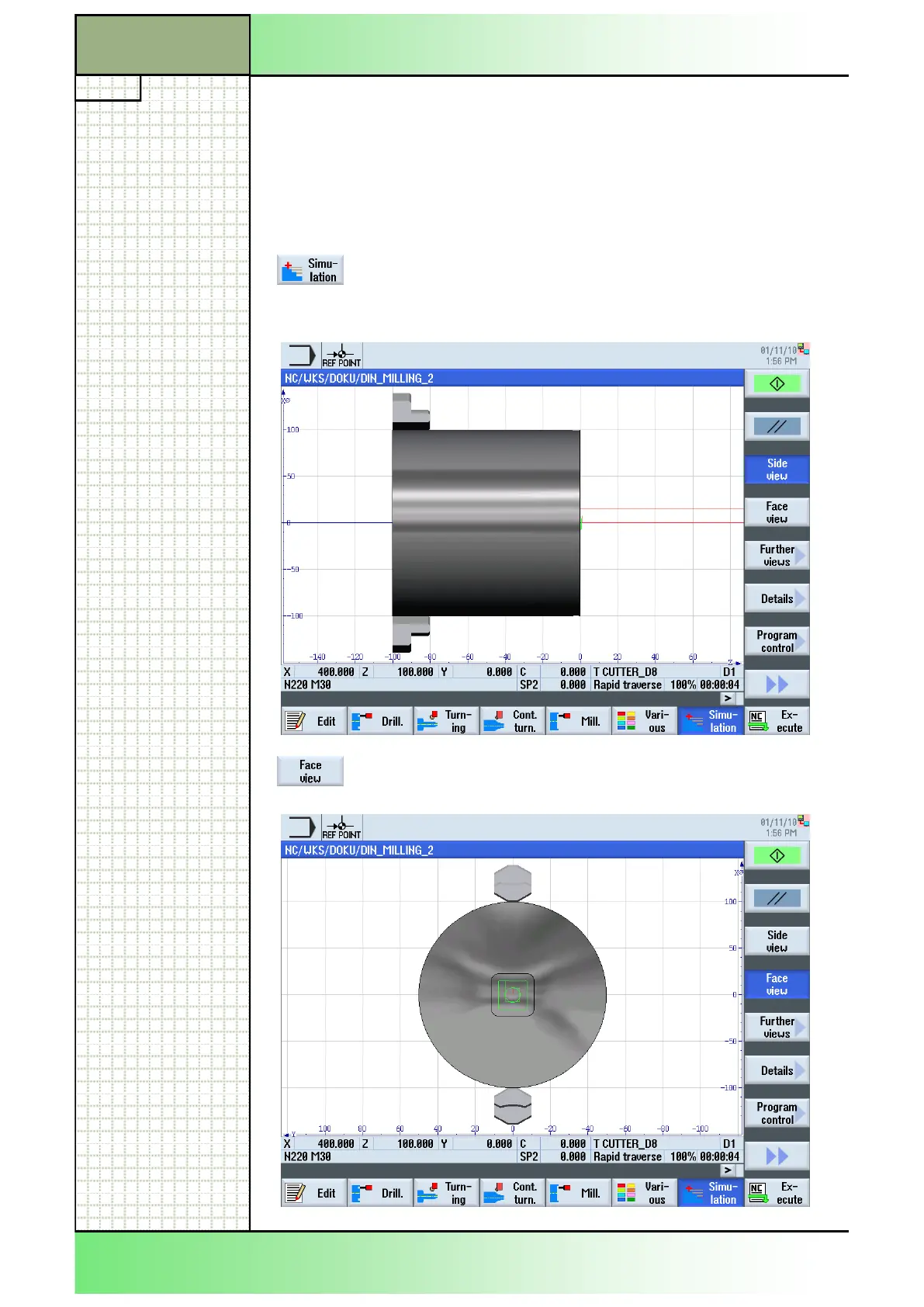
9. Start the simulation of the program.
Press the HSK 1.7 “Simulation” to open the simula-
tion window.
The control calculates the simulation and shows the
simulation in a side view.
To see the simulation of the machining from the front
of the blank, press the VSK 1.4 “Face view”.
Complex programming example
Section 3
















 To Next Page