3
Step 1
>
Install Line Filters
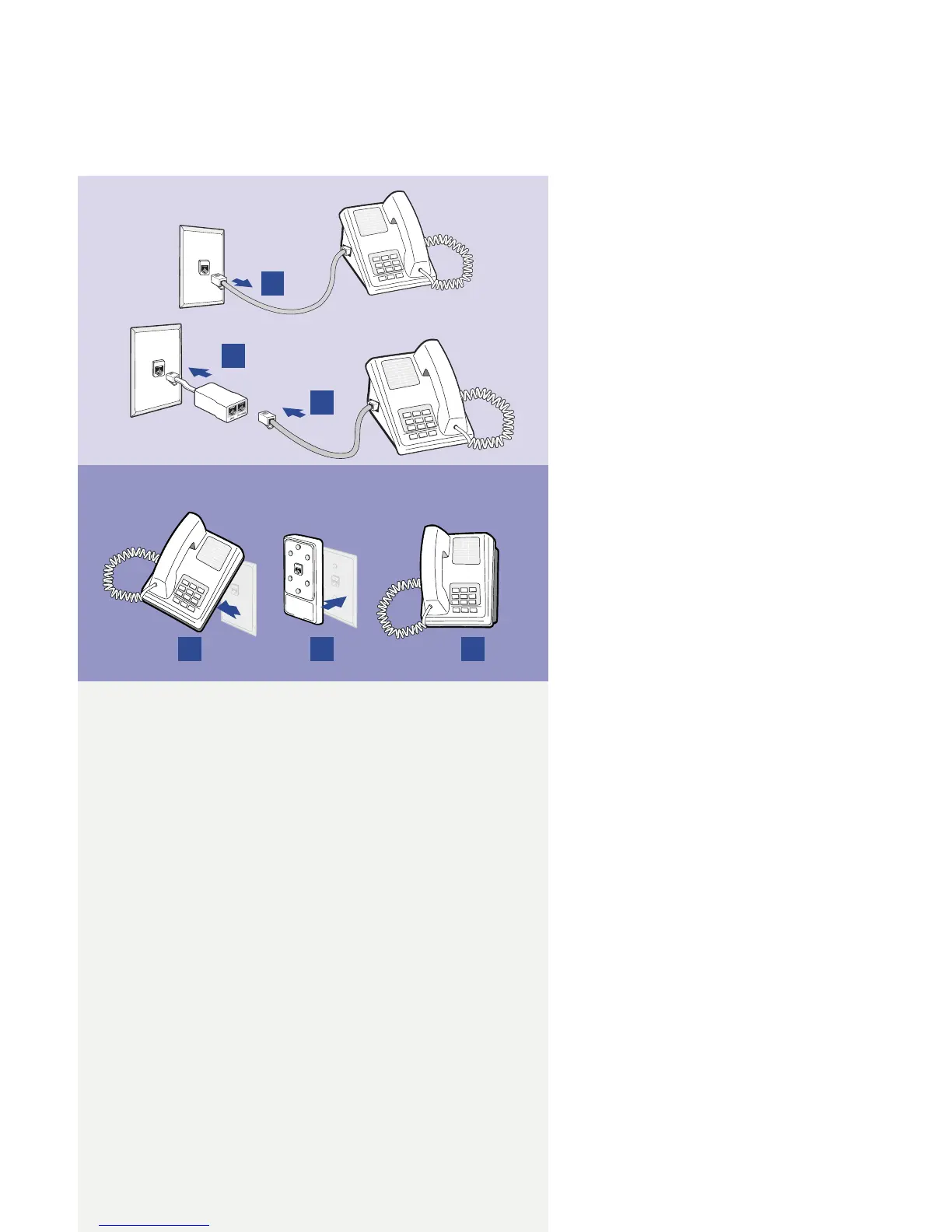
Stand-alone Line Filter
Wall-mount Filter
Devices such as fax machines, caller
ID boxes, or phones that share
the same phone line as your DSL
account require a line lter, which
prevents noise from disrupting the
DSL signal on the phone line. Filters
can be in the form of a stand-alone
line lter or a wall-mount lter.
Stand-alone Line Filter
For each device that shares the
DSL phone line:
1. Unplug the device’s cord from
the phone jack.
2. Plug the lter into the
phone jack.
3. Plug the phone cord (or other
device cord) into the lter.
Wall-mount Filter
For a wall-mount phone, install a
wall-mount lter.
1. Remove the phone.
2. Connect the wall-mount lter
to the wall plate.
3. Reconnect the phone.
1
2
3
1
2
3



 To Next Page