User Guide v.1.0 Siensor UNIC
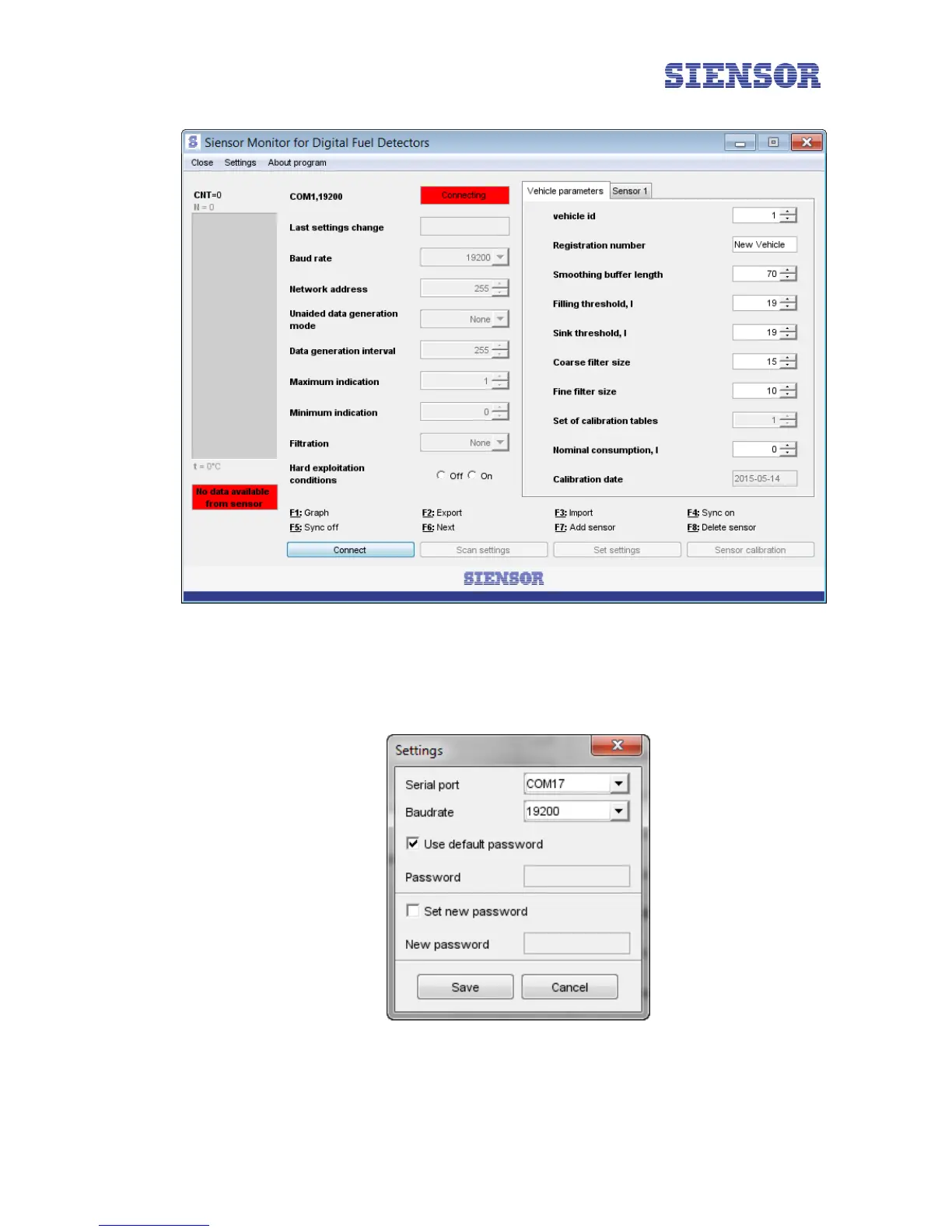
Fig. 5.2 The Siensor Monitor main window
6. Select the port number, which is assigned to Siensor UNIC connected to a PC, in the Port menu of the
window that appears. In this case – COM17 (to see what port sequence number is assigned to the connect-
ed Siensor UNIC, refer to paragraph 4.1 "Installing the Driver").
Fig. 5.3 The Siensor Monitor application – the Settings window
12



 To Next Page