User Guide v.1.0 Siensor UNIC
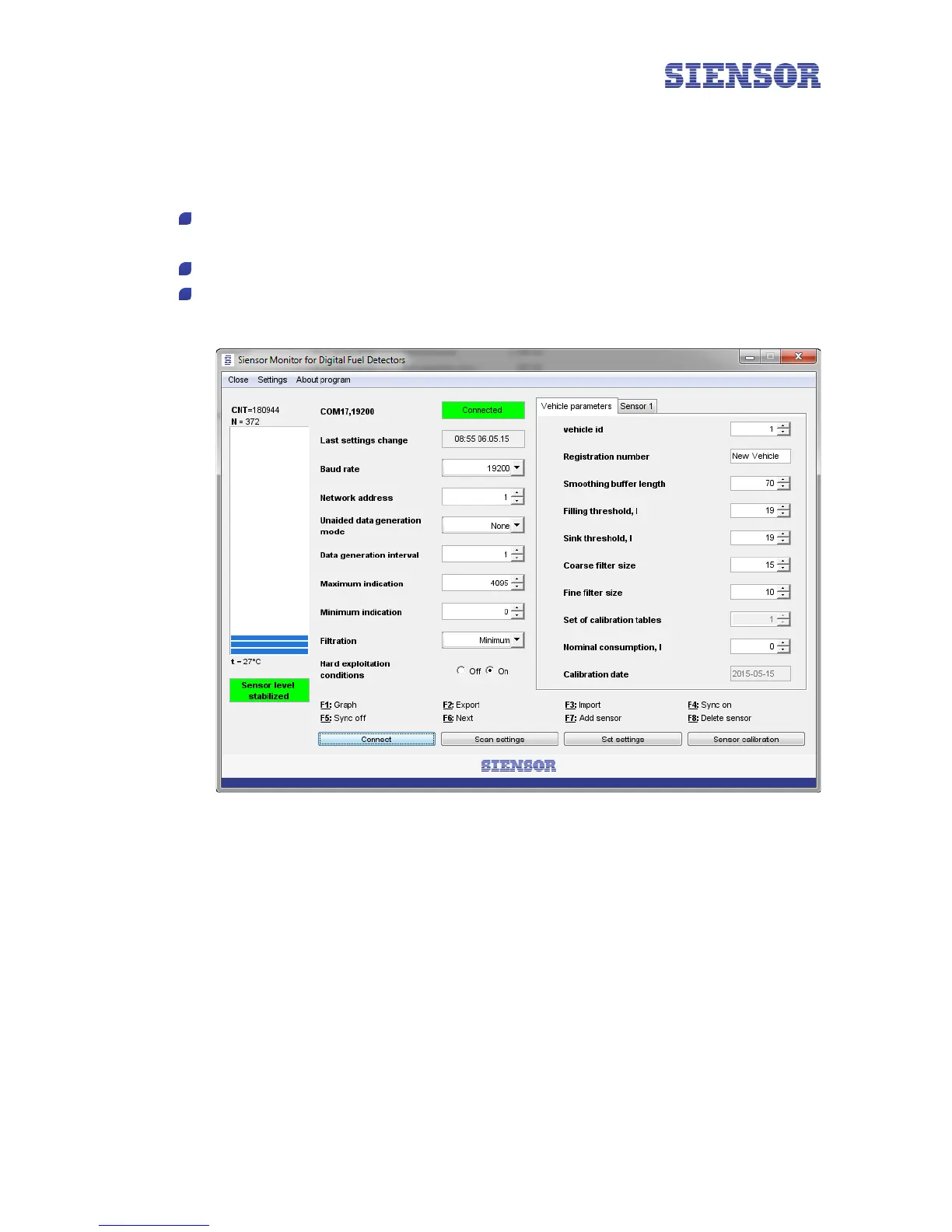
7. Click the Save button (see Fig. 5.3). If done correctly, the appearance of the Siensor Monitor window
changes (see Fig. 5.4) and the data availability indicator (see 2 in Fig. 3.3) on a USB bus blinks. If the PC
fails to establish connection and the window appearance does not change, check the following:
Make sure that the selected operating mode (RS-232/RS-485) corresponds to the sensor operation
interface.
Check for cable connection.
Make sure that the correct COM port (see Fig. 5.3) is selected in the Siensor Monitor settings (see
paragraph 4.1 "Installing the Driver").
Fig. 5.4 The Siensor Monitor main window – successful connection of the LLS to a PC
13



 To Next Page