16
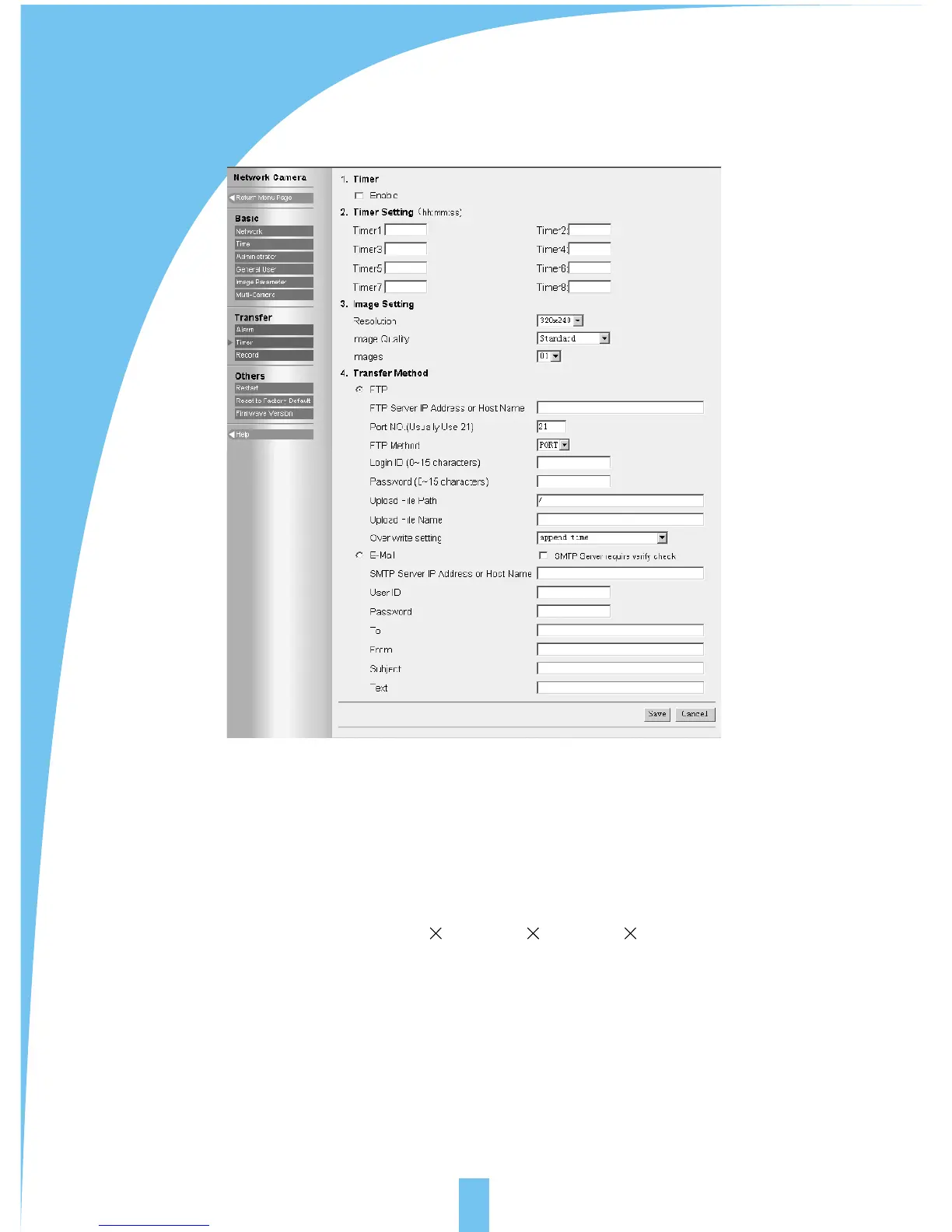
5.11 Transfer image in the timer mode
Timer mode means sending images to specified address when the clock reaches the
pre-assigned time.
[Timer]: select the function of transferring image in the timer mode or not.
[Timer setting]: 8 timers is optional.
[Image setting]: select the parameters of images which shall be sent when it reaches
the pre-assigned time. Resolution: 640 480 / 320 240 / 160 120. Image quality:
favor clarity / standard / favor motion.
[Transfer method]: select the transfer method of the images when it reaches the
pre-assigned time by FTP or E-mail. FTP and E-mail setting refers to section
4.3.7(alarm trigger)



 To Next Page