17
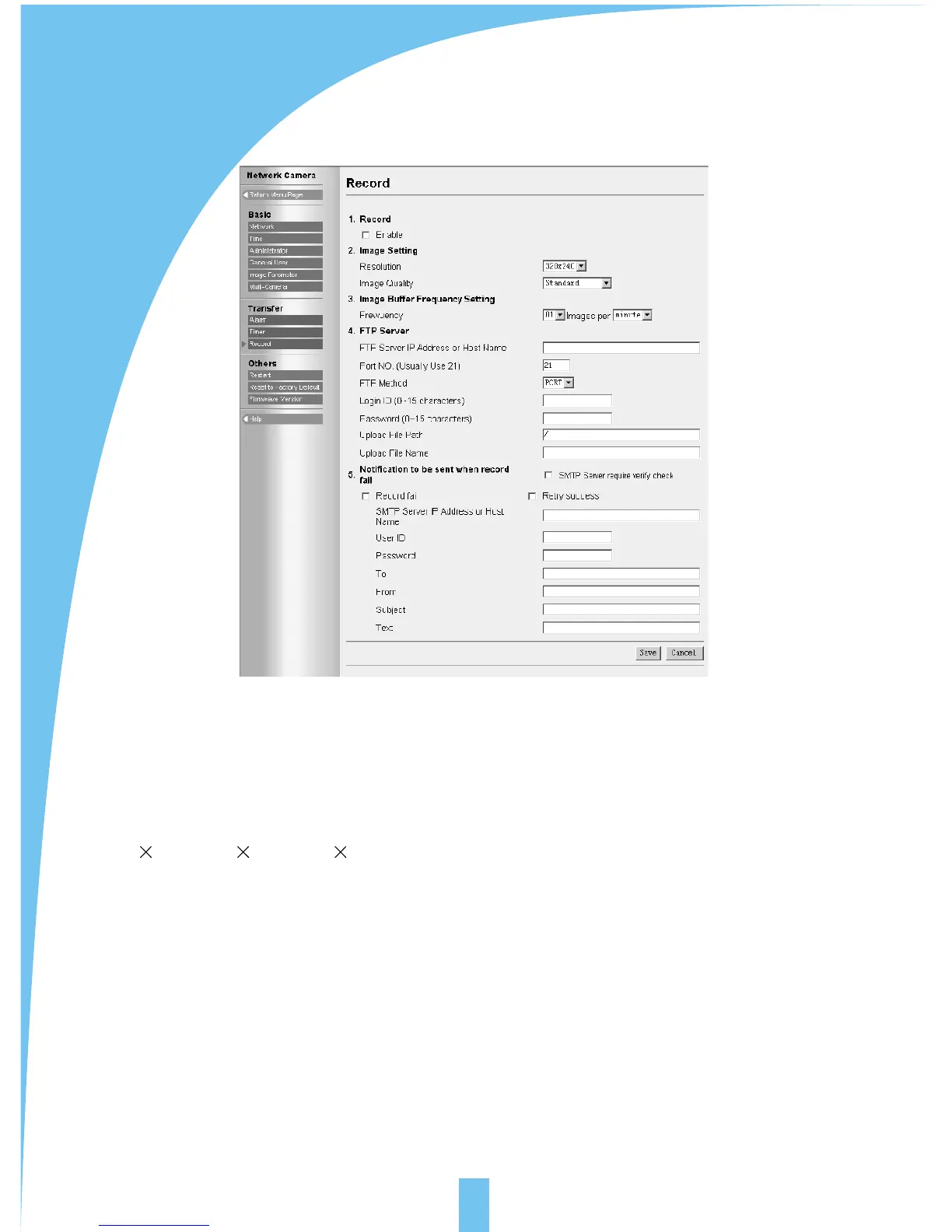
5.12 Background recording function
Background recording means sending images to background FTP server for recording
at specified intervals.
[Record]: select the background recording function or not.
[Image setting]: select the parameters of the image recorded in background. Resolution:
640 480 / 320 240 / 160 120. Image quality: favor clarity/stand/ favor motion
[image buffer frequency setting]: select the frequency for sending images for recording.
[FTP server]: refer to section 4.3.7-alarm trigger-FTP.
[Notification to be sent when record fail]: select the function to send an E-mail of
notification to specified address or not when record fail or record success after retry.
The setting for E-mail refers to section 4.3.7-alarm trigger-E-mail.



 To Next Page