6 Section 2A. Installing the Software
Section 2A
Installing the Software
⽧ Installing the Software on a Windows Computer (page 6)
⽧ Installing the Software on a Mac Computer (page 9)
The installation process has two stages:
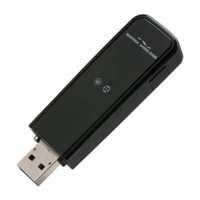
䢇 Installing the Software and Drivers — Insert the USB modem to install the drivers and the
software (for Windows, see below; for Mac, see page 9).
䢇 Activating Your USB Modem — Start the software, and activate your account and configure
the USB modem to use your account. For complete instructions, see the user guide.
Installing the Software on a Windows Computer
System Requirements
The Sprint Mobile Broadband USB modem is supported on:
䢇 Windows Vista.
䢇 Windows XP with Service Pack 2 or later.
To install and run the USB modem and accompanying Sprint SmartView
SM
software on a
Windows computer, you will need one USB slot.
Note
Your USB modem will not work with handhelds or Pocket PCs.
Note
Do not insert the USB modem or the USB extension cable into a USB hub or a USB slot on
a keyboard.










 To Next Page