Ionics Instruments 2004 Page 8-3 DLM 30007-08 Rev. A
1. Stop the analyzer by scrolling to STOP TOC in the RUNTIME menu
and pressing ENTER.
2. Shut off the water to the sample inlet system at the sampling port.
3. Remove the filter by loosening the Swagelok nuts on the 1/4" Teflon
tubing and disconnecting the tubing.
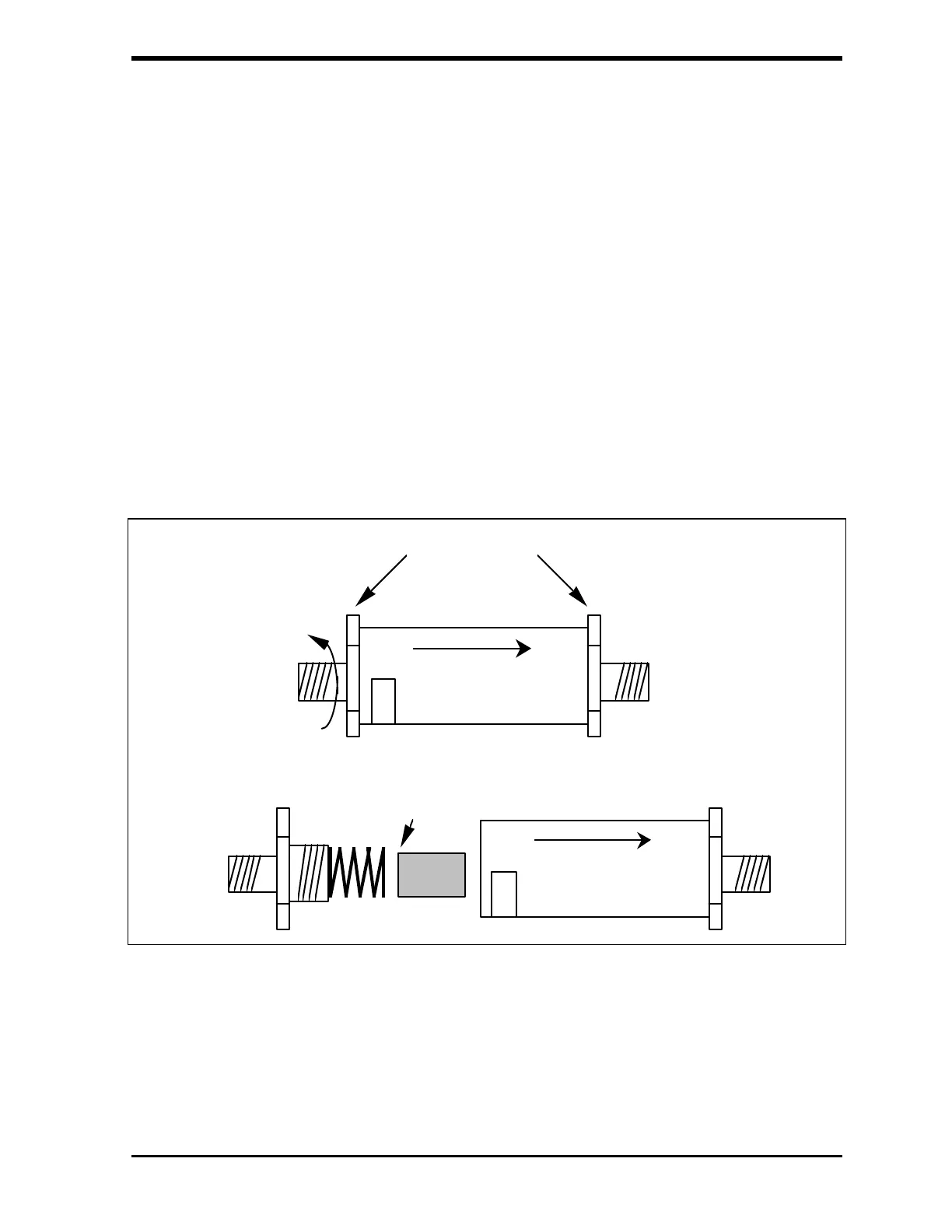
4. Position the 3/4" wrenches on the ends of the filter (see Figure 8-1).
Loosen the adapter on the inlet side of the filter.
5. Unscrew the spring-loaded inlet adapter, taking care to not lose the
spring.
6. Remove the old filter element from the body of the filter.
7. Insert a new filter element into the body of the filter, opened end first.
60 M
60 M
Closed
End
Spring
Place wrenches
here
Loosen
inlet
adapter
FIGURE 8-1: Replacing the In-Line Filter Element.
8. Replace the spring in the inlet adapter and screw the inlet adapter
into the body of the filter.
9. Secure the inlet adapter by tightening ~ 1/4 turn past finger tight.



 To Next Page