SDS5000X Series Digital Oscilloscope User Manual
190 / 270 WWW.SIGLENT.COM
20 Reference
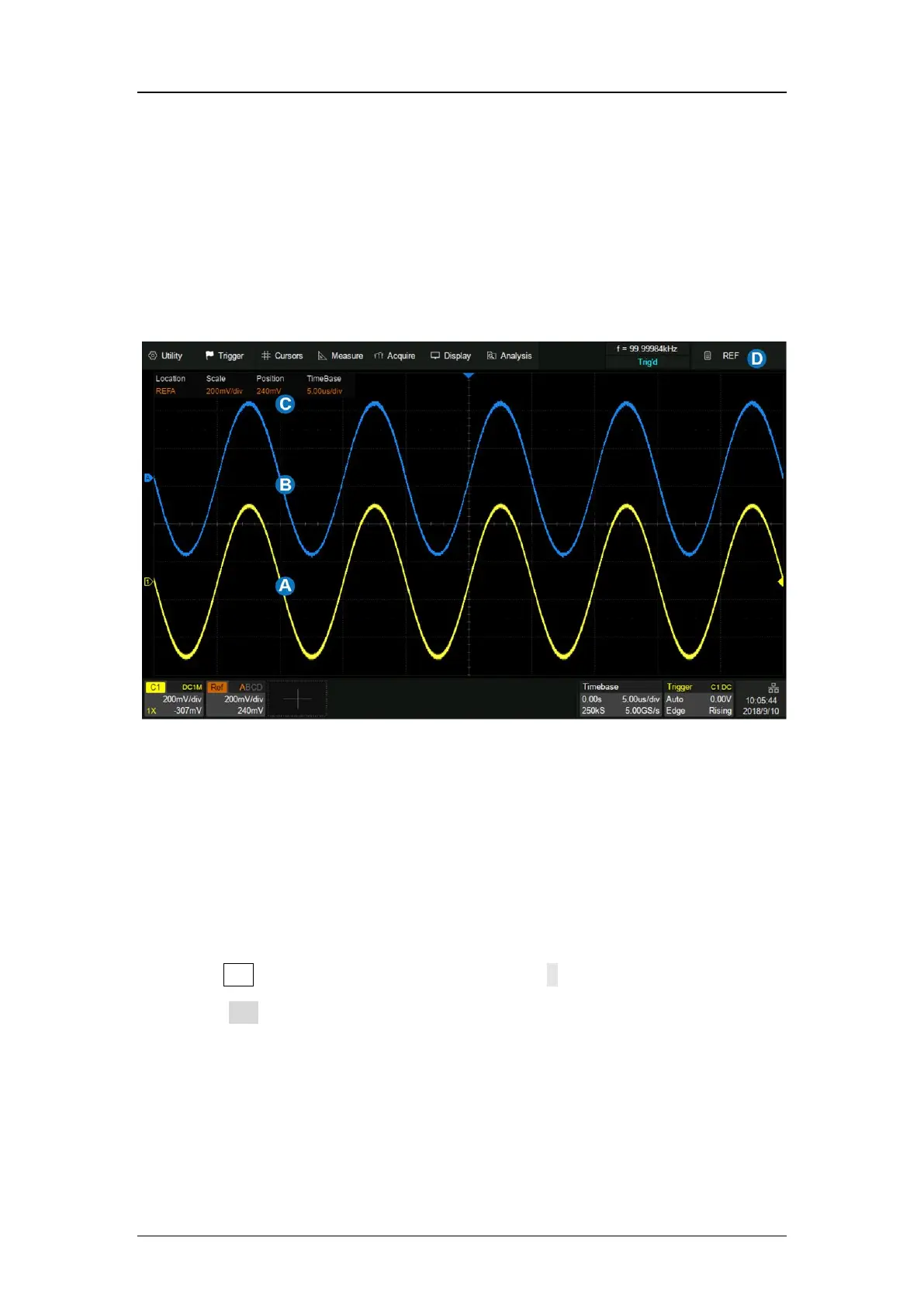
Data from analog channels or math can be saved to the reference locations
(REFA/REFB/REFC/REFD) in the built-in nonvolatile memory. The saved
reference waveform can be recalled to be compared with current waveform.
A. Channel waveform
B. Reference waveform
C. Reference vertical and horizontal information display area
D. Reference dialog box, hidden in this figure
Press the Ref button on the front panel, or touch +in the descriptor box region
and select Ref to recall the ref dialog box.







 To Next Page