46
C4 Manual Rev 7.5.2
6.1.1 Format of a Program Step
FORMAT OF A STEP
substep
)))))),
step )))0, * -----------data------------
** *
00.0 -TTT.T - temp (setpoint)
00.1 HH.MM - ramp time
00.2 HH.MM - hold time
00.3 NNN - next step
00.4 P - control probe
where: step is the current program step number (00 - 99)
substep is the current program substep (0-4)
TTT.Tis the setpoint temperature displayed to the nearest .1°C
HH is hour(s) (00 - 99) for ramp or hold
MM is minute(s) (00 - 59) for ramp or hold
NNN is the next program step number (00 - 100) to execute
P is the number of the probe (1 or 2) to use for control or...
P is the special command indicator (values of 3 thru 7)
(See 6.8 for details)
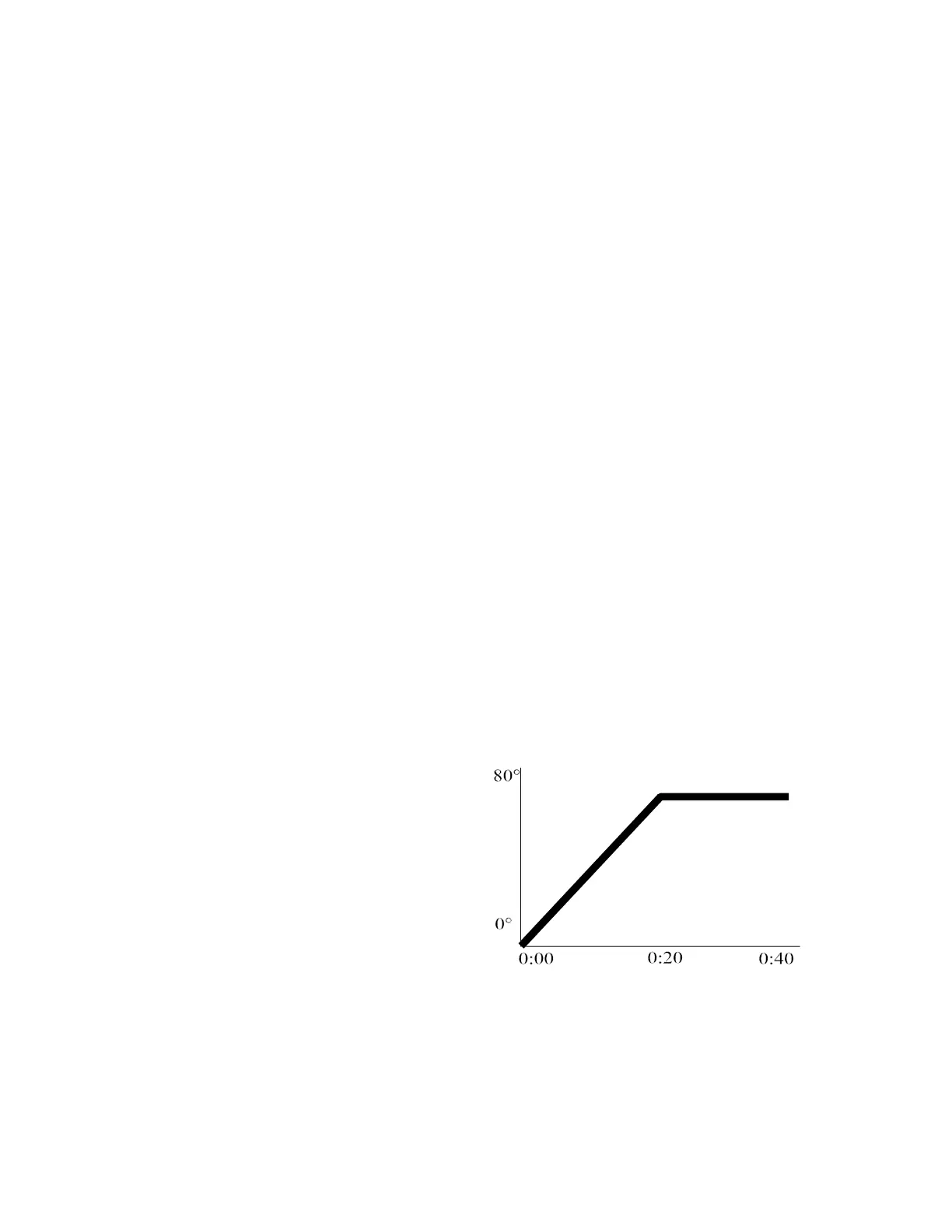
The simple graph at the right shows a
typical ramp & hold scenario. In this
example the user wants to ramp from
0° to 78° in 20 minutes and then hold
78° for the next 20 minutes. A single
program step will accomplish both
tasks.
The sample program step below will
pass control to program step 6 when it
has completed.
Artisan Technology Group - Quality Instrumentation ... Guaranteed | (888) 88-SOURCE | www.artisantg.com



 To Next Page