Reset
Reset
Reset
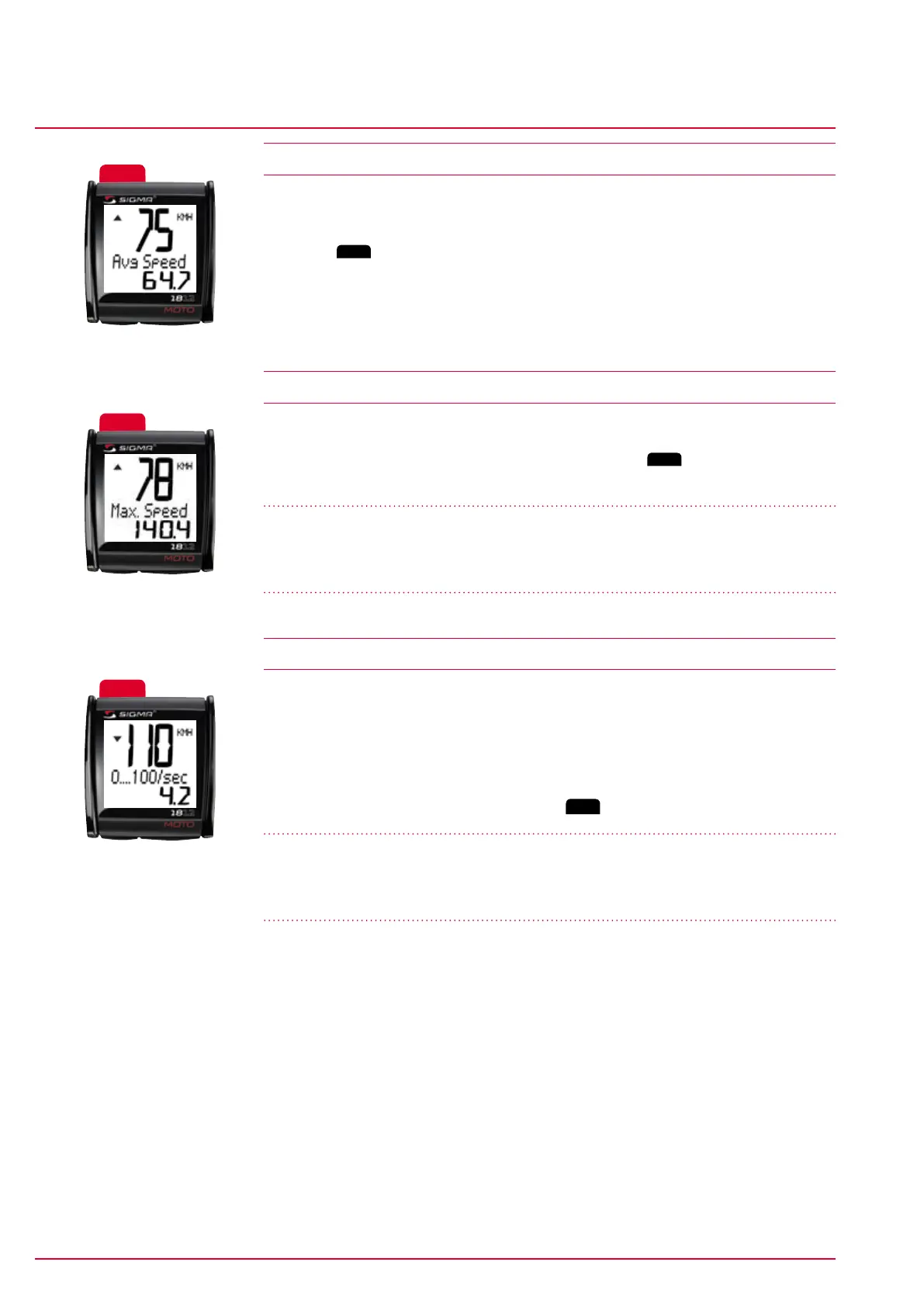
Average speed
General MC 1812 functions
www.sigmasport.com MC 1812 Page 18
MC 1812
5.4 Average speed
The average speed is automatically recorded each time the computer is started.
Press the
Reset
button to reset the recorded average speed.
The function is used, for example, to record the average speed of a specific trip.
5.5 Maximum speed
The maximum speed reached is saved here. Press the
Reset
button to reset the
recorded maximum speed.
Note
Do not use this function when riding on standard roads, only on special sites (e.g.
motorcyclist training centers).
5.6 Acceleration measurement
The MC 1812 has an acceleration measurement function.
The function ‘0...100/sec’ (default value) starts from standstill. During the
measurement, ‘calc.’ appears on the display. On reaching the target speed, the
measurement stops and the result is displayed in the format xx.x sec.
This function is used to record the motorcycle’s ‘real’ acceleration values.
The results can be deleted by pressing the
Reset
button.
Note
Do not use this function when riding on standard roads, only on special sites (e.g.
motorcyclist training centers).


 To Next Page