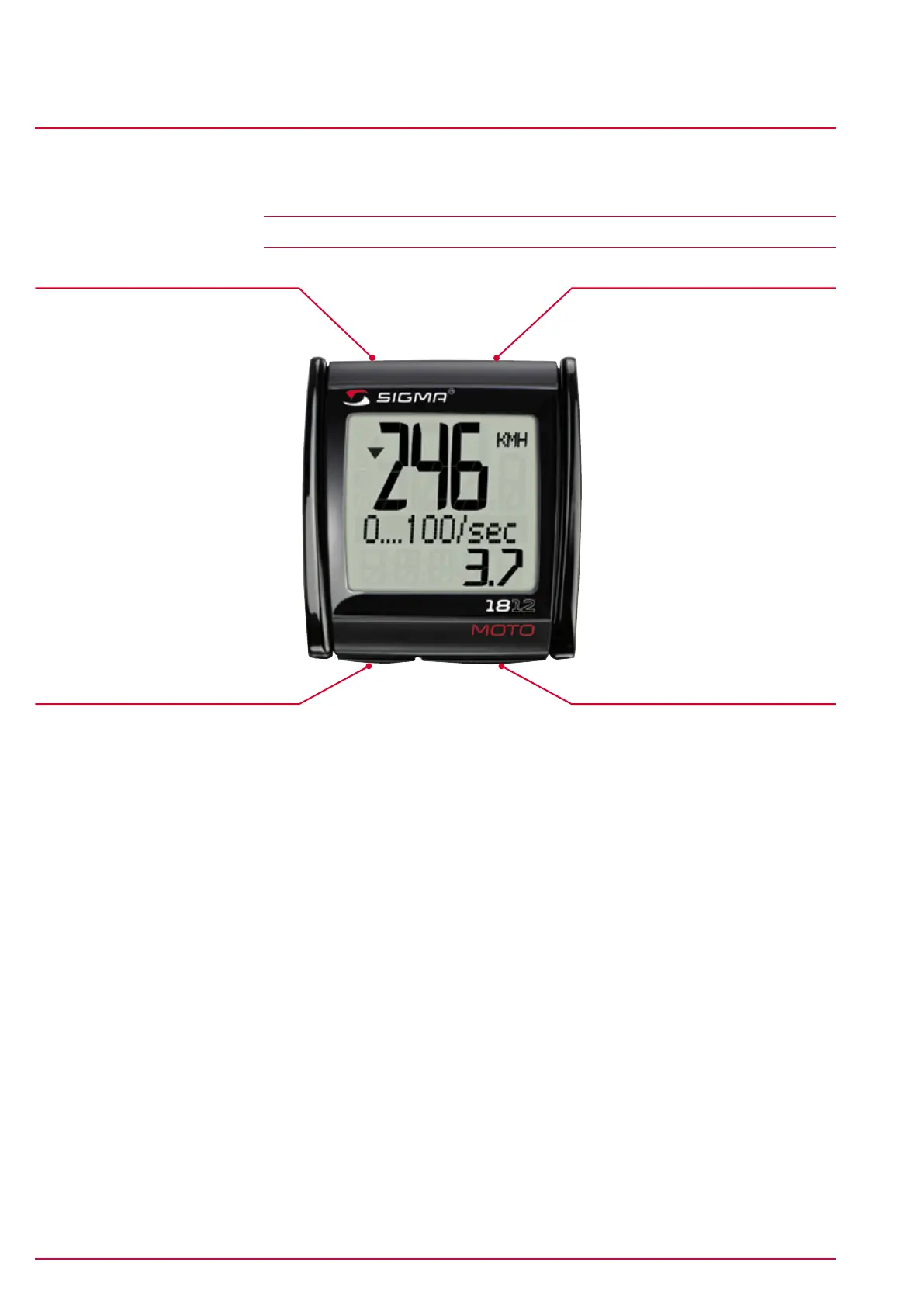
Button functions
Operating concept
www.sigmasport.com MC 1812 Page 9
MC 1812
3 Operating concept
3.1 Button functions
Reset button
Press this button to scroll
backward through the Mode 2
functions.
Press and hold this button to
zero the values for the general
functions.
Basic settings menu:
(-) button, backward.
Mode 2 button
Press this button to scroll forward
through the Mode 2 functions.
Basic settings menu:
(+) button, forward.
Mode 1 button
Press this button to scroll forward
through the Mode 1 functions.
Basic settings menu: Select menu
item.
Set button
Press this button to scroll
backward through the Mode 1
functions.
Press and hold the button to
open/close the basic settings
menu.
Basic settings menu:
press the button to save the
change.
3.1.1 Standard button functions
Mode 1 functions Mode 2 functions
Trip distance Time
Trip time Total distance
Avg. speed Total time
Max. speed
Acceleration measurement
Highway acceleration measurement
Braking coefficient measurement
Braking distance
Drag racing


 To Next Page