EasyManua.ls Logo

Sigma TOPLINE BC 5.12 - User Manual

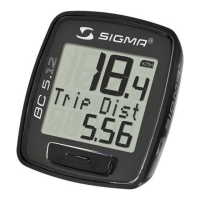
Sigma TOPLINE BC 5.12
2 pages
Print Icon
To Next Page IconTo Next Page
Loading...
!"#$%&'()'*&+#"),+&!-!
!!
The!new!SIGMA!Topline!2012!computers!are!sold!pre;packaged!in!a!deep!sleep!
mode.!The!batteries!are!NOT!dead.!
!!
We!are!still!receiving!warranty!requests!and!returns!for!computers!that!are!new!
with!brand!new!tested!batteries!that!work!but!appear!to!have!a!head!that!is!not!
functioning.!
We!would!like!to!reminded!Dealers!of!the!following!steps!to!wake/activate!the!
following!model!groups!of!Sigma!Topline!2012!Computers:!
!!
·!!!!!!!!!For!BC5.12/8.12!/8.12!ATS!models,!press!and!hold!the!set!button!on!the!back!
of!the!computer!head!for!5!seconds!to!wake/activate!on!newer!models!(...or!the!
main!front!button!for!5!seconds!if!no!back!set!button).!
!!
·!!!!!!!!!For!all!remaining!!Topline!2012!models!(BC12.12!through!BC16.12!STS!Triple!
WL),!press!and!hold!both!bottom!buttons!for!5!seconds!to!wake!and!activate.!!
!!
·!!!!!!!!!The!strategy!behind!adding!this!function!was!to!save!Dealers!the!hassl e!of!
having!to!first!install!the!battery!which!was!an!issue!for!Topline!09!product.!!
!!
·!!!!!!!!!The!instructions!are!in!the!manuals!and!a!copy!of!the!tech!poster!will!be!
available!LTPDealer.com!early!next!week.!
Question and Answer IconNeed help?

Do you have a question about the Sigma TOPLINE BC 5.12 and is the answer not in the manual?

Summary

SIGMA Topline 2012 Computer Activation Reminder

Wake;Activate BC5.12;8.12;8.12 ATS Models

Press and hold the set button on the back of the computer head for 5 seconds.

Wake;Activate Other Topline 2012 Models

For BC12.12 through BC16.12 STS Triple WL, press and hold both bottom buttons for 5 seconds.

BC 5.12;BC 8.12;BC 8.12 ATS Activation and Button Functions

Topline Computer Activation

The new SIGMA Topline computers arrive in a deep sleep mode; press SET for 5 seconds to activate.

SET Button Functions

Details on entering set menu, changing settings, and confirming entries.

Primary Function;Reset Button

Instructions for resetting function on screen or all ride data.

BC 12.12;BC 12.12 STS;BC 14.12;BC 16.12;BC 16.12 STS Activation and Button Functions

Topline Computer Activation

SIGMA Topline computers ship in deep sleep mode; press for 5 seconds to activate.

Reset Button;Scroll Backwards Functions

Functions for resetting screen display or all ride data, and decreasing values.

Secondary Function;Scroll Forwards

How to change ride functions when riding or increase values in set mode.

Primary Function;Scroll Forwards

Instructions for changing primary ride functions or advancing settable options.

SIGMA Wheel Size Chart and Conversion

Wheel Size Chart

Lists ETRTO and tire sizes with corresponding wheel size measurements for older and new models.

Calculating Wheel Size

Guide for measuring outer circumference and converting to millimeters for computers not on the chart.

Overview

This document provides a comprehensive guide for the SIGMA TOPLINE series of bicycle computers, focusing on their initial activation, operational features, and wheel size calibration. It addresses both the BC 5.12/8.12/8.12 ATS models and the BC 12.12/12.12 STS/14.12/16.12/16.12 STS models, highlighting their "deep sleep mode" upon arrival and the necessary steps to activate them.

Initial Activation and "Deep Sleep Mode"

The SIGMA TOPLINE 2012 computers are shipped in a "deep sleep mode" to preserve battery life, meaning the batteries are pre-installed and not dead. This feature was introduced to eliminate the need for users to install batteries upon purchase, a common issue with the Topline 09 product. Users may initially perceive the device as non-functional due to this mode.

For the BC 5.12/8.12/8.12 ATS models, activation involves pressing and holding the "SET" button located on the back of the computer head for 5 seconds. If a back "SET" button is absent, the main front button should be held for 5 seconds instead.

For all other Topline 2012 models, including BC 12.12 through BC 16.12 STS Triple WL, activation requires pressing and holding both bottom buttons simultaneously for 5 seconds. This action "wakes" the device and makes it operational.

Operational Features

The SIGMA TOPLINE computers offer a range of functions accessible through dedicated buttons: "SET," "RESET/SCROLL BACKWARDS," "SECONDARY FUNCTION/SCROLL FORWARDS," and "PRIMARY FUNCTION/RESET."

SET Button (BC 5.12/8.12/8.12 ATS models):

  • To Enter Set Menu: Press and hold for 4 seconds.
  • When in Set Mode:
    • Press once to change the setting currently displayed (the value will flash).
    • Press again to confirm the setting (the value stops flashing).
    • Press and hold to exit the set mode.

RESET Button / SCROLL BACKWARDS (BC 5.12/8.12/8.12 ATS models):

  • Before or after each ride:
    • Press and hold for 2 seconds to reset the function displayed on the screen.
    • Press and hold for 4 seconds to reset all ride data.
  • When in Set Mode: Decreases the value of the blinking number.

SECONDARY FUNCTION / SCROLL FORWARDS (BC 5.12/8.12/8.12 ATS models):

  • When Riding: Press to cycle through secondary ride functions such as clock, stopwatch, or cadence.
  • When in Set Mode: Increases the value of the blinking number.

PRIMARY FUNCTION / RESET (BC 5.12/8.12/8.12 ATS models):

  • Before or after each ride: Press and hold for 2 seconds to reset the function displayed on the screen.
  • When Riding: Press to cycle through primary ride functions like trip distance or ride time.
  • When in Set Mode:
    • Press once to switch between setting options.
    • Press to increase the value.
    • Hold for 4 seconds to close the set menu ("END SETTINGS").

SET Button / SCROLL BACKWARDS (BC 12.12/12.12 STS/14.12/16.12/16.12 STS models):

  • To Enter Set Menu: Press and hold for 4 seconds.
  • When in Set Mode:
    • Press once to enter the menu displayed on the screen (digits flash, indicating that the value can be changed).
    • Press again to confirm the entry ("SET OK").
    • When all data entry is complete, press and hold for 4 seconds to close the set menu ("END SETTINGS").

PRIMARY FUNCTION / SCROLL FORWARDS (BC 12.12/12.12 STS/14.12/16.12/16.12 STS models):

  • When Riding: Press to cycle through primary ride functions such as average speed, maximum speed, trip distance, or ride time.
  • When in Set Mode: Press once to advance to the next settable option (e.g., Language, KMH/MPH, WS, Clock).

Wheel Size Calibration (SIGMA WHEELSIZE CHART)

Accurate wheel size calibration is crucial for precise speed and distance measurements. The manual provides a comprehensive "SIGMA WHEELSIZE CHART" with ETRTO (European Tyre and Rim Technical Organisation) values and corresponding "WS" (Wheel Size) values in both older models (Pre-2012 BASELINE & Pre-'06 TOPLINE) and newer models (2012 BASELINE, '06-'12 TOPLINE, & ROX). The WS values are provided for both km/h and mph.

For Auto Convert Models: These are computers with model numbers ending in "06" or "09" plus ROX (e.g., BC 506, BC 1009, ROX 9.0). These models automatically convert units.

For Non-Auto Convert Models: These are computers with model numbers ending in "00" (e.g., BC 400, BC 500, BC 1200). For these models, manual conversion might be necessary.

If a wheel size is not listed in the chart, users can calculate it manually:

  1. Measure the overall height of the tire in inches.
  2. Multiply this value by 25.4 to convert to millimeters.
  3. Multiply by 3.14 to obtain the circumference of the wheel.
  4. For older SIGMA computers that did not have the auto-convert feature, divide the circumference by 1.61 to get the MPH setting.

Important Note for BASELINE Computer Owners: If a BASELINE Computer (BC 400, BC 1200, or BC 1200+) was purchased after May 2012, users should check the 5-digit date code on the back of the computer. If the date code ends in the letter "M" (for Metric), the computer has the newer "auto convert" software, and the "New 2012 BASELINE" columns in the chart should be used for calibration.

This detailed guide ensures that users can effectively activate, operate, and calibrate their SIGMA TOPLINE bicycle computers for an optimal riding experience.

Sigma TOPLINE BC 5.12 Specifications

General IconGeneral
DisplayLCD
FunctionsCurrent speed, Average speed, Maximum speed, Trip distance, Total distance, Ride time, Clock
BatteryCR2032
Water ResistanceYes
TypeWired
Current SpeedYes
Ride TimeYes
WaterproofYes

Related product manuals