AV58M Datum 29.11.2011 Art.Nr. 85563 Änd. Stand 452/11 7
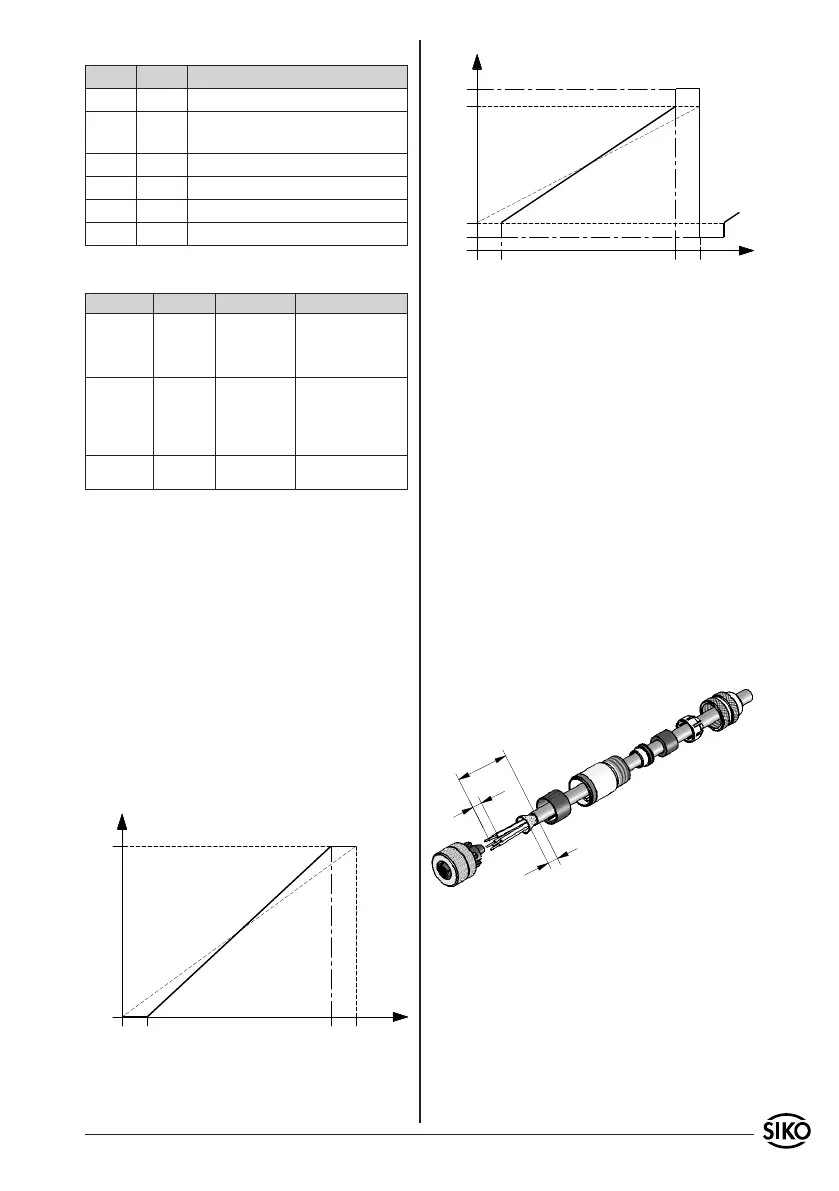
Fig. 2: Straight mating connector
Current output
Revolu-
tions
Voltage output
Revolu-
tions
LED status
LED1 LED2 Description
ON OFF Normal operation with user data
OFF ON Normal operation with factory
settings
ON ON Start programming mode
blinks blinks In programming mode
ON blinks Set position 1
blinks ON Set position 2
Time values
Action Time (sec.) Device status Display
Both keys
pressed
15.0 Start program-
ming mode
Both LEDs are illu-
minated and start
blinking after being
released.
Both keys
pressed
30.0 Reset to factory
settings
Both LEDs are illumi-
nated after 15 secs;
both will be shortly
o after 30 secs, LED2
remains illuminated.
Single key
pressed
Normal func-
tion
Either LED1 or LED2
on.
5.2 Cancellation of alignment
Simultaneously press both keys to cancel align-
ment. It plays no role when one position was alrea-
dy set.
5.3 Resetting to factory settings
Simultaneously press both keys for 30 seconds.
Both LEDs will be illuminated after approx. 15 se-
conds. The device will return to the factory settings
as soon as 30 seconds have gone. This can be reco-
gnized by the new LED status (LED2 is on).
5.4 Representation Preset
6. Accessory connector
Straight mating connector (5-pol.)
5-pole connector available from SIKO as accessory
art. no. 84109. Wire cross section is max. 0,75 mm².
Cable channel: 6-8 mm.
Please proceed as follows (fig. 2):
1. Mount seal to screen ring (4).
2. Slip parts 1 to 6 over outer cable.
3. Strip cable sheath, isolate conductor.
4. Shorten and turn down screen.
5. Clamp wires into socket (7) (follow connection
diagram).
6. Mount parts 2 ... 6. Place screen around screen
ring (4).
7. Screw pressure screw (1) on coupling sleeve (5).
Right angle mating connector (5 pole)
5 pole connector Available from SIKO as accessory
art. no. 83006. Wire cross section is to be at least
0,14 mm², max. 0,5 mm². Cable channel: 4-8 mm.
Please proceed as follows (fig. 3):
1. Thread pressure nut onto the cable.
2. Strip the cable sheath, shorten the screen.
3. Bare cores.


 To Next Page
 Loading...