7"
"
Connections and accessories:
NOTE: Make sure that the ON / OFF switch is in the OFF position before connecting any
accessory.
Onto the Rear panel:
• Power cable to be connected into # 1 Power outlet.
• Pedal to be connected into # 4 Pedal outlet (black small outlet) on the rear unit’s side.
• Red extension cable to be connected into # 5 Roller electrode outlet (red outlet) on the
rear unit’s side wile other end inserted into the Soothing roller outlet.
• Black extension cable to be connected into # 6 Contact electrode outlet (black small
outlet) on the rear unit’s side, while other end is inserted into the Electrode outlet.
• Satellite to be plugged into # 7 Satellite outlet (silver outlet) on the rear unit’s side.
Onto the Front panel:
• Cable for Probe holder: thicker end to be connected into # 8 Probe Holder Connection
on the front unit’s side (insert and rotate to insure holding protection) wile other end
inserted into the Probe holder.
Now you can Turn the unit ON.
Turning the unit ON
1. To turn the unit on, use the power switch located at the back of the unit to the "ON"
position.
2. The screen will display the following message: “Loading OS please wait”.
3. The computer will take approximately 15-30 seconds to load all programs.
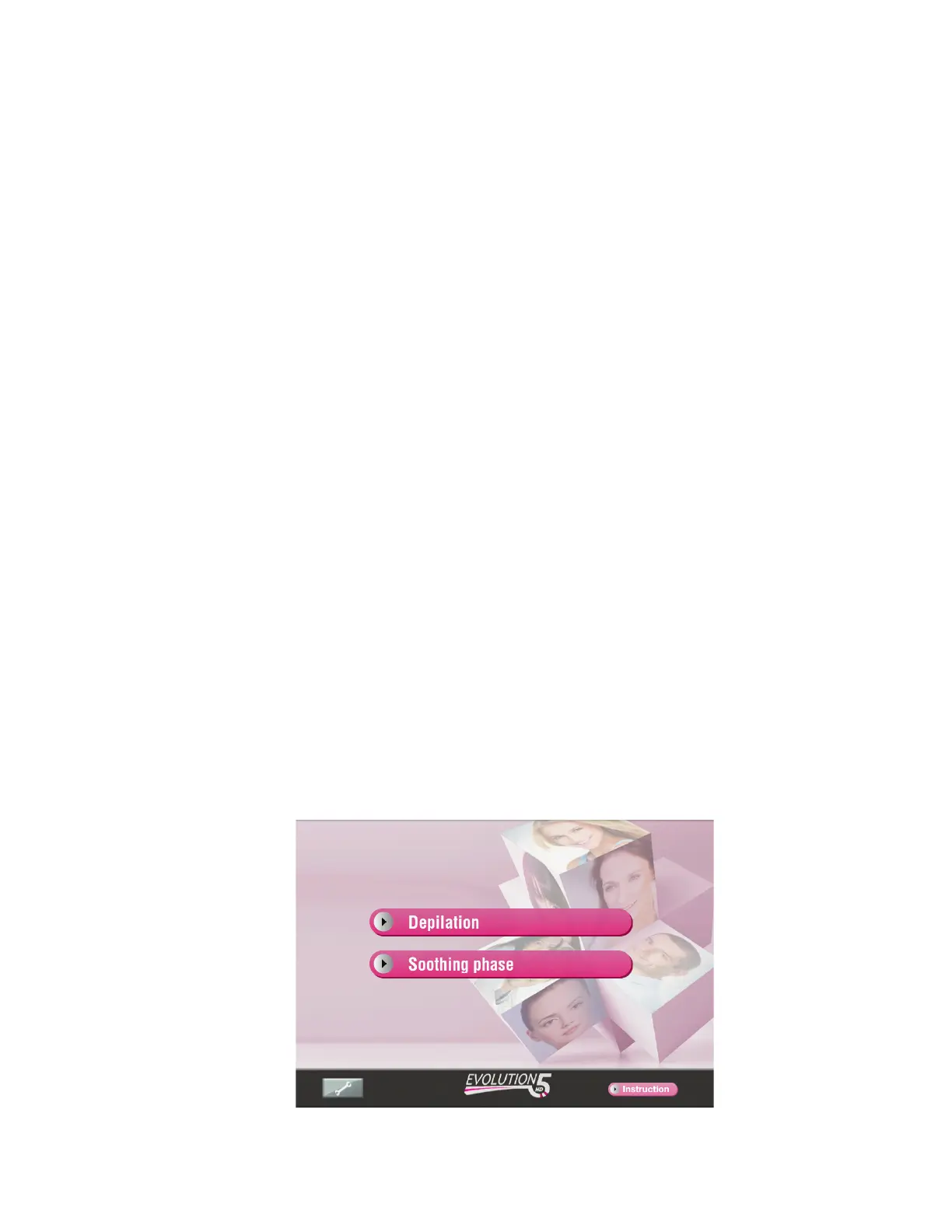
4. The unit is ready to use when the screen displays “Depilation” and “Soothing phase”.
Please read the Instruction Manual by pressing “Instruction” button. This will help
you to well understand the functions of the apparatus.


 To Next Page