ENEN
8
Button Action Function / Mode
Energy
level
indicator
lights (#3)
Automatically lit to show
the energy level selected.
There is one light for each
energy level. Level 1 is the
lowest energy level, and
level 5 is the highest.
5. Get to know Silk'n FaceTite
5.1 Package contents
y Silk'n FaceTite device y Storage case
y Adapter y User manual
y Silk'n Slider Gel y Warranty card
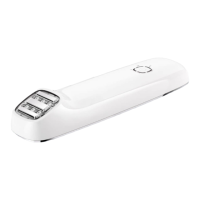
5.2 Device parts
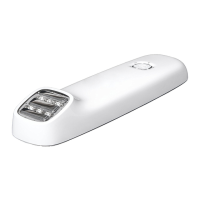
The device has a treatment surface (#1), electrodes (#2), and a
control button (#4) with surrounding energy level indicator
lights (#3).
Refer to the illustration on page (i) at the front of this manual to
see the location of each feature.
y Treatment surface (#1)
y 3 Electrodes (#2)
y 5 Energy level indicator lights (#3)
y Control button (#4)
y Device socket (#5)
y Adapter with cable (#6)
FaceTite EU124 7326D ALL ED371-10 released.indd 8 17/03/2019 13:29:14


 To Next Page
 Loading...