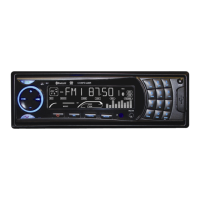
EasyManua.ls Logo

Silvercrest BLUETOOTH KH 2376 - User Manual

Silvercrest BLUETOOTH KH 2376
116 pages
Print Icon
To Next Page IconTo Next Page
Loading...
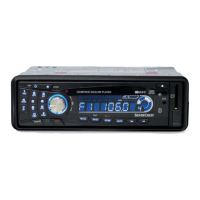
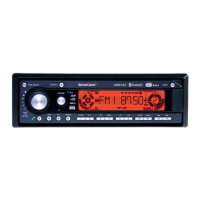
BLUETOOTH CAR RADIO
PL
06/2009
Operating instructions
Instrukcja obs ługi
Használati utasítás
KOMPERNASS GMBH ⋅ BURGSTRASSE 21 ⋅ D-44867 BOCHUM
www.kompernass.com
ID-Nr.: KH2376 06/2009-V3
BLUETOOTH CAR RADIO
RADIO SAMOCHODOWE BLUETOOTH
BLUETOOTH AUTÓRÁDIÓ
4A
HU
GB
KH 2376
CV_KH2376_33301_LB4A.indd 1-4CV_KH2376_33301_LB4A.indd 1-4 17.07.2009 11:43:38 Uhr17.07.2009 11:43:38 Uhr

Table of Contents

Questions and Answers

  • J
    jamesriosAug 17, 2025
    What to do if there is no sound from my Silvercrest Car Receiver?
    • J
      Jody CunninghamAug 17, 2025
      If there is no sound, first, check if the volume is set to minimum and increase it. Then, ensure the cables are correctly connected. Finally, verify that the sound is not switched off by pressing the MU button.
  • M
    michaelmooreAug 20, 2025
    Why my Silvercrest Car Receiver will not switch on?
    • P
      Patricia HamiltonAug 20, 2025
      If the device does not switch on, it could be due to the ignition not being switched on. Turn the key to switch the ignition on. Another possibility is a defective fuse, which would need to be replaced.
  • J
    joshuasimpsonAug 23, 2025
    How to fix my Silvercrest Car Receiver if the radio or automatic station saving isn't working?
    • M
      markjacksonAug 23, 2025
      If the radio and/or automatic station saving is not functioning, check the antenna cable for a correct connection. If the station signals are too weak, set the station manually.
  • R
    Rachel BakerAug 26, 2025
    What to do if my Silvercrest Car Receiver CD will not load or eject?
    • A
      atkinsthomasAug 26, 2025
      If the CD will not load or eject, first, remove the CD if one is already inserted. Next, ensure the CD is inserted with the inscribed side up. If the issue persists, the CD may be dirty or defective, so clean it or try a different CD. High vehicle temperature or condensation on the laser lens can also cause this issue. Allow the vehicle to air out or switch the device off for a few hours.
  • R
    Russell FosterAug 28, 2025
    Why is the Bluetooth connection not working on my Silvercrest Car Receiver?
    • N
      Nicole NelsonAug 28, 2025
      If the Bluetooth connection does not function, it might be because the mobile telephone does not support Bluetooth transmissions. Try reconnecting the mobile telephone and the device. Please consult your mobile telephone's instructions. Also, ensure the mobile telephone is coupled with the device.
  • S
    Sabrina MarquezAug 31, 2025
    What to do if function buttons are not functioning on Silvercrest Car Receiver?
    • R
      Robert SmithAug 31, 2025
      If the function buttons are not functioning, press the RESET button. Also, check to see that the face plate is installed correctly.
  • K
    Katelyn TorresSep 3, 2025
    What to do if the card reading device on my Silvercrest Car Receiver does not read the cards?
    • M
      Mary BrownSep 3, 2025
      If the card reading device does not read the cards, check the card. Slide it in with the inscribed side facing to the right. Also, make sure that the data carrier is formatted for the FAT32 file system.
  • J
    jeremyalexanderSep 5, 2025
    Why does the CD jump in my Silvercrest Car Receiver?
    • T
      tmaloneSep 6, 2025
      If the CD jumps, it could be because the mounting angle exceeds 30°. Correct the mounting angle. Alternatively, the CD might be very dirty or defective, so try cleaning it or inserting a different CD.
  • P
    pricegeorgeSep 8, 2025
    Why doesn't the USB port function on my Silvercrest Car Receiver?
    • A
      Amy RamosSep 8, 2025
      The USB port is intended for devices that function according to the USB standard. If the USB port doesn't function, connect a device that functions according to the USB standard and make sure that the data carrier is formatted for the FAT32 file system.
  • A
    Andrew PerkinsSep 12, 2025
    Why is the station memory not functioning on my Silvercrest Car Receiver?
    • M
      Mary PriceSep 12, 2025
      If the station memory is not functioning, check the cable connections, specifically connection 4 in the ISO block A (Permanent positive).

Summary

Introduction

Basic Safety Instructions

Provides fundamental safety guidelines for safe handling of the device.

Danger from laser radiation

Warns about laser radiation and provides safety instructions.

Traffic safety

Offers safety instructions related to operating the device while driving.

Interaction with batteries

Provides safety guidelines for handling and using batteries.

Operating Elements

Installation

Installation

General instructions and warnings regarding the installation process.

Connection

Important notes on connecting the device using ISO connections to avoid damage.

Configuration of the ISO connections

Details the pin configurations for ISO A and ISO B connectors.

Installation instructions

Step-by-step instructions for installing the device securely and properly.

Installing the device into the ISO duct

Detailed steps for fitting the bracket and device into an ISO mounting duct.

Uninstalling the device

Provides instructions on how to safely remove the installed device.

Initial operation

Handling and operation

Switching On and Off

Details how to power the device on, off, and adjust display illumination.

Settings

Introduces device settings and includes a warning about high volume.

Volume

Explains how to adjust the volume using the multi-controller.

Radio reset (RESET)

Details how to reset the device to factory default settings.

Alternative Frequency (AF)

How to use AF for optimal reception by finding alternative frequencies.

Programme mode (PTY)

Explains how to search for stations by genre (PTY).

Switching the PTY function on;off

How to activate or deactivate the PTY search function.

Traffic radio (TA - Traffic Announcement)

Explains how to use the Traffic Announcement feature.

Record function

Explains how to record data from various sources to USB/SD/MMC.

Recording

Detailed steps for initiating and managing recording processes.

Bluetooth operation

Requirements and overview of Bluetooth functions.

Connecting the telephone to the device

Steps for pairing a mobile phone via Bluetooth.

Call accept;end

How to answer, end, or reject incoming calls using buttons.

Rejecting a call

Specific instructions for rejecting an incoming call.

To call

Steps to initiate a phone call using the device.

Redial

How to redial the last or previous numbers.

Cleaning

Troubleshooting

Troubleshooting

Introduction to troubleshooting and remedies for malfunctions.

Safety instructions

Safety warnings regarding repairs and handling malfunctions.

Malfunction causes and remedies

Continues the table for radio, USB, card reader, and Bluetooth issues.

Silvercrest BLUETOOTH KH 2376 Specifications

General IconGeneral
BrandSilverCrest
CategoryCar Receiver
USB PortYes
AUX InputYes
ModelBLUETOOTH KH 2376

Related product manuals