EasyManua.ls Logo

Silvercrest KH 2377 - User Manual

Silvercrest KH 2377
42 pages
Print Icon
To Next Page IconTo Next Page
Loading...
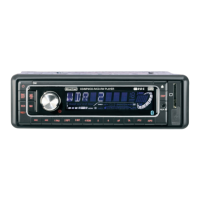
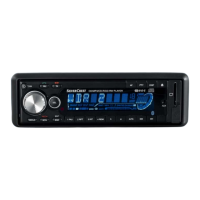
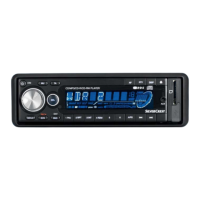
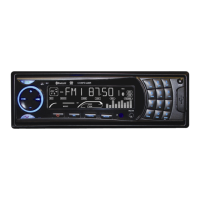
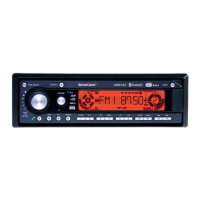
Bluetooth Car Radio
GB
KOMPERNASS GMBH
BURGSTRASSE 21 · D-44867 BOCHUM
www.kompernass.com
ID-Nr.: KH2377-07/10-V4
KH 2377
Bluetooth Car Radio
Operating instructions

Questions and Answers

  • J
    James ReedAug 15, 2025
    Why is there no sound coming from my Silvercrest KH 2377 Car Receiver?
    • S
      Sarah TaylorAug 15, 2025
      If your Silvercrest Car Receiver isn't producing any sound, there could be a few reasons. First, check if the volume is set to the minimum and increase it if necessary. Also, ensure that all cables are correctly connected. Finally, verify that the sound hasn't been muted by pressing the MUTE button to switch the sound back on.
  • T
    Troy LarsonAug 18, 2025
    What to do if my Silvercrest Car Receiver will not switch on?
    • D
      Dr. Christopher MillsAug 18, 2025
      If your Silvercrest Car Receiver won't switch on, the ignition might not be on. Try turning the key to switch the ignition on. If that doesn't work, the fuse might be defective, and you'll need to replace it.
  • G
    gonzalezheatherAug 21, 2025
    Why won't my Silvercrest KH 2377 Car Receiver load or eject CDs?
    • Z
      Zachary SmithAug 22, 2025
      If your Silvercrest Car Receiver's CD player won't load or eject CDs, first ensure that a CD isn't already inside. If not, check that you're inserting the CD with the inscribed side facing up. The CD itself might be dirty or defective, so try cleaning it or using a different one. If the vehicle's temperature is too high, allow it to air out. Condensation on the laser lens can also cause this issue; switch the device off for a few hours and then try again.
  • A
    andrew38Aug 25, 2025
    Why is the radio and/or the automatic station saving not functioning on my Silvercrest KH 2377 Car Receiver?
    • J
      John GrantAug 25, 2025
      If the radio or automatic station saving isn't working on your Silvercrest Car Receiver, start by checking the antenna cable to ensure it's correctly connected. If the station signals are weak, try setting the station manually.
  • S
    Sabrina HarrisonAug 27, 2025
    What to do if function buttons are not functioning on Silvercrest Car Receiver?
    • C
      Catherine MaddenAug 27, 2025
      If the function buttons on your Silvercrest Car Receiver aren't working, try pressing the RESET button first. Also, make sure the face plate is installed correctly.
  • C
    Courtney SteeleAug 30, 2025
    Why does the CD jump when playing on my Silvercrest Car Receiver?
    • M
      Michelle MontesAug 30, 2025
      If your Silvercrest Car Receiver's CD skips, it could be due to the mounting angle exceeding 30°; correct it. Alternatively, the CD might be dirty or defective, so try cleaning it or using a different CD.
  • A
    Alexandra ArellanoSep 2, 2025
    Why is the station memory not functioning on my Silvercrest KH 2377 Car Receiver?
    • T
      Thomas Smith MDSep 2, 2025
      If the station memory isn't working on your Silvercrest Car Receiver, check the cable connections for connection 4 in the ISO block A (Permanent positive).
  • A
    Amy ReyesSep 5, 2025
    How to fix Bluetooth connection that does not function on Silvercrest KH 2377 Car Receiver?
    • T
      Tyrone DavisSep 5, 2025
      If the Bluetooth connection on your Silvercrest Car Receiver isn't functioning, it could be because your mobile phone doesn't support Bluetooth transmissions. Try reconnecting your mobile phone and the device. Also, ensure the mobile phone is coupled with the device.
  • R
    Rachel MercadoSep 8, 2025
    What to do if the USB port on my Silvercrest KH 2377 Car Receiver does not function?
    • M
      Michael GordonSep 8, 2025
      To resolve issues with your Silvercrest Car Receiver's USB port, connect a device that functions according to the USB standard. Ensure that the data carrier is formatted for the FAT32 file system.
  • K
    Kylie RobbinsSep 12, 2025
    What to do if the card reading device does not read the cards on my Silvercrest KH 2377 Car Receiver?
    • A
      Ashley CarpenterSep 12, 2025
      If the card reading device on your Silvercrest Car Receiver isn't reading cards, check the card itself. Ensure it isn't defective or dirty, and slide it in with the inscribed side facing to the right. Also, verify that the data carrier has been formatted to the FAT32 file system.

Summary

Introduction

Danger from laser radiation

Warning about Class 1 laser safety precautions to avoid eye exposure.

Traffic safety

Safety instructions for operating the device while driving.

Installation

Connection

Instructions and warnings regarding device connections and the use of ISO connections.

Installing the device into the ISO duct

Step-by-step guide for fitting the unit into the vehicle's ISO mounting duct.

Initial use

Handling and operation

Remote control

Instructions for using the remote control, including battery insertion.

Switching On and Off

Procedures for powering the device on, off, and adjusting display illumination.

TA - Traffic Announcement (traffic radio)

Activating and configuring traffic announcement features.

Operating mode

Switching between radio, CD, SD/MMC, USB, and AUX modes.

Radio reset (RESET)

Procedure to reset the device to factory default settings.

Automatic station search

How to automatically scan for and find radio stations.

Automatic saving

Automatically scanning and saving radio stations.

Programme mode (PTY)

Searching for stations by genre (PTY).

Setting the PTY identification

Configuring PTY for genre-based station searches.

Station search by PTY identification

Performing a station search based on selected PTY.

Traffic radio (TA - Traffic Announcement)

Activating and using the Traffic Announcement feature.

Inserting and removing CDs

Step-by-step guide for loading and ejecting CDs.

MP3 CDs functions

Specific operations for playing MP3 CDs and WMA files.

Search functions

Methods for finding specific tracks or titles on media.

Title name search

Searching for tracks by their name or part of it.

USB port

Information about connecting and using USB storage devices.

Card reader (SD;MMC)

Details on connecting and using SD/MMC memory cards.

Record function

How to record audio from CDs, radio, or external sources.

Recording

Procedures for starting and managing audio recordings.

Copying data from an MP3 CD

Transferring tracks from an MP3 CD to other media.

Connecting an external audio device

How to connect external audio sources via the AUX input.

Bluetooth operation

Overview of the device's Bluetooth functionality.

Connecting the telephone to the device

Pairing a mobile phone with the car radio via Bluetooth.

Using the microphone

Tips for optimal microphone placement and use during calls.

Call accept;end

How to answer or hang up during an incoming call.

Cleaning

Audio streaming (A2 DP)

Playing audio from a mobile phone via Bluetooth.

Troubleshooting

Malfunction causes and remedies

Table listing common defects, their possible causes, and solutions.

Silvercrest KH 2377 Specifications

General IconGeneral
BrandSilvercrest
ModelKH 2377
CategoryCar Receiver
LanguageEnglish

Related product manuals