EasyManua.ls Logo

Silvercrest SAB 160 A1 - User Manual

Silvercrest SAB 160 A1
124 pages
Print Icon
To Next Page IconTo Next Page
Loading...
IAN 90468
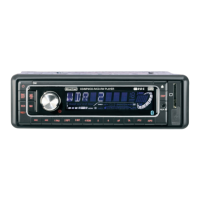
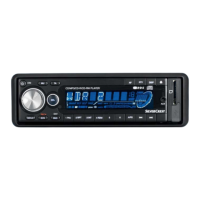
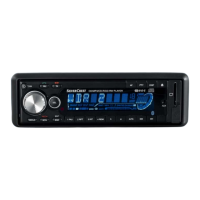
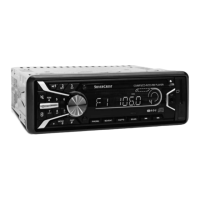
BLUETOOTH CAR RADIO SAB 160 A1
BLUETOOTH-AUTORADIO
Bedienungsanleitung
BLUETOOTH CAR RADIO
Operating instructions
ΡΑΔΙΟΦΩΝΟ ΑΥΤΟΚΙΝΗΤΟΥ-
BLUETOOTH
Οδηүίες χρήσης

Table of Contents

Questions and Answers

  • C
    Cindy RodgersSep 18, 2025
    What to do if the function buttons are not functioning on my Silvercrest Car Receiver?
    • A
      Ann ThomasSep 19, 2025
      If the function buttons on your Silvercrest Car Receiver aren't working: * Press the RESET button in case of a device malfunction. * Check that the face plate is installed correctly.
  • J
    James TurnerAug 25, 2025
    What to do if my Silvercrest SAB 160 A1 Car Receiver will not switch on?
    • W
      William BurnettAug 25, 2025
      If your Silvercrest Car Receiver won't switch on, there are a couple of things you can check. First, make sure the ignition is switched on by turning the key. If the ignition is on and the device still doesn't power up, the fuse might be defective and needs replacement.
  • G
    guzmanlynnAug 25, 2025
    Why is the radio and/or automatic station saving not functioning on my Silvercrest SAB 160 A1?
    • C
      Christopher WhiteAug 26, 2025
      If the radio and/or automatic station saving isn't working on your Silvercrest Car Receiver, check that the antenna cable is correctly connected. If the connection is correct, the station signals may be too weak, in which case you should try setting the station manually.
  • A
    Ashley SandersAug 27, 2025
    What to do if my Silvercrest Car Receiver CD won't load or eject?
    • K
      kathynielsenAug 27, 2025
      If your Silvercrest Car Receiver CD won't load or eject, consider these potential causes: * Ensure that a CD isn't already inserted. * Check that the CD is inserted with the inscribed side up. * The CD might be dirty or defective; try cleaning it or using a different CD. * If the temperature in the vehicle is too high, allow the vehicle to air out. * Condensation on the laser lens might be the issue; switch the device off for a few hours and then try again.
  • K
    Kathryn SalazarSep 23, 2025
    What to do if the card reading device does not read the cards on my Silvercrest Car Receiver?
    • J
      jonesjuanSep 23, 2025
      If the card reading device on your Silvercrest Car Receiver isn't reading cards, check the card. Slide it in with the inscribed side facing to the right. Make sure that the data carrier has been formatted to the FAT32 file system. The card may also be defective or dirty.
  • M
    Melissa TerrySep 23, 2025
    Why does the CD jump when playing in my Silvercrest Car Receiver?
    • A
      Anita BrewerSep 23, 2025
      If the CD jumps while playing in your Silvercrest Car Receiver: * Correct the mounting angle if it exceeds 30°. * Clean the CD or insert a different CD if the CD is very dirty or defective.
  • B
    Brian MendozaSep 10, 2025
    Why is the radio and/or the automatic station saving not functioning on my Silvercrest SAB 160 A1?
    • C
      Cheryl AyalaSep 10, 2025
      If the radio or automatic station saving is not functioning on your Silvercrest Car Receiver, check the antenna cable for a correct connection. If the station signals are too weak, try setting the station manually.
  • J
    Jessica ClarkeSep 12, 2025
    Why is the card reading device not reading the cards on my Silvercrest SAB 160 A1 Car Receiver?
    • E
      Eric BrownSep 12, 2025
      If your Silvercrest Car Receiver's card reading device isn't reading cards, check the card to make sure it isn't defective or dirty, and that it is properly inserted with the inscribed side facing to the right. Also, ensure that the data carrier has been formatted to the FAT32 file system.
  • L
    Lee RoachSep 3, 2025
    Why are the function buttons not working on my Silvercrest Car Receiver?
    • H
      Howard BarnesSep 4, 2025
      If the function buttons aren't working, there may be a malfunction with the device; try pressing the RESET button. Also, ensure that the face plate is correctly installed.
  • Y
    yjohnsonSep 1, 2025
    Why is the Bluetooth connection not functioning on my Silvercrest Car Receiver?
    • S
      Samantha WoodardSep 2, 2025
      If the Bluetooth connection on your Silvercrest Car Receiver isn't functioning, it could be because your mobile phone doesn't support Bluetooth transmissions. Try reconnecting the mobile phone and the device. The mobile phone might not be coupled with the device.

Summary

Introduction to the Bluetooth Car Radio

Safety Warnings and Proper Use

Important safety information, general warnings, and guidelines for intended device usage.

Laser Radiation and Traffic Safety Precautions

Safety measures concerning laser radiation and safe operation in traffic conditions.

Operating Components Overview

Device Installation Procedures

Connection and ISO Configuration

Information on connecting the device, including ISO connection configuration.

Installing into ISO Duct

Detailed steps for mounting the bracket and connecting to vehicle's ISO plugs.

Initial Use and Face Plate Operations

Handling and Operation Guide

Audio Settings and Advanced Features

Adjusting audio characteristics, advanced multi-controller functions, and radio features.

Radio Tuning and Station Management

Restoring defaults, tuning, saving stations, AF, regional programs, and PTY search.

Bluetooth and Call Management

Connecting via Bluetooth, making calls, managing caller lists, and streaming audio.

Troubleshooting Guide

Malfunction Causes and Remedies

Table listing common defects, their causes, and solutions.

Warranty and Importer Information

Silvercrest SAB 160 A1 Specifications

General IconGeneral
BrandSilvercrest
ModelSAB 160 A1
CategoryCar Receiver
LanguageEnglish

Related product manuals