GB/IE/NI/CY/MT14
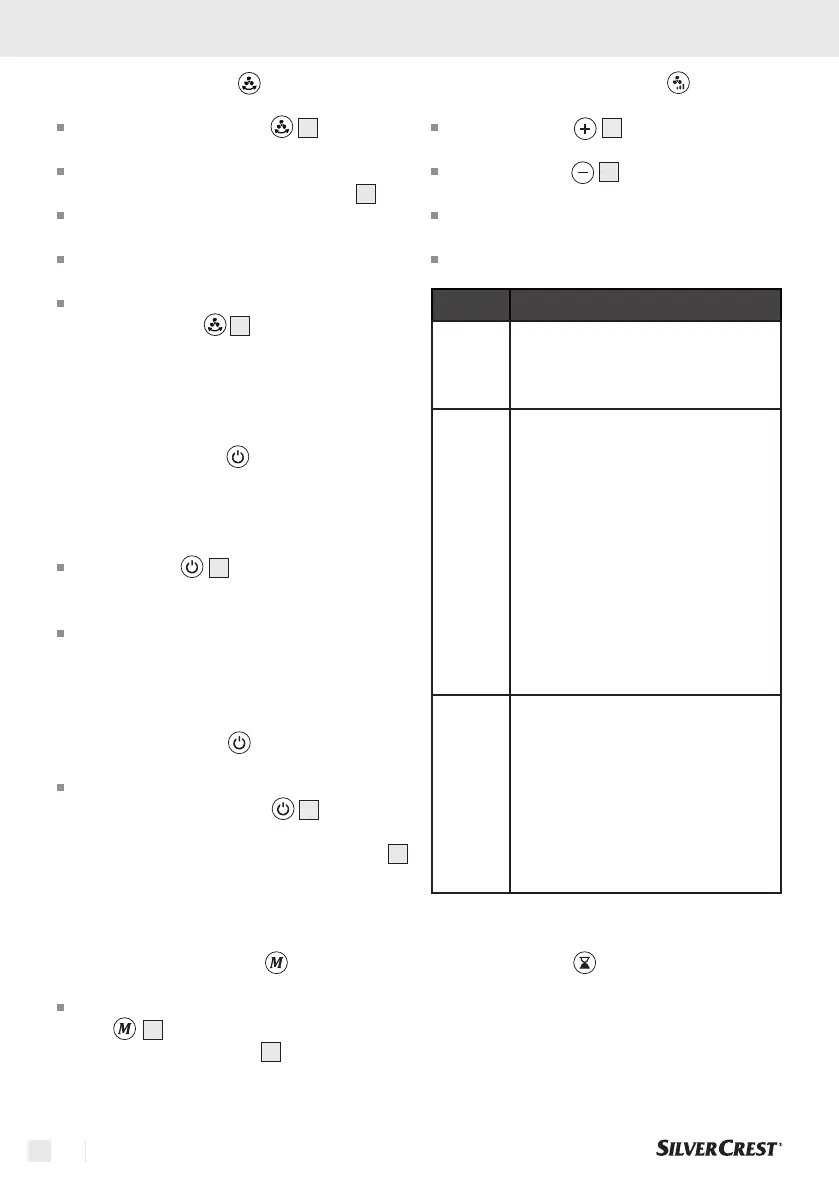
5.6 Oscillation function
Press the oscillation button
3
to switch the
oscillation of the unit on or off.
When successfully activated, the selected
oscillation level is shown on the display
4
.
You can choose between 4 levels of 30°-60°-
90°-120°.
The oscillation function causes the discharged
air to be distributed from left to right.
To deactivate the oscillation function, press the
oscillation button
3
until "000" appears on
the display.
6. Control with the remote control
6.1 Switch on the unit
Note: The keys have a signal tone feedback (for
signal tones see point 6.7).
Press the key
13
to switch on the product.
The unit starts directly in ventilation level "003"
when it is first put into operation.
During further use, the unit starts at the same
ventilation level that was selected during the last
operation.
6.2 Switch off the unit
To return the unit to standby mode after
operation, press the button
13
.
NOTE: The unit switches off while the display
4
shows "000" for approx. 10 seconds and then also
switches off.
6.3 Select operating mode
To change an operating mode, press the but-
ton
7
repeatedly until the desired mode
is shown on the display
4
. You can choose
between power, sleep and nature modes.
6.4 Selecting ventilation levels
Press the button
10
repeatedly to increase
the ventilation level you want.
Press the button
11
repeatedly to decrease
the ventilation level you want.
You can choose between 20 different ventilation
levels.
The desired ventilation level is adopted directly.
Display
Operating mode
-P-
Power mode
The unit switches to the highest level
of ventilation mode
-S-
Sleep mode
The maximum speed in sleep mode
is level 10. In sleep mode, the speed
is reduced by 4 levels and increases
by 2 levels after 10 seconds and
again by 2 levels after a further
10 seconds. The set speed is then
reached again. This interval runs for
30 minutes. After this time, the unit
reduces the speed by 2 levels each
time. This is repeated until level 2 is
reached.
-n-
Nature mode
Simulation of natural gusts of wind.
Every 10 seconds, the speed is
reduced or increased by 4 levels of
the set ventilation level.
Note: The lowest speed that can be
set in natural mode is therefore level
5 and the highest speed is level 16.
6.5 Timer function
The timer is used to switch off the unit automatically
after a preset time. The timer function can be set in
hourly intervals of up to 8h.


 To Next Page
 Loading...