2
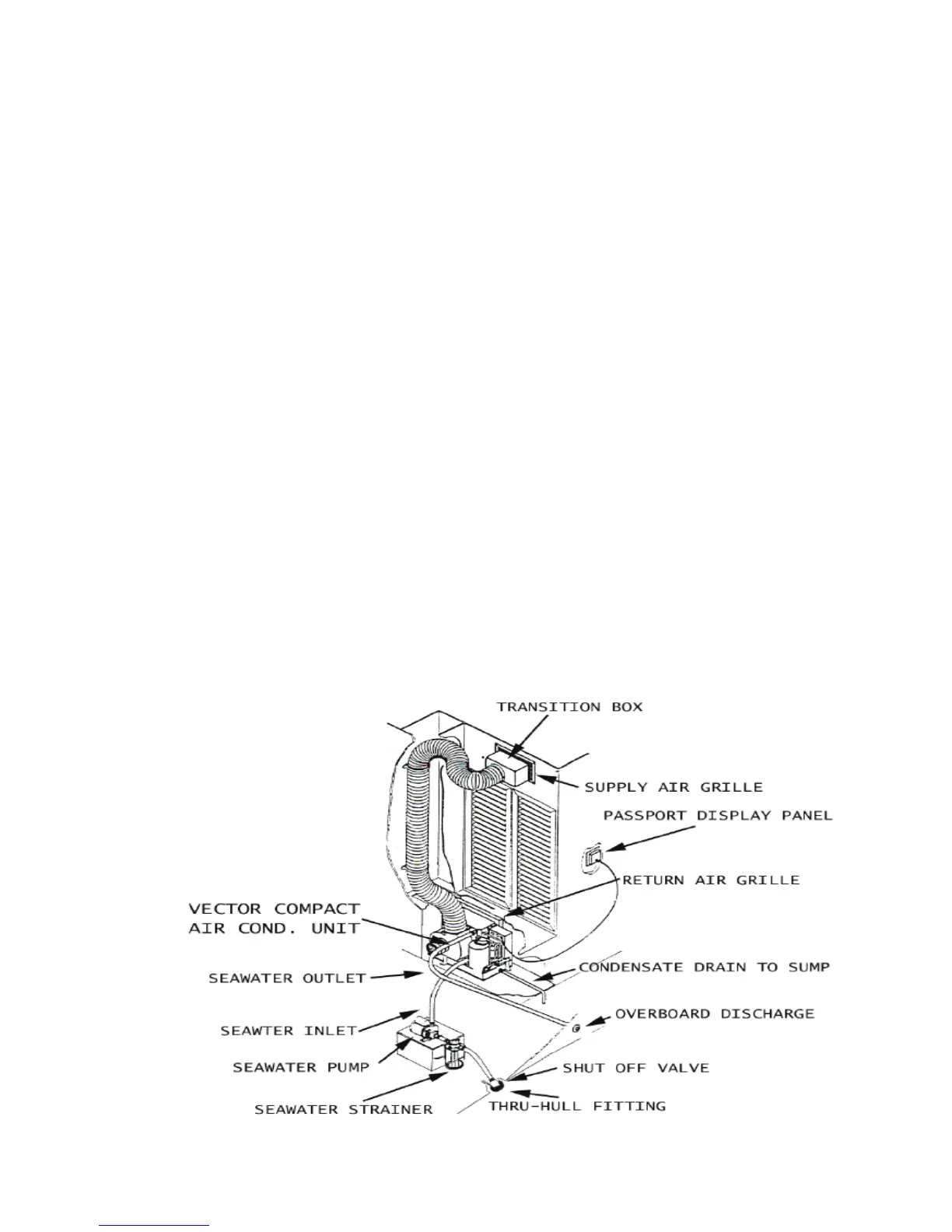
TYPICAL A/C
SYSTEM
Press the fan speed button on the “Pass-
port Control” until the desired speed is
obtained.
Press the appropriate temperature
control button (Down/Up) to obtain the
desired temperature.
Only certifi ed and trained service techni-
cians should perform maintenance of your
Air Conditioning/Heating System. Con-
tact your Silverton dealer for general main-
tenance and winterization of the system
on your 352 MY. Untrained persons may
carefully perform routine maintenance, such
as the cleaning of fi lters and the exterior
surfaces of the condensing coils.
REFER TO THE MARINE AIR SYSTEMS
OPERATION AND MAINTENANCE MAN-
UAL FOR TECHNICAL INFORMATION
CONCERNING YOUR AIR CONDITION-
ING / HEATING SYSTEM.
•
•
Operation of the Air Conditioning/Heating
System in your 352 MY is as follows:
Turn ON the respective air conditioner
breaker switch, located on the AC/DC
Electrical Panel (See AC/DC Electri-
cal Panel Layout on Page 153, which
illustrates the location of the respective
breaker switches).
Make sure seawater intake is open and
seawater pump is operating properly.
Refer to the Marine Air Systems Op-
eration and Maintenance Manual for a
detailed description of the function of
each button located on the “Passport
Control”.
Air Conditioning drains into shower
sump. Make sure shower sump circuit
breaker is turned on when operating Air
Conditioning.
Turn ON the power button, located
on the respective air conditioning unit
“Passport Control”.
•
•
•
•
•



 To Next Page