4
Chapter 2
Getting Started
This chapter will guide you through the steps for
inserting the batteries and using the many features.
Batteries
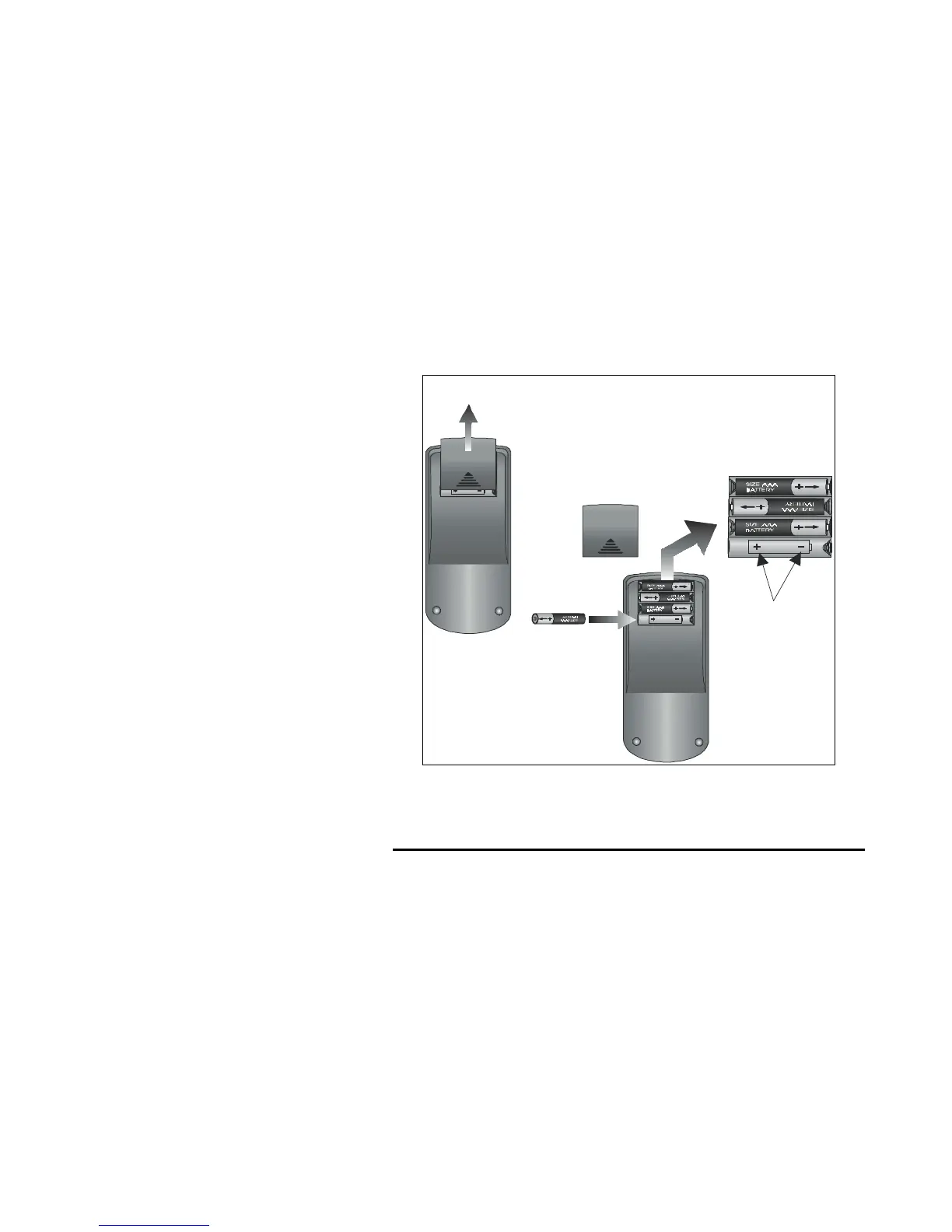
The SUR-20 operates on four AAA batteries (not
included). Batteries must be inserted before you can
operate the SUR-20. To insert the batteries, refer to the
following illustration:
Open the battery
case cover by
pushing in the
direction of the
arrow.
OPEN
A.
OPEN
Ensure
that you
insert
the batteries
according to
the marking
inside the
battery case.
Insert the
batteries.
B.
Figure 2-1: Inserting the batteries



 To Next Page