EasyManua.ls Logo

Sima SUR-20 - Quick Start Function Guide

Sima SUR-20
52 pages
Print Icon
To Next Page IconTo Next Page
To Previous Page IconTo Previous Page
Loading...
Quick Start Guide
43
Quick Start Guide
NOTE: In place of device key press the TV, AMP, VCR, etc… key
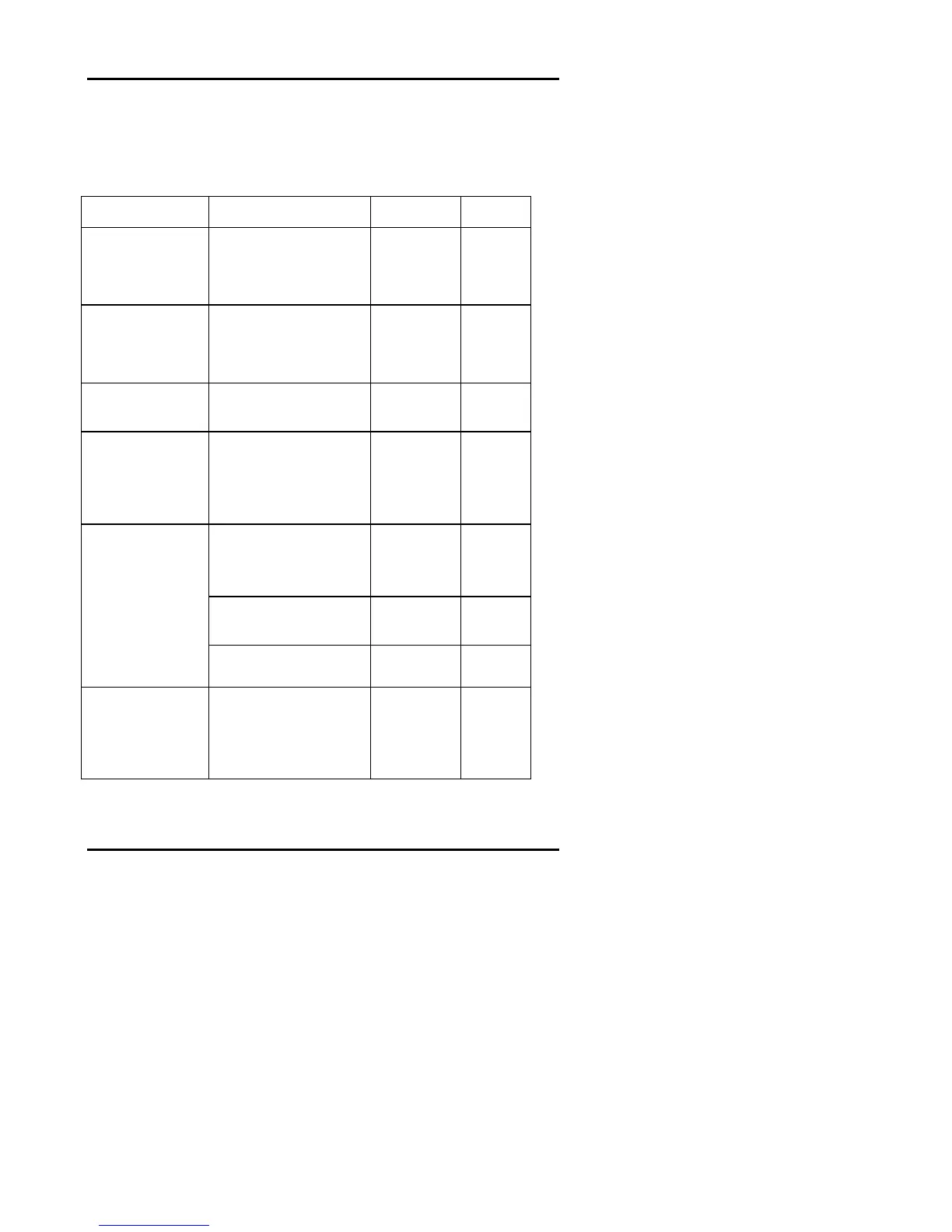
Function Enter Exit Chpt.
Change LCD
Layout and button
functions
Press and hold device
key for 3 sec. Press
buttons to change
functions.
Press
device key
3
Teach Remote
Control Codes to
SUR-20
Hold
LEARN
key for 3
seconds. Push buttons on
remote following cues
from SUR-20.
Press
LEARN
key
4
Turn beep on or off
Press any device key
twice
8
Adjust Backlight
Press and hold
AMP
and
AUX
keys for 3 seconds.
POWER button will toggle
between time delay and
sensitivity adjustments.
Press any
device key
8
Hold
DELETE
key for 3
seconds
Press appropriate key
Press
LEARN
key
6
Press DELETE and then
press device key
Press
LEARN
key
6
Delete Codes
Delete code for
just one key
Delete code for
one device
Delete code for
all devices
Press and hold DELETE
key for 3 seconds
Press
LEARN
key
6
Edit Macro
Press and hold MACRO
key for 3 seconds. Select
device screen. Select
macro button. Enter
commands.
Press
LEARN
key
twice
7

Other manuals for Sima SUR-20