Chapter 8 – Special Features
39
Recalling the original LCD layout
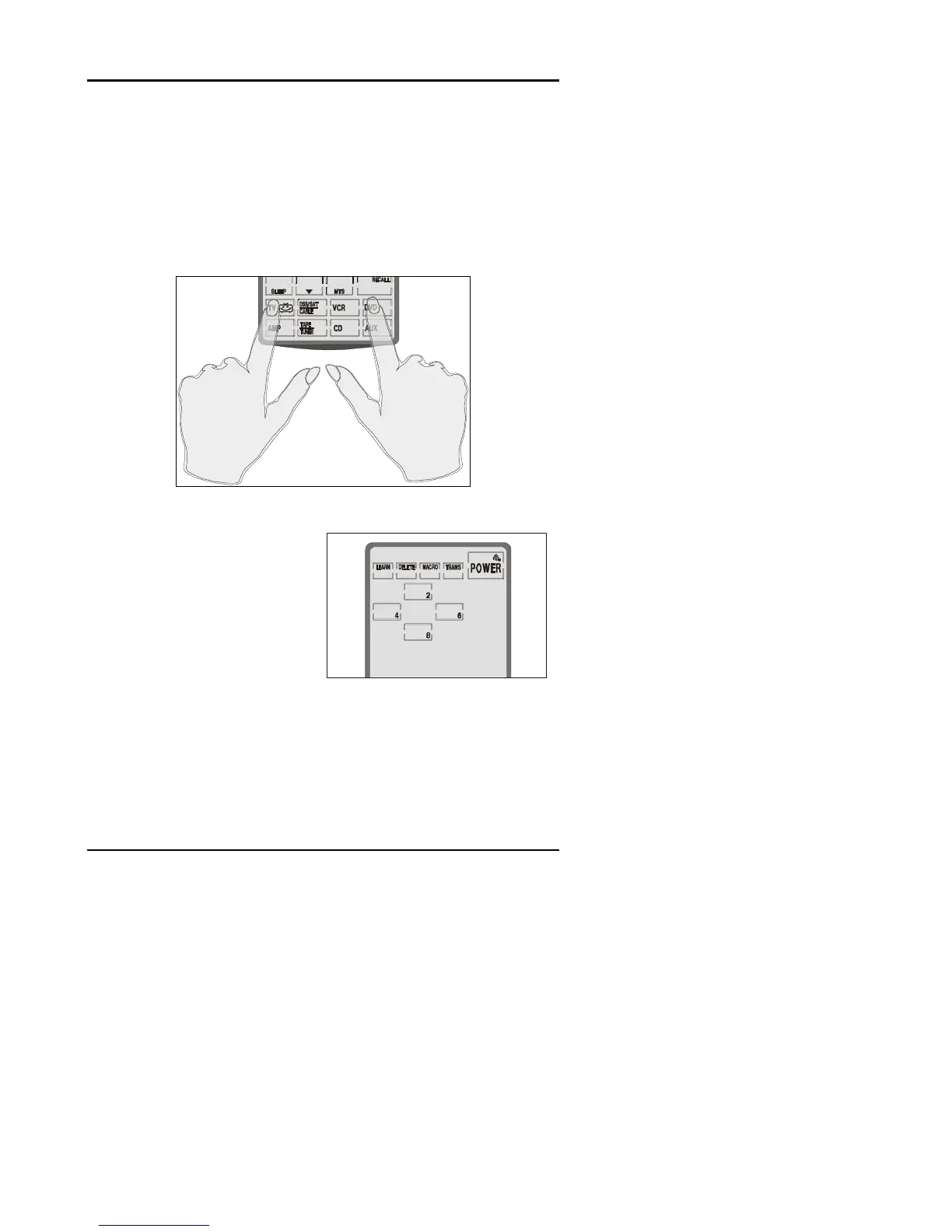
You can reset the LCD panel buttons to their original
factory configuration. Any configurations you have made
will be lost. To recall the original LCD layout, press the
TV and DVD device buttons at the same time for five
seconds:
Figure 3-3: Recalling the original LCD panel configuration
You will hear two beeps
and then see the
password screen to the
right.
Press each button
until it disappears.
The SUR-20 beeps six times and returns to normal
view. The original LCD panel configuration has been
recalled.


 To Next Page