EasyManua.ls Logo

Sima SUR-20 - Page 25

Sima SUR-20
52 pages
Print Icon
To Next Page IconTo Next Page
To Previous Page IconTo Previous Page
Loading...
Chapter 5 - Loading Pre-programmed Codes
19
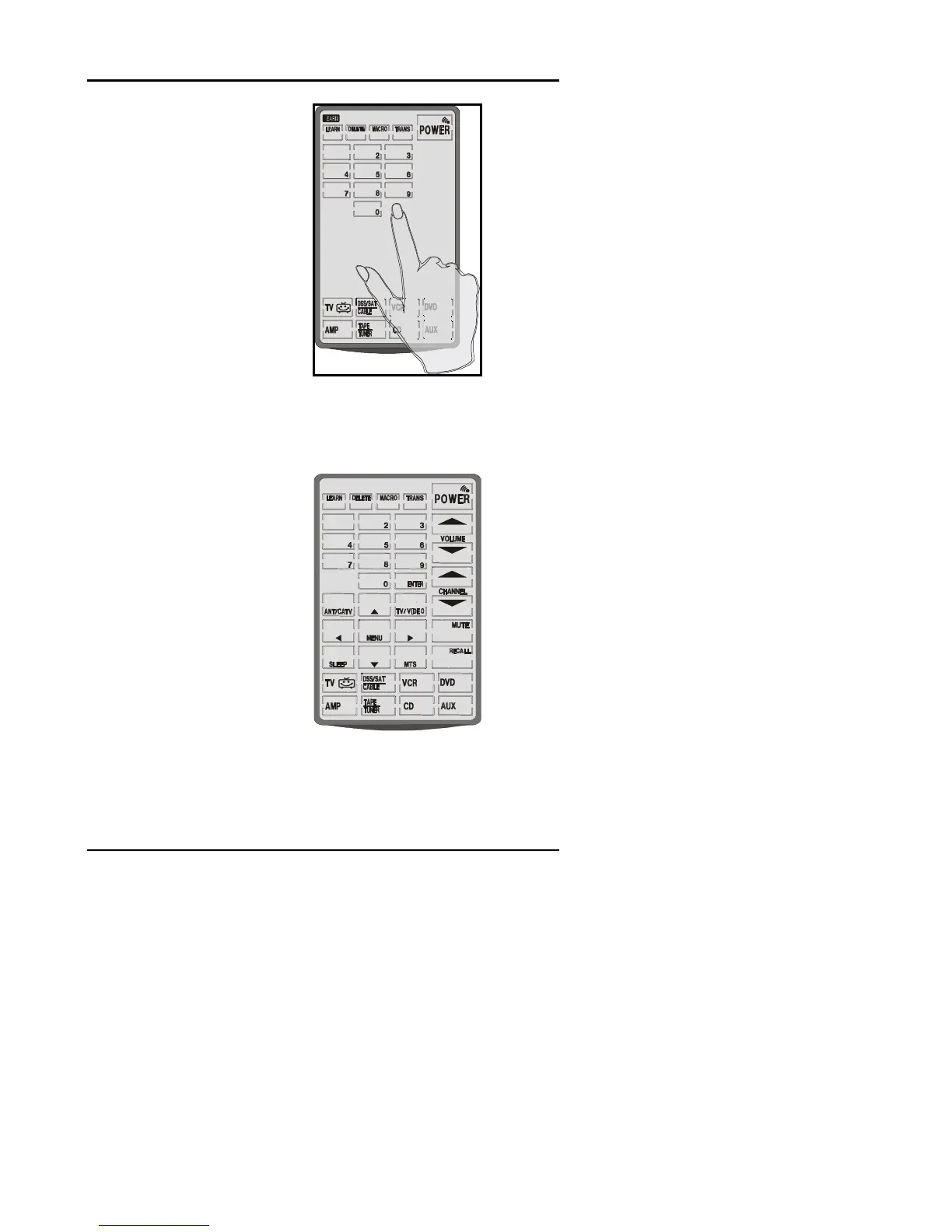
You will hear 2 beeps
and then see the digital
pad screen shown in
diagram at right.
Enter a number from
the manufacturers’
code table that you
think will operate your
device. Manufacturer
code tables are found
on pages 20 - 25.
1
After entering the code,
you will hear 3 beeps
immediately, then see a
set of control buttons
corresponding to the
manufacturer’s device
you have selected.
If these controls do not
work, you may have to
enter another code from
the code table. Some
manufacturers have
several codes for their
products. Repeat the
previous steps using
another code number.
1

Other manuals for Sima SUR-20