EasyManua.ls Logo

Sima SUR-20 - Page 35

Sima SUR-20
52 pages
Print Icon
To Next Page IconTo Next Page
To Previous Page IconTo Previous Page
Loading...
Chapter 6 – The Delete Function
29
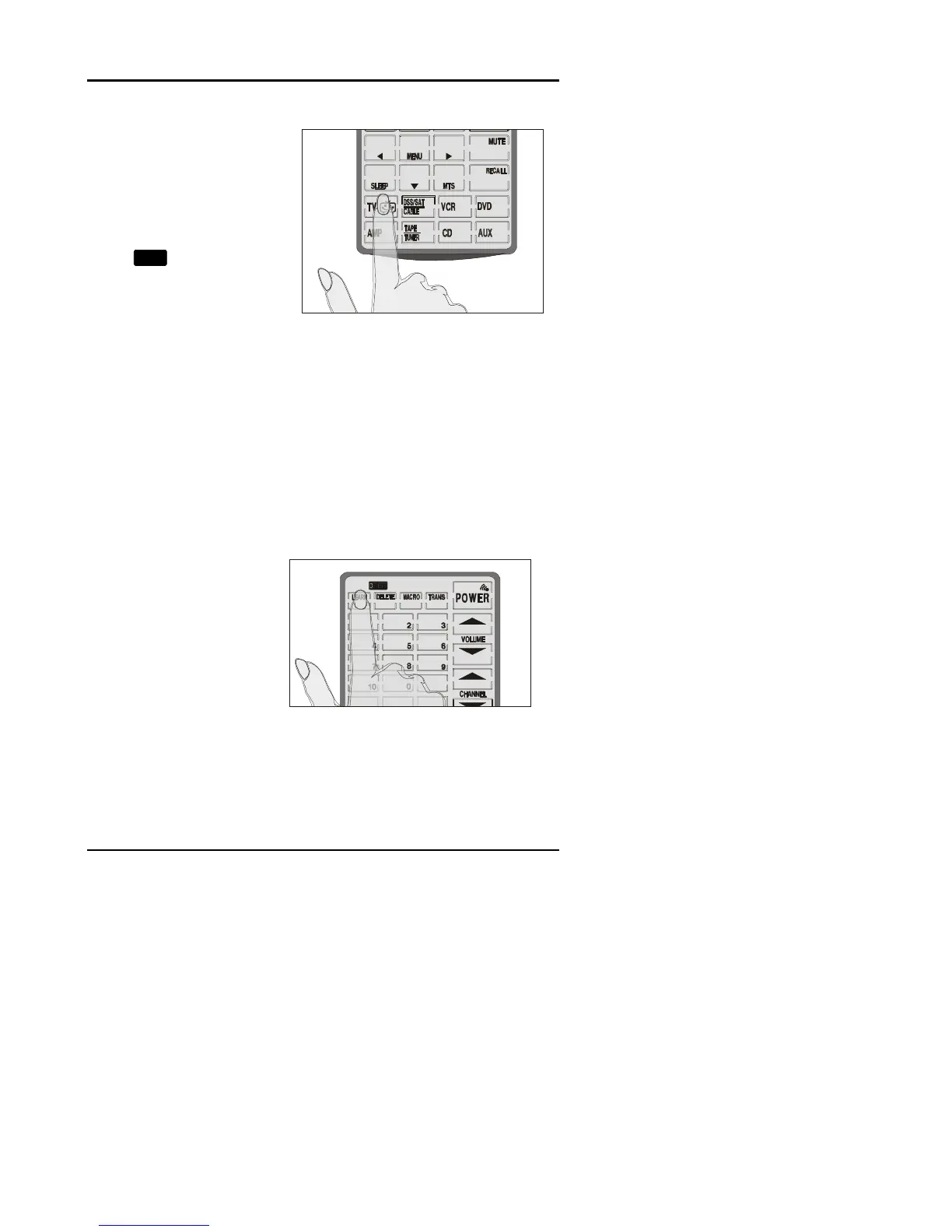
Press the device
screen button to
select the device
whose data you
want to delete.
You will hear two
beeps and see the
OK
icon.
The taught data for
the entire device has
been erased.
To exit the delete
function,
press the
LEARN button to
return to normal
operation.
To delete the taught data for all of the devices at once, press
the DELETE button for three seconds, while in the delete
mode.
The display will flash and you will hear six beeps. Taught data for all
devices has been erased.
When you have
finished deleting
data, press the
LEARN button to
exit the DELETE
function and return
to normal operation.
1
1

Other manuals for Sima SUR-20