Need help?
Do you have a question about the Simoco SRM9022 and is the answer not in the manual?
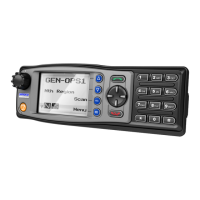
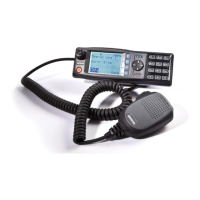
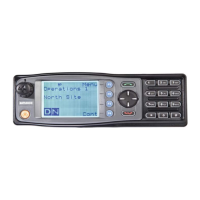
General description of the SRM9000 series two-way mobile radios.
Guidance on installing the SRM9022 radio, recommending professional installation.
Explains the use of terms like "generally" and "may" in the manual.
Explains how to enter, exit, and move through the radio's menu system.
Displays the current channel, signal strength, and channel name.
Lists radio users and their selcall codes, allowing calls to be initiated.
Used for sending pre-programmed status messages like "job complete".
Allows users to send free-form text messages similar to SMS.
Reviews the most recent missed Selcalls and received Status Selcalls.
Stores and displays received data messages, including caller ID and message content.
Provides access to various radio setup sub-menus for configuration.
Details the procedure for turning the radio on and off, including auto-off features.
Explains how the radio listens on the displayed channel and indicates signal presence.
Guides on how to transmit, including PTT operation and etiquette.
Describes Selective Calling features for individual or group communication.
Enables sequential searching of channels for active signals.
Lists the available sub-menus for configuring radio settings.
Configures user-specific settings like key beeps, backlight, and DTMF.
Adjusts the mute level for incoming signals or alerts.
Allows adjustment of the display contrast level.
Sets the volume level for alert tones and beeps.
Displays technical details like software version and serial number.
Provides access to view and manage phonebook entries.
Allows adding, deleting, and editing entries in the phonebook.
Allows switching between different radio operation modes like PMR or Trunk.
Opens or closes audio mute for signalling.
Opens or closes the squelch for carrier mute.
Closes audio mute on closed Selcall Channels.
Activates the scanning function for searching channels.
Toggles the external output function.
Sends a specific selcall sequence.
Enables or disables individual call acknowledge.
Defeats the CTCSS mute on the channel.
Provides direct access to the Mute Setup screen.
Enables or disables external output via Selcall decodes.
Selects predefined channels A, B, C, or D.
Sends special encode sequences 1 through 8.
Puts the mobile into alarm mode.
Allows transmission on the reverse frequency on a Repeater Channel.
Forces the radio to operate at low power.
Places the keypad into DTMF mode for sending tones.
Toggles the operation of the voice scrambler.
Sends a pre-programmed string of DTMF digits.
Unlocks the keypad by holding function buttons.
A mounting cradle for quick transceiver removal.
Allows placing the control head up to 4.5 metres from the transceiver.
Provides I/O lines and audio for external interfacing.
Provides Global Position reporting for applications.
Used to cross-connect or interconnect transceivers or control heads.
Provides a balanced audio interface and opto-isolated lines.
Interface board designed for multiple transceivers or control heads.
Allows two control heads to be used with one transceiver.
Allows two transceivers to be used with one control head.
Housing for the radio with a power supply and speaker.

 To Next Page
 General