Need help?
Do you have a question about the Simoco SDM600 Series and is the answer not in the manual?
Describes the manual's scope and potential changes to the equipment or document.
States Simoco's ownership of information and reserved rights for the document.
Limits Simoco's warranty and responsibility for damages arising from document or equipment use.
Simoco reserves the right to update equipment or the document without prior notice.
Provides Simoco addresses and contact details for reporting errors or omissions.
Warns about RF radiation hazards and provides safety precautions for operation and service.
Details hazards associated with dangerous voltages and installation safety requirements.
Specifies the radio's intended occupational use and compliance with exposure limits.
Explains RF energy, its effects, and standards for safe exposure levels.
Outlines manufacturer compliance requirements for RF exposure limits in the US and Canada.
Confirms Simoco radios meet national and international RF exposure standards.
User awareness instructions and operational requirements for controlling exposure.
Details on transmission duty factor and safe operating procedures.
Guidance on antenna placement and minimum lateral distances for mobile installations.
Provides guidelines for installing antennas in vehicles for optimal performance and safety.
Specifies requirements for rooftop antenna placement to prevent bystander exposure.
Details antenna placement, compliance, and approved accessories for mobile use.
Emphasizes using Simoco-approved accessories for RF exposure compliance.
Covers legal regulations, driver attention, and using hands-free facilities while driving.
Provides tips for protecting hearing from loud radio volumes and noise exposure.
Warns against placing radios in airbag deployment areas due to potential injury.
Advises precautions for using the radio in areas with hazardous gas, vapors, or dusts.
Stresses the importance of securing units to prevent injury during sudden braking or impact.
Reinforces the warning about placing equipment in airbag deployment areas.
Explains the EU directive concerning the disposal of electronic waste.
Provides instructions for proper disposal of the product according to the WEEE Directive.
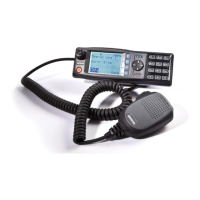
Introduces the SDM600 series radios and the scope of this user manual.
Explains that the radio must be configured using the Field Personality Programmer (FPP).
Recommends professional installation and provides a link to installation instructions.
Lists the key features and capabilities of the SDM622 radio.
Details the number of zones, channels per zone, and display characteristics.
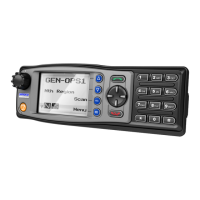
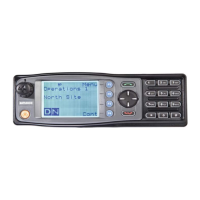
Describes the LCD graphic display and context-based soft menu labels.
Explains the function of the Light Emitting Diode (LED) PTT/Rx indicator.
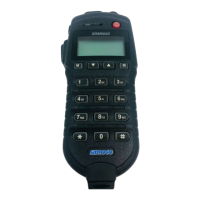
Identifies the main buttons and displays on the controller microphone.
Provides a detailed description of each control button and its function.
Describes the three main areas of the screen: Text Panel, Icon Area, and Soft Labels.
Explains the display and assignment of soft labels associated with function buttons.
Details the types of text information displayed on the screen.
Explains the icon display area and the positions for displaying icons.
Details standard and special icons and their meanings.
Explains the meanings of icons representing different radio operating modes.
Describes the meanings of icons related to channel status and activity.
Details the meanings of icons that indicate different types of calls.
Explains icons related to digital encryption, unread messages, and call logs.
Describes icons for Key Lock function and GPS signal presence.
Defines icons representing different power levels of the radio.
Provides the procedure for powering the radio on and off using the dedicated button.
Explains the radio's password protection feature and entry process.
Introduces the configurable menu system and its structure.
Lists the default menu options accessible from the main screen.
Describes the various functions that can be assigned to the six programmable function buttons.
Assigns a button function to unlock console buttons after a set period of inactivity.
Allows toggling the radio's RF output power between low and normal levels.
Switches the radio into or out of "Monitor" mode to hear all non-protected conversations.
Provides options to override the channel's default audio muting settings.
Allows the user to start or stop scanning channels within the current scan group.
Explains how to remove a channel from a scan group temporarily.
Describes how to activate relevant Selcall plans created in the FPP.
Mutes or unmutes the radio's speaker.
Turns off all lights and sounds for covert operation.
Switches frequencies to bypass a repeater for direct radio-to-radio communication.
Decreases the volume of audio from the radio's speaker.
Increases the volume of audio from the radio's speaker.
Switches the radio to the next lowest zone in its list.
Displays the list of available zones for selection.
Switches the radio to the next highest zone in its list.
Provides checks for fuse, cables, and battery when the radio fails to switch on.
Provides contact details for customer service in the UK, including phone and fax numbers.
Provides contact details for customer service in Australia.
Provides contact details for customer service in the United States.
Details how to use Simoco's online support ticket system for tracking requests.
Lists email addresses for technical support based on geographical regions.
Provides telephone numbers for technical support in different regions.

 To Next Page

 General