4 Menu System
General
The SDM622 has a menu system that is configurable by the FPP.The FPP has a pool of
menu entry options that can be applied as required and in the order that is required.
In simple configurations, the menu may be entirely omitted if required.
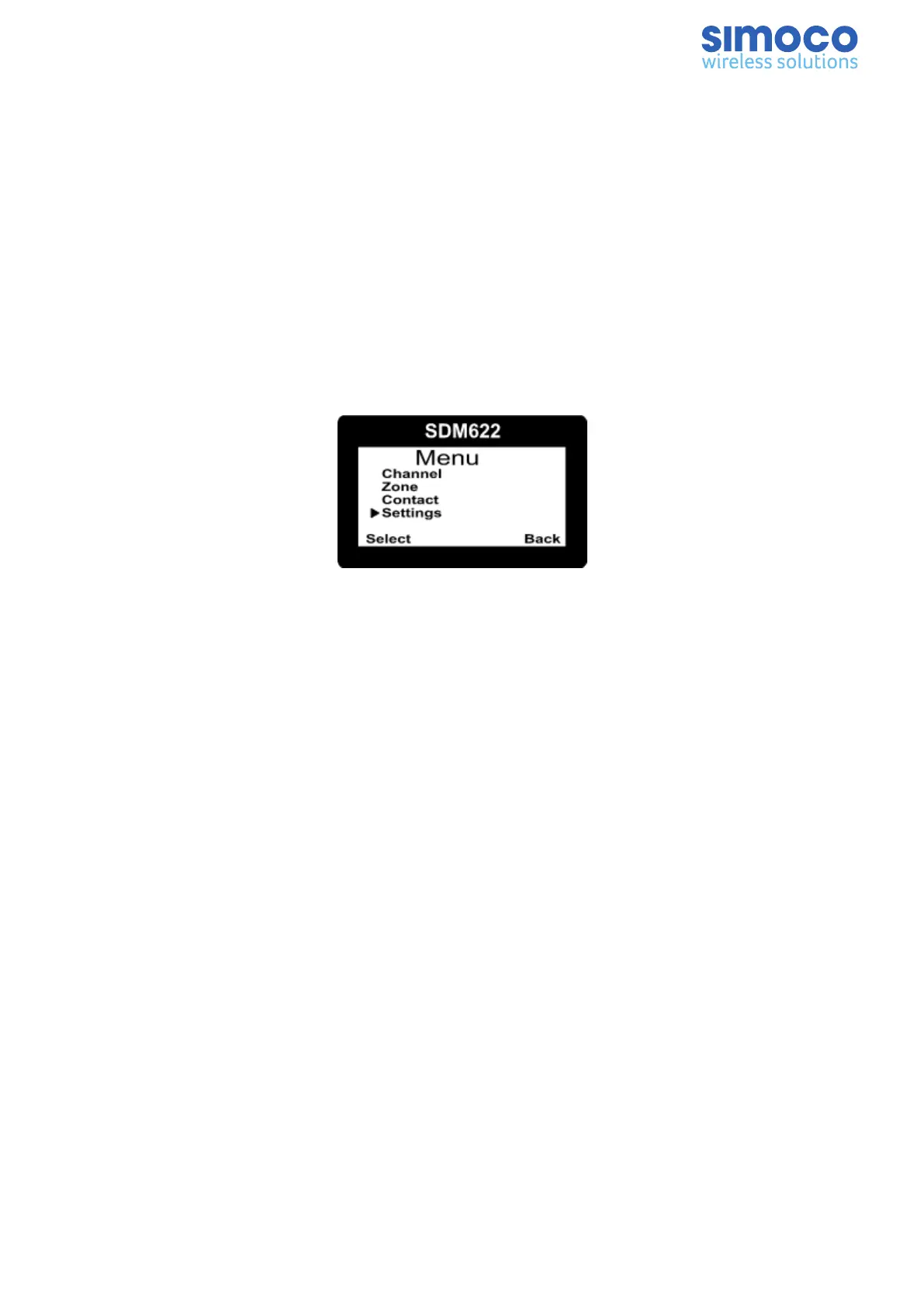
In the example screen of Figure 12, the four menu choices are:
n Channel selection.
n Zone (this provides access to different groups of channels).
n Contacts (a list of Users and their associated ID’s).
n Settings (a ‘radio setup’ sub-menu).
Figure 12: Main Menu
Pressing the ‘F1’ key from the top-level channel screen enters the menu system. By
default this key has a soft menu label alongside it titled ‘MENU’. When in the menu
system, the soft key ‘F4’ is generally the Back ‘B’ key.
The possible menus are:
n Alert Offset n Mute Adjust (FM)/Monitor (DMR)
n Backlight n Radio Info
n Brightness n RSSI
n Call Divert n Scan
n Call Log n Settings
n Channel n Speaker Volume
n Contact n Talkgroups
n Contrast n Text Message
n GPS n User Options
n Keybeeps n Zone (usually the first menu as it is often accessed)
The presence and order of the above menu selections is determined by the FPP
configuration.
The Setup menu is a special case entry. Setup is a subgroup that can have any of the
list of menu selections assigned to it. This means that, if required, the lesser used
Document Number: TNM-U-E-0145 Issue: 1.0 Page 17


 To Next Page