selections can be partly hidden away under the Setup subgroup but still remain
accessible.
The order and presence of the Setup subgroup selections is determined by the FPP.
For instance Info, RSSI and Contrast could be placed under Setup.
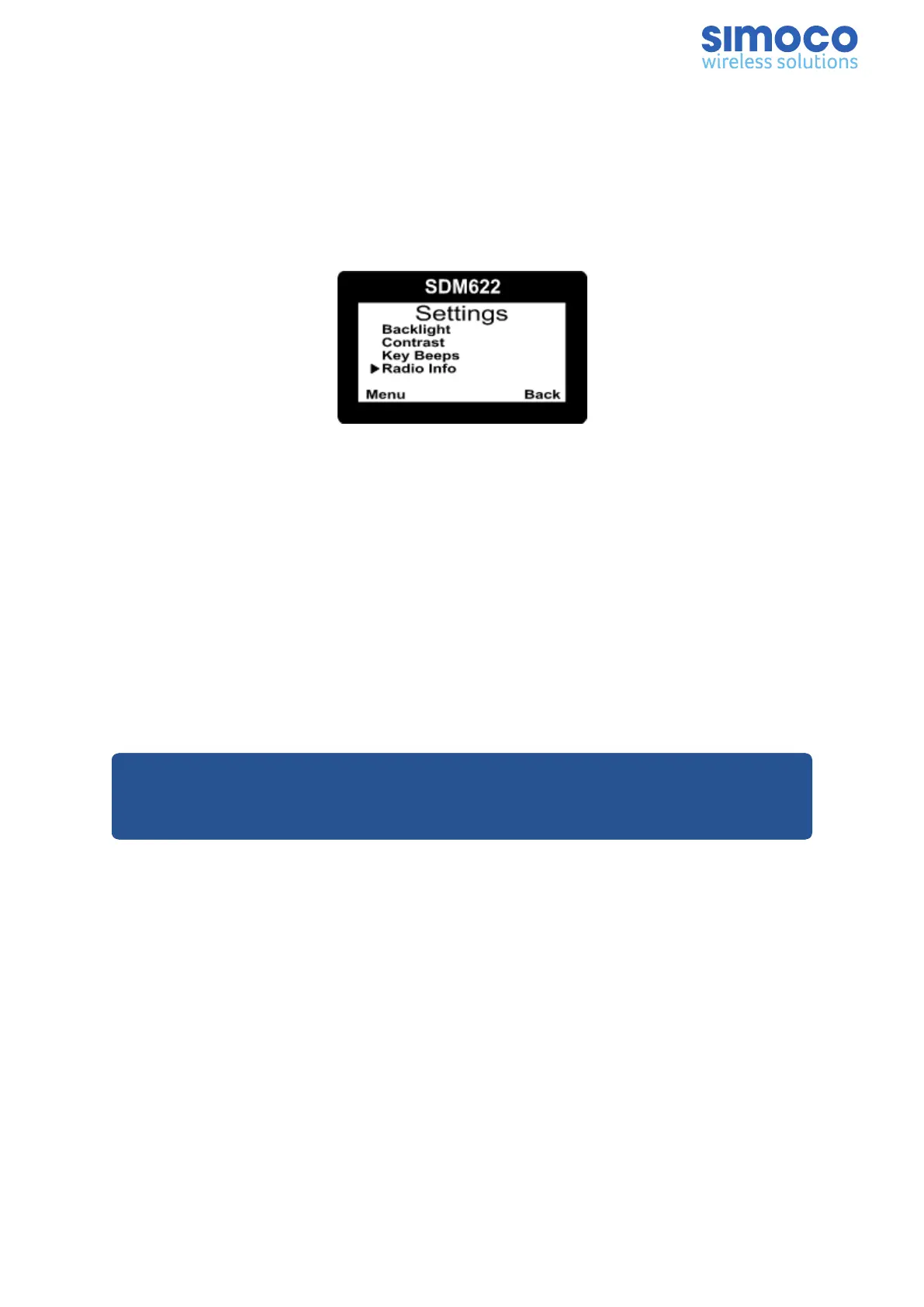
The User Options menu group is also a menu subgroup. This subgroup usually
contains on/off functions, such as Key Beeps or Backlight.
Figure 13: Settings Menu
Menu Navigation
Pressing the ‘F4’ key selects Menu mode from the main Channel Screen. Once in menu
mode, the ▴ and ▾ keys cycle through the menus.
To exit Menu mode, press the ‘F4’ key again or the Menu timeout will exit
automatically. Generally, pressing ‘F4’ key while in a menu backs up to the next highest
level of menu and the ‘F1’ button selects the menu screen.
The ▴ and ▾ keys are used to navigate through a list of options such as channels, or to
increase/decrease a value.
Notes:
1. Example menus only shown.
2. Other menus may be configured with the FPP.
Document Number: TNM-U-E-0145 Issue: 1.0 Page 18


 To Next Page