SRM9030plus ~ PMR Mobile Radio User Guide
© Comgroup Australia 2010 8 TNM-U-E-0092 Issue 1.1a
4.4 S
TORED
C
ALLS
S
CREEN
(S
ELCALL
)
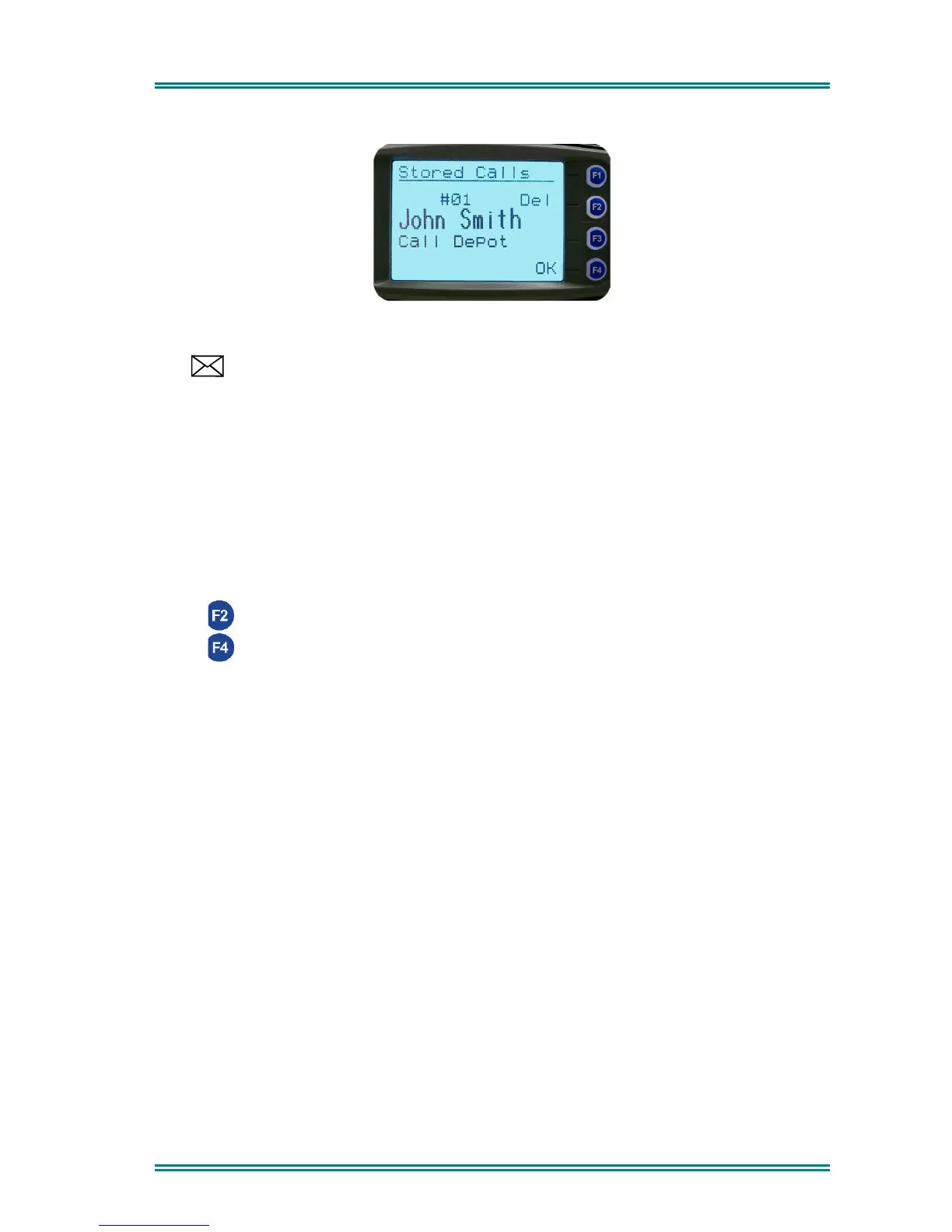
This screen allows the eight most recent missed Selcalls (ones not answered before the Alert-
tone stops) and received Status Selcalls to be reviewed.
The icon will show in the Main Channel Screen when there is an entry in this Screen. A
"Bip" tone is emitted every few seconds when a new call is stored here.
The displayed text identifies the caller (e.g.
John Smith
) and, if used, Status text (e.g.
Call
Depot
) is displayed on the Message Line.
The displayed number (#01) shows the queued position of the entry. The most recent call is
shown whenever this Screen is displayed.
Press the Left/Right Arrow buttons to scroll through other Stored Calls.
Press the Green Handset to Voice Call the originator.
Press the Red Handset to return to the
Channel Screen
without making a call.
Press (Del) to delete the viewed entry.
Press (OK) to go to the
Channel Screen
with the Call Dialstring ready for editing, the
keypad is enabled for this step.



 To Next Page