SRM9030plus ~ PMR Mobile Radio User Guide
© Comgroup Australia 2010 22 TNM-U-E-0092 Issue 1.1a
6.1.3 Phone Book Edit
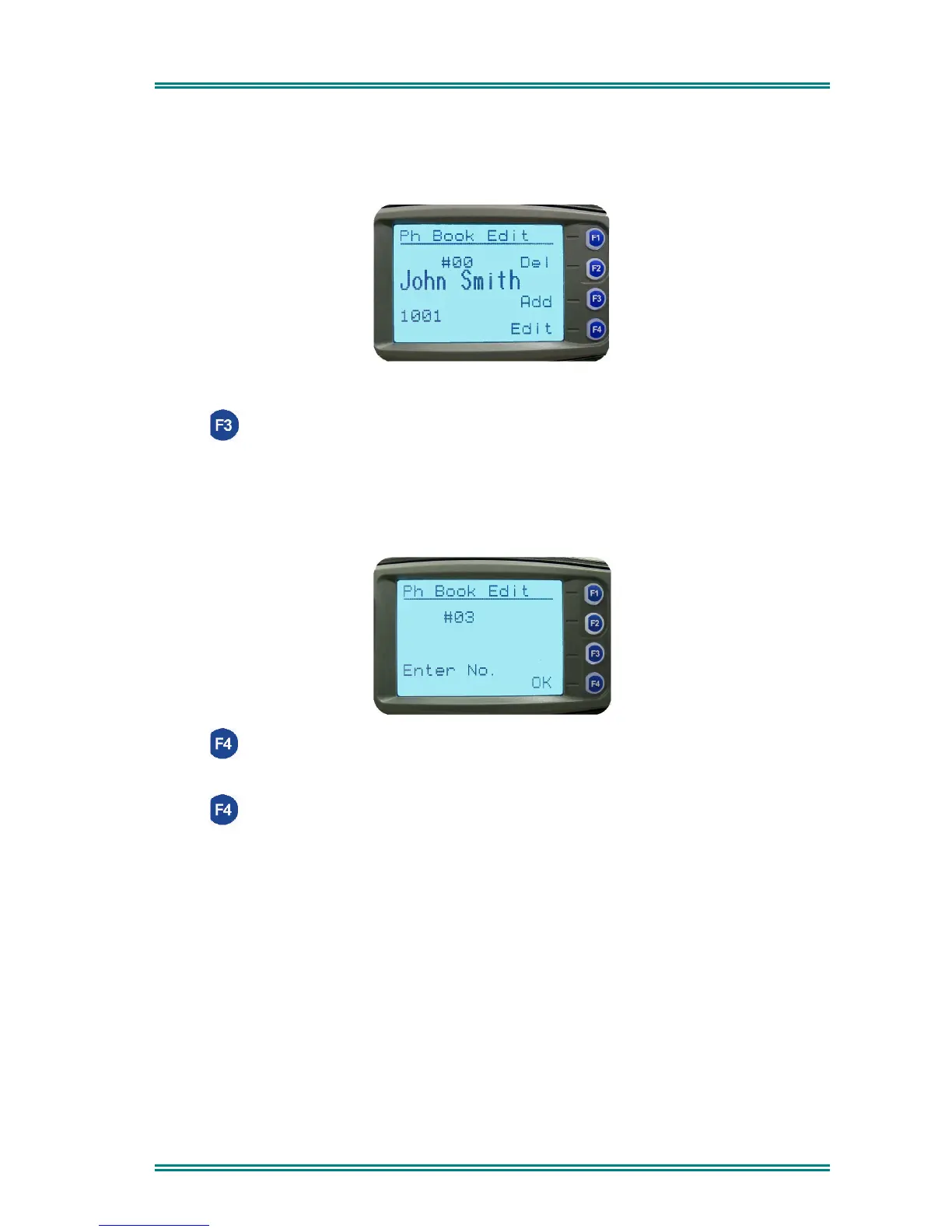
This Screen allows you to delete or edit Phone Book entries, or add a new entry.
6.1.3.1 Add a new entry
Press (Add) to add a new entry.
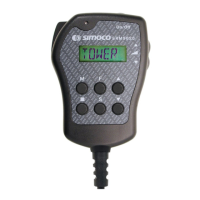
The next available Index number is displayed.
Use the keypad to type the dialstring for the new entry (example #03 below).
Use the Red Handset to backspace/clear incorrect entries.
Press (OK) to accept the number and display the next screen.
Use the keypad to type the name (refer to Section 6.1.3.4).
Press (OK) to accept the name and go to the Main Channel Screen.


 To Next Page