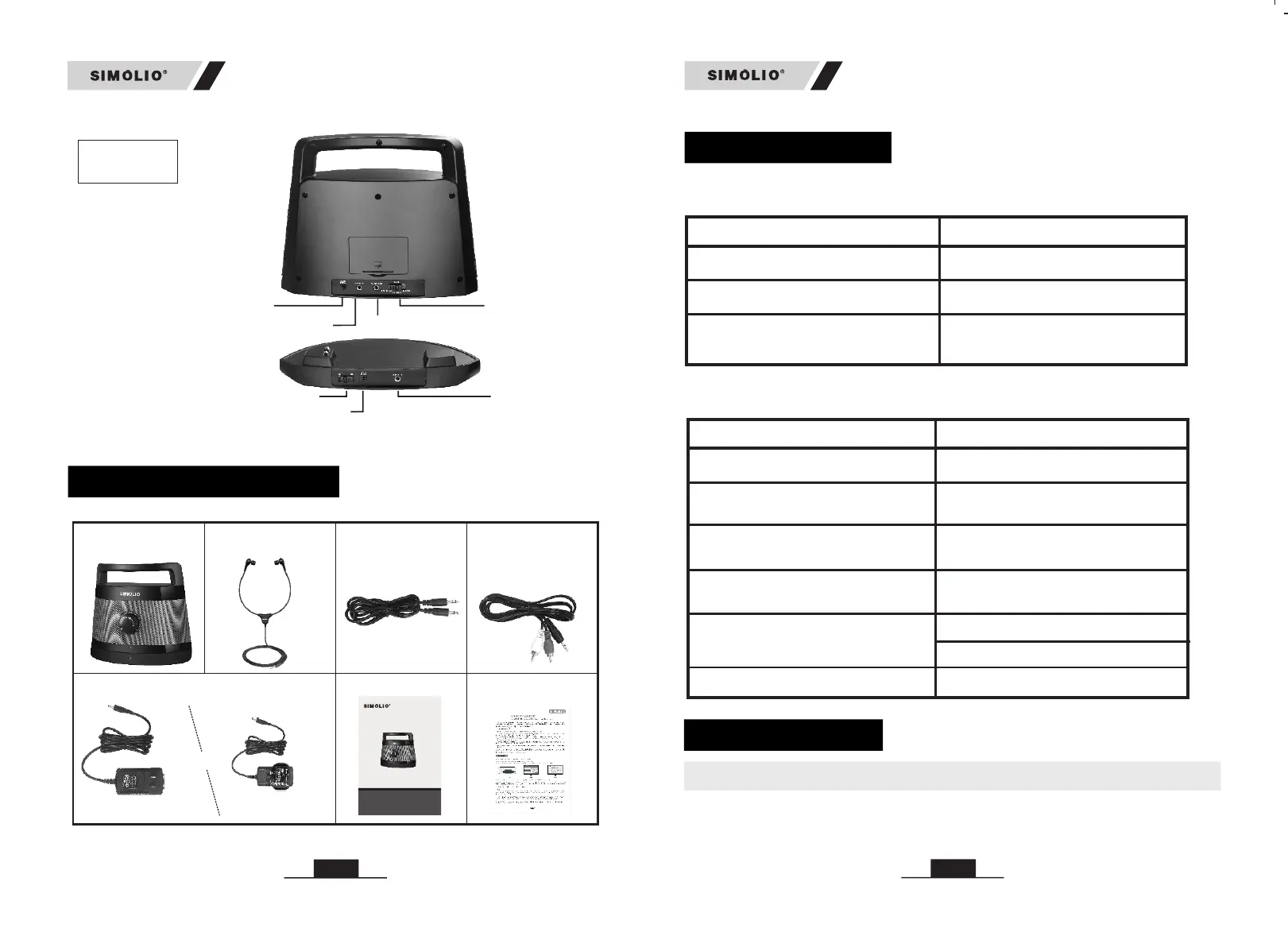
Batter y Cover
Audio Out
Audio IN
TONE
Treble/Normal/Bass
Power IN
Power ON/OFF
Audio IN
Power IN
PACKAGE CONTENTS
Receiver
Back
Transmitter
Headset
Ø3.5mm
audio cable
RCA audio cable
Manual
Quick guide
Power adaptors
or
USA
UK
(two adapters) (two adapters)
LED Indication
LED Indicator of Transmitter
LED Indicator of Receiver
Low power indication at
wireless working status
LED Status
Transmitter Status
Bright green LED lighting steadily Working or Charging for speaker
Dark green LED lighting steadily
Green LED blinking slowly
No audio signal input or signal
is too weak
Standby
LED Status
Receiver Status
Green LED lighting steadily Working
Green LED blinking slowly
Red & Green LED lighting
alternately
No audio in, transmitter is in
standby or turned off
Charging full
Charging by transmitter base
Charging by power adapter
Red LED lighting steadily
Red LED off
Red LED blinking
Low power indication at
wired working status
HOW TO USE
SM-621 is compatible with RCA (labeled “AUDIO OUT”) and AUX 3.5mm
output.
1. Check Your TV/Audio Source Output Options before the Set up
Receiver &
Transmitter
04
05
SM-621
SM-621
2.4GH z Wireless TV Speaker
User Ma nual
SM- 621
Sal es & Supp ort Ema il: sup port@ simol io.co m for USA, o r
sup port_ uk@si molio .com fo r UK


 To Next Page