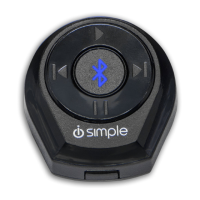
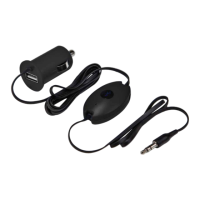
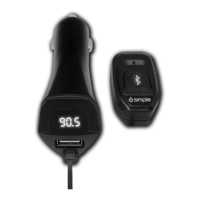
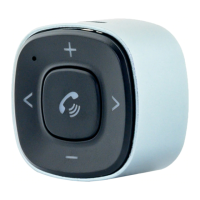
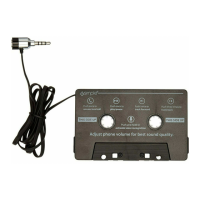
BlueConnect
Normal operation does not require any configuration of the DIP switches. All 4 DIP
switches should be in the down position. These switches are set in this orientation
during production
1 2 3 4
Normal Operation
Phone Calls
Incoming call mode (phone ringing)
1. Single Press
Answer
2. Press and hold (More than 2 seconds, less than 4 seconds)
Reject call
During Call mode
1. Single Press
End call
2. Press and hold (More than 2 seconds, less than 4 seconds)
Toggle Privacy / Hands-free mode
Streaming Music
1. Single Press
Next track
2. Press and Hold (More than 2 seconds, less than 4 seconds)
Launch VR
3. Press and Hold (more than 4 seconds)
Disengage 19436331 (listen to FM radio)
Discoverable mode (to pair a new Bluetooth device)
1.
With no other phones connected, press and hold the control button for 2 seconds
then release to enter discoverable mode and pair a new phone. The LED on the
control button will begin flashing once in discoverable mode.
Control Button Operation / Function
BUTTON PRESS / FUNCTION
NEW INSTALL OR
RESET DEVICE
PAIR ADDITIONAL
PHONE W/ NO
PHONE CONNECTED
MODULE IDLE W/
PHONE PAIRED
INCOMING
CALL
ACTIVE PHONE
CALL
STREAMING
MUSIC
KEY ON, NO BUTTON PRESS
TAP BUTTON
PLAY (IF MUSIC
APP IS RUNNING)
ANSWER CALL END CALL NEXT TRACK
2 TO 4 SECOND BUTTON
PRESS
DISCOVERABLE
MODE
LAUNCH VR END CALL
PRIVACY / HF
LAUNCH VR
BUTTON PRESS
BlueConnect
BlueConnect
Module Idle w/ Phone Connected
1. Single Press
Play (If music app is running)
2. Press and Hold (More than 2 seconds, less than 4 seconds)
Launch VR
3. Press and Hold (more than 4 seconds)
Disengage 19436331 (listen to FM radio)
DIP switch Configuration
Page 4
BlueConnect



 To Next Page