Step 2. XPS configuration
XPS configuration consists of setting the address switch as described in this section.
Setting the address
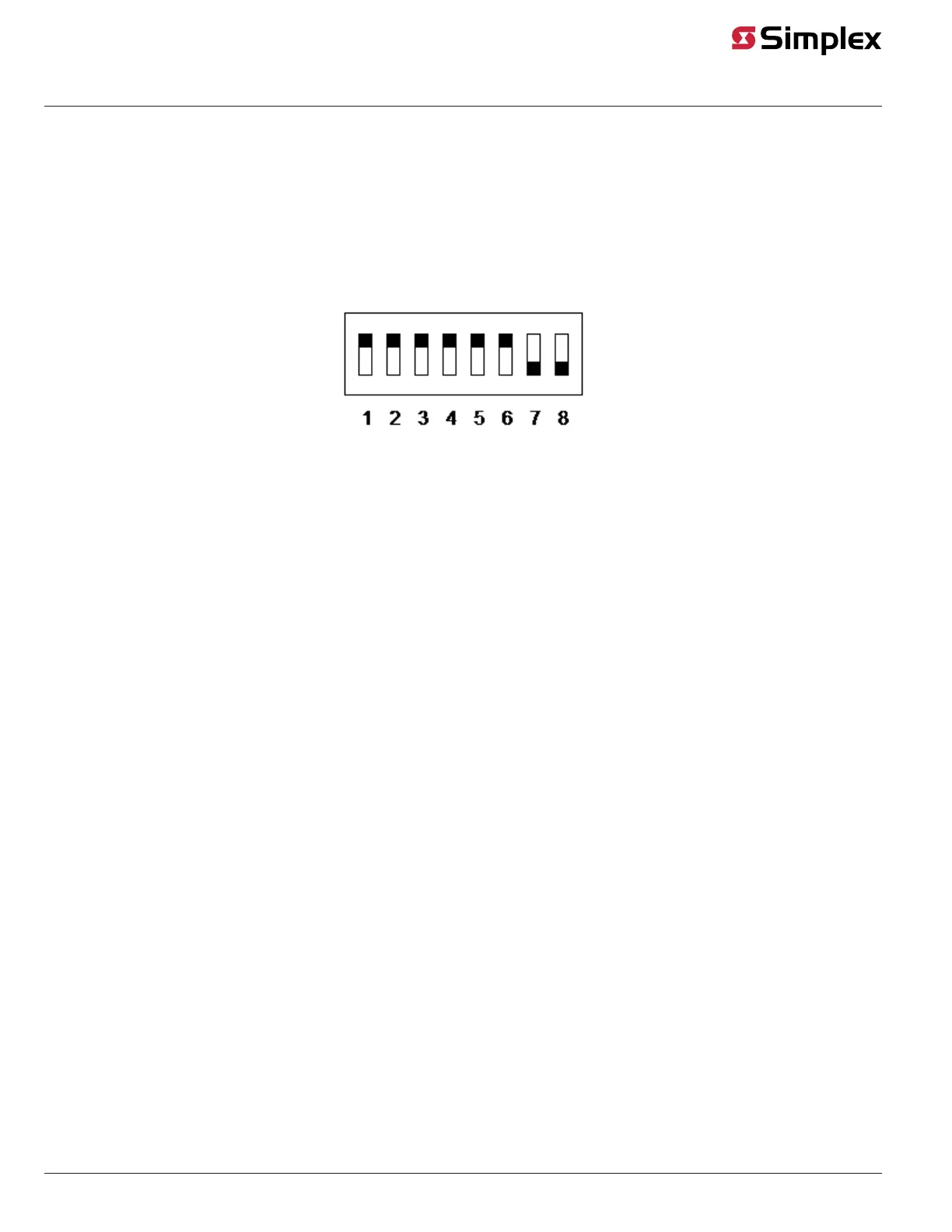
The XPS device address is set using DIP switch SW1, which is a bank of eight switches. From left to right, see Figure 3, these switches are designated as
SW1-1 through SW1-8. The function of these switches is as follows:
• SW1-1. This switch sets the baud rate for the internal 4100 communications line running between the card and the 4100 CPU. Set this switch
to ON to communicate.
• SW1-2 through SW1-8. These switches set the card's address within the 4100 FACU. See Figure 4 for a complete list of the switch settings for
all of the possible card addresses.
Note: You must set these switches to the value assigned to the card by the Panel Programmer.
Figure 3: DIP switch SW1
page 4 574-772 Rev. Q
XPS and XNAC Installation Instructions



 To Next Page