Step 3. Internal wiring
The XPS gets its power from the power distribution module or PDM (4100U and 4100ES only) or the power distribution terminal block (4100-2301
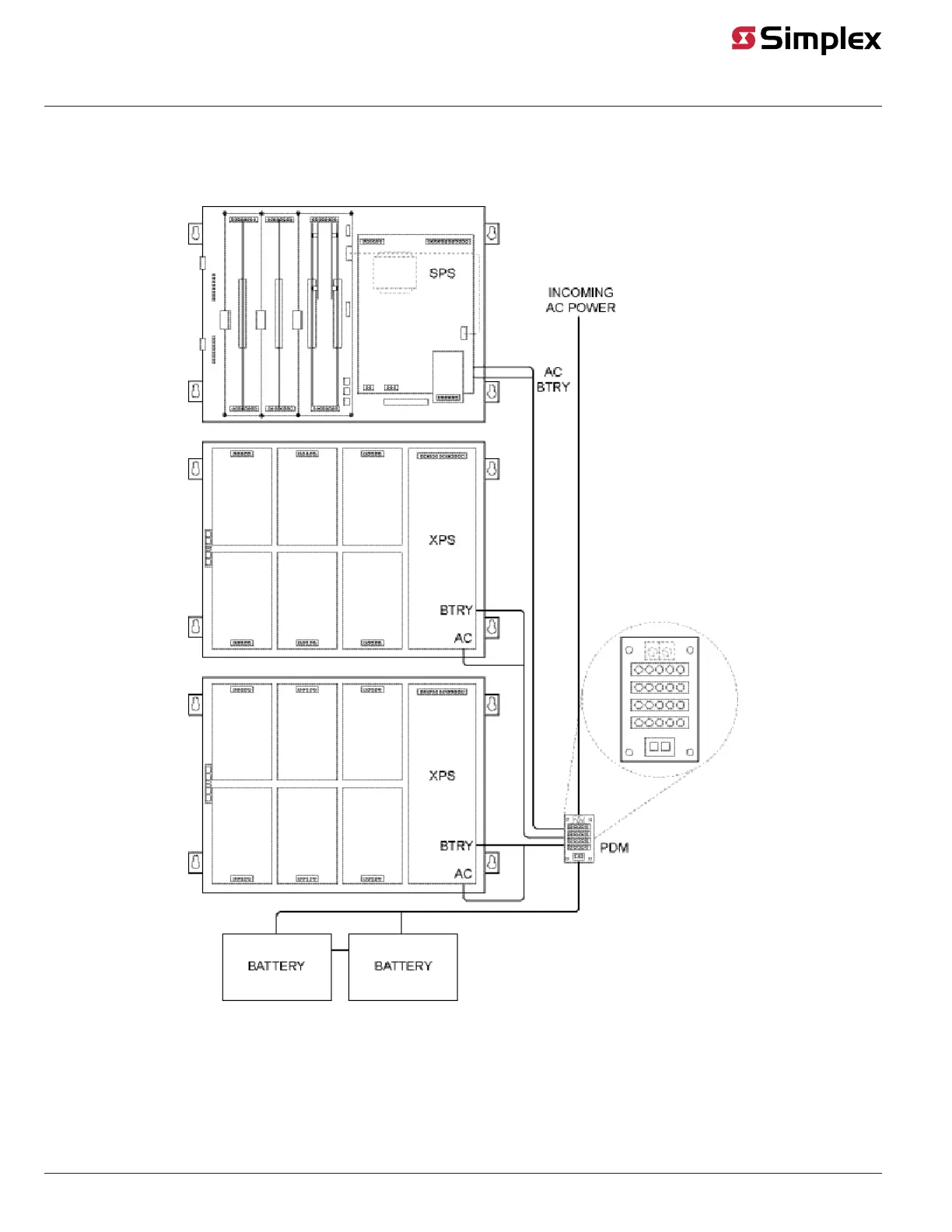
expansion bay only). The PDM or terminal block takes power directly from the AC mains and the two backup batteries, and distributes power to each
bay in the cabinet.
Figure 5 shows the PDM in the 4100U/4100ES connecting to a host FACU with two XPSs.
Figure 5: System Power
The instructions in this section describe how to connect the XPS to AC mains and batteries in both regular 4100U/4100ES back boxes and the
4100-2301 expansion bay (for for non-4100U/4100ES back boxes).
page 6 574-772 Rev. Q
XPS and XNAC Installation Instructions



 To Next Page