54
DESCRIPTION AND OPERATION
CLEANING TOOLS
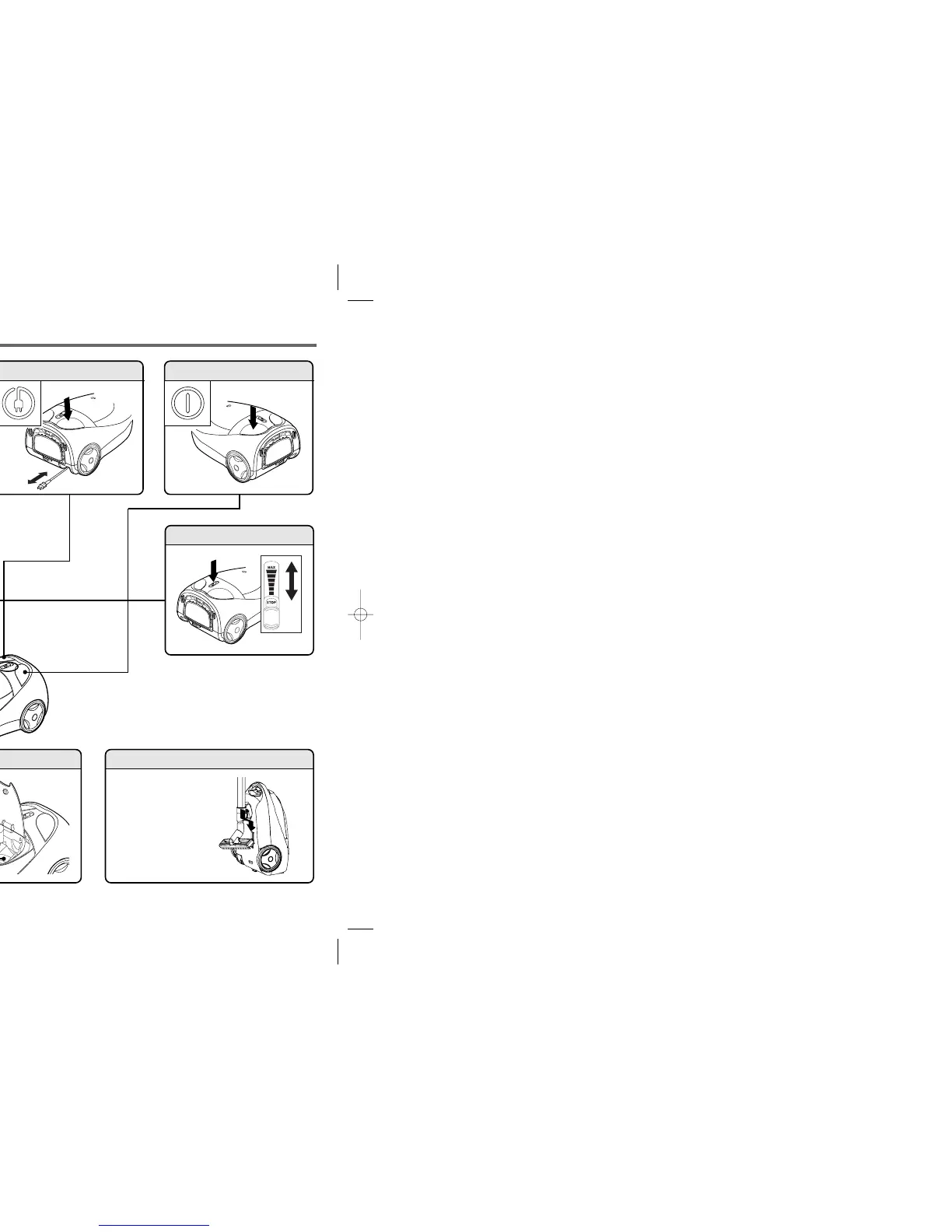
FULL BAG INDICATOR CORD REWIND
POWER CONTROLHOSE HANDLE
• If the red indicator appears:
- Empty the vacuum bag.
- If the vacuum bag isn’t full and the full bag indicator is red, check
the hose for a clog.
• When cleaning with a tool (dusting brush,upholstery tool,crevice
tool,floor tool), the red indicator may appear. In this case, continue
cleaning.
HOSE ADAPTER
• When separating the hose from the body, pull the
hose adapter while pressing the buttons.
STORAGE
ON/OFF SWITCH
• Insert the brush holder
on the neck of the wand
into the groove.
Adapter button
Crevice ToolDusting Brush
Petite Power
Nozzle
Upholstery Tool
HARD SURFACE FLOOR TOOL
• For use on tile, hard wood, and
linoleum floors.
• 3n1 multi-purpose tool
Insert end of wand into either end of
tool for multiple cleaning functions.
S20-Simplicity-1214 2004.12.14 11:55 AM 5





 To Next Page