EasyManua.ls Logo

SimPure Y7P-W - Page 15

SimPure Y7P-W
21 pages
Print Icon
To Next Page IconTo Next Page
To Previous Page IconTo Previous Page
Loading...
15
Filter
Replacement
Step
05
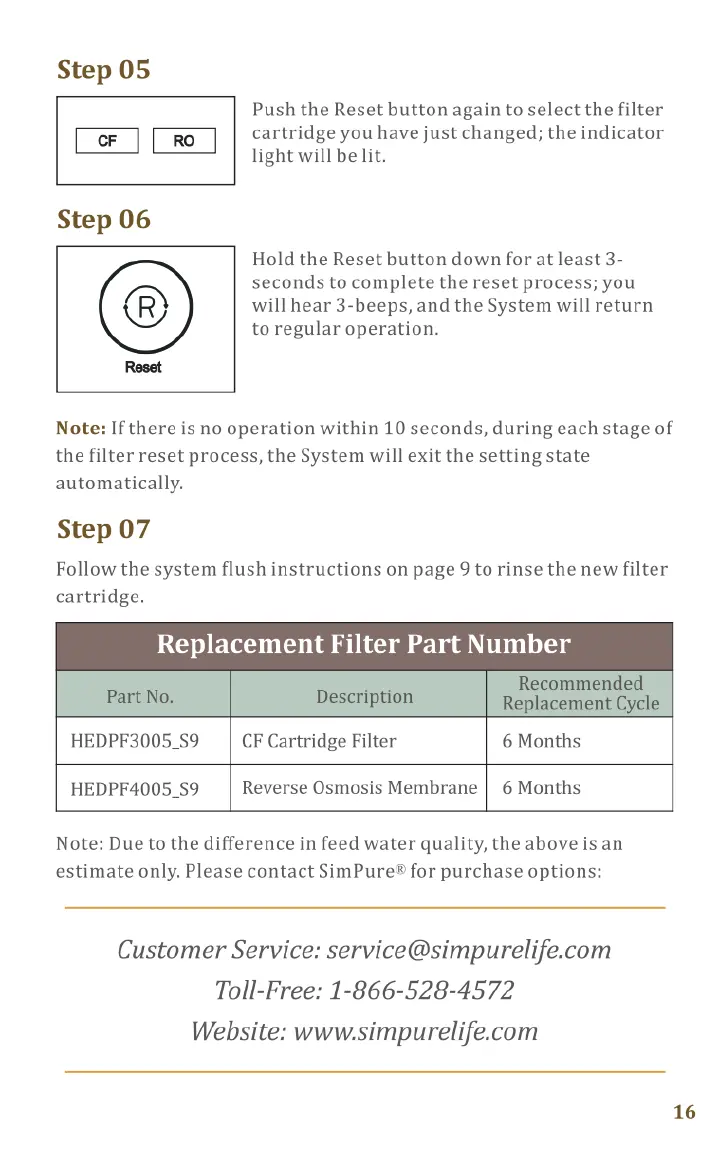
Push
the
Reset
button
again
to
select
the
filter
El
cartridge
you
have just
changed;
the
indicator
Remove
the
power
plug
from
the
electrical
light
will
be
lit.
socket
to
turn
the
System
off.
Open
the
Feed
Water
Tank
cover.
Step
06
Lift
out
the
Tank,
empty
all
remaining
water,
Hold
the
Reset
button
down
for
at
least
3-
and
placeitin
asafe
place.
seconds
to
complete
the
reset
process;
you
You
should
now
be
able
to
see
the
filter
will
hear
3-beeps,
and
the
System
will
return
cartridges
(located
behind
the
Tank).
toregular
operation.
Reset
Lift
each
filter
cartridge
from
the
bottom
towards
you
and
turn
counterclockwise
to
Note:
If
there
is
no
operation
within
10
seconds,
during
each
stage
of
the
filter
reset
process,
the
System
will exit
the
setting
state
remove.
Insert
the
new
filter
cartridge
in
the
correct
automatically.
position,
turn
clockwise
until
you
feel
a
click.
Note:
You
can
safely
dispose
of
the
exhausted
Step
07
cartridges.
Follow
the
system
flush
instructions
on
page
9
to
rinse
the
new
filter
cartridge.
Replacement
Filter
Part
Number
Refill
the
Feed
Water
Tank
and
fit
back
into
the
System
and
close
the
cover.
Plug
the
System
back
into an
electrical
outlet.
HEDPF3005_59
CF
Cartridge
Filter
6
Months
HEDPF4005_S9
Reverse
Osmosis
Membrane
|
6
Months
Note:
Due
to
the
difference
in
feed
water
quality,
the
above
is
an
estimate
only.
Please
contact
SimPure®
for
purchase
options:
Now
we
need
to
Reset
the
filter
change
reminder.
‘
To do
this,
hold
the
Reset
button
down
for
3-
Customer
Service:
service@simpurelife.com
Reset
seconds;
you
will
hear
2-beeps.
Toll-Free:
1-866-528-4572
Website:
www.simpurelife.com
16